How to Create an AI Native Company in 2026
When it comes to the term “AI-native” within the context of running an organization, it’s usually a venture capital firm or a consultancy talking about closed loops and ARR per employee in vague generalities - it’s not very tactical. You can’t do much with that.
Sure, you can appreciate it in a theoretical sort of way. But when it comes to actual tactical output and action, you’re not left with many tangible next steps.
My goal is for this to be the antidote to that. It’s demystifying these vague “agentic” philosophies and giving you a specific set of steps you can follow to literally create an AI native company today.
The first thing you should really know before we get started is that this is going to require a level of scrappiness and doing things yourself that you might not yet be prepared for. I think the future of organizations, especially AI-native ones, is a lot more lean, almost by definition, so you’re going to need to get your hands dirty.
In fact, there’s quite a bit of foundation that should be laid first before you even think about LLMs or AI tooling at all.
What Is an AI Native Company?
Terms like “AI-first” and “AI-enabled” get thrown around a lot, which usually just means they have Copilot enabled or something. That’s an example of AI bolted onto something that existed before it. “AI-first” is sort of like a vision statement, I guess.
An AI native company means something different: AI layers and AI agents are part of your workforce in a meaningful way.
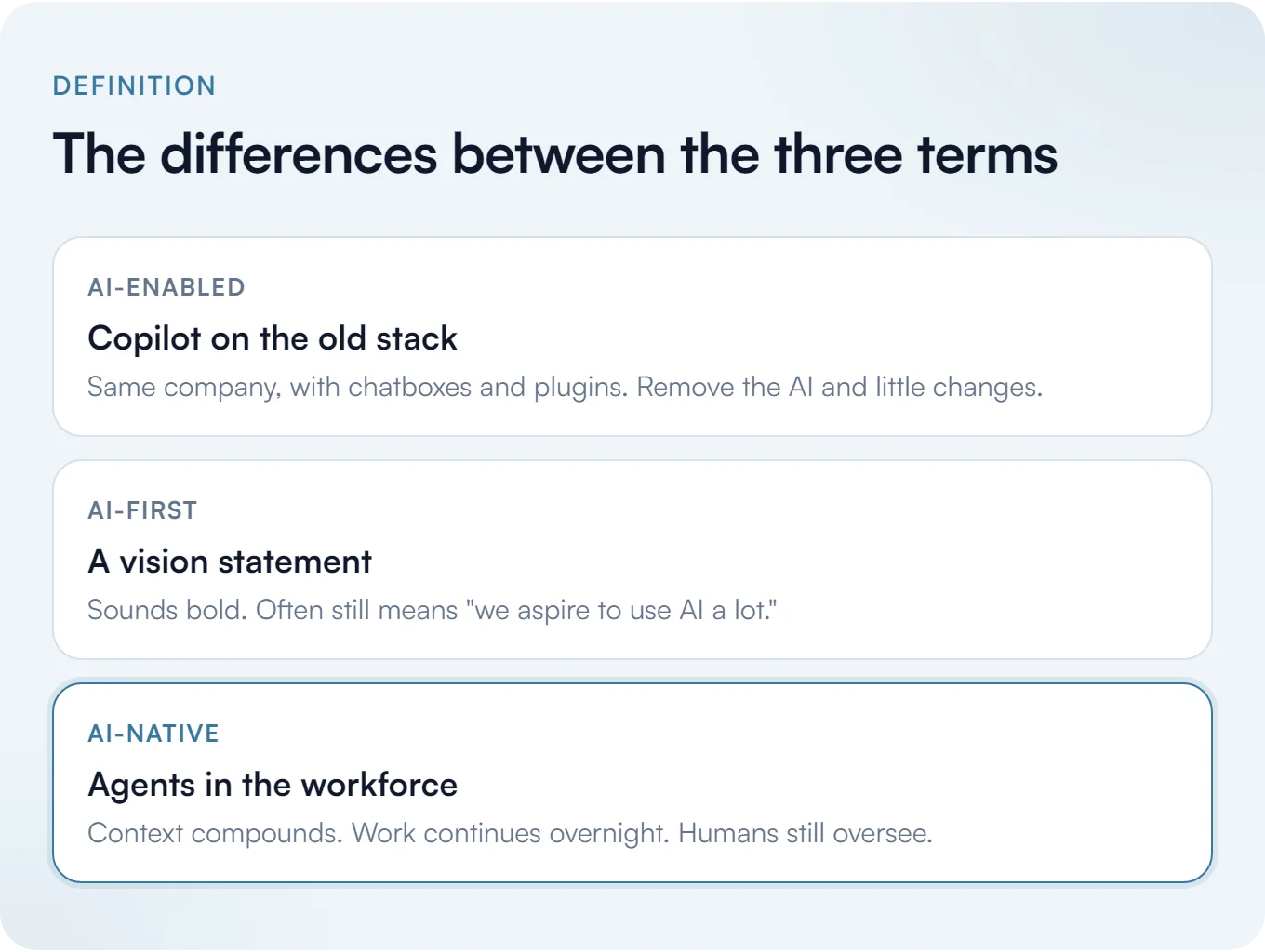
That doesn’t mean you’re a sitting duck without it necessarily, though. If you removed “AI” from the business tomorrow you could theoretically still run the company; it would just take way longer and be way less efficient, because instead of agents doing things, you’d be doing them. Regardless, there’s a human overseeing whatever the agents do anyway (or at least there should be).
The rest of this post is the practical setup for that kind of AI native company: accounts, entity, harness, machines, capture, and rhythm. But first, we should consider the foundation of how you create it in the first place. We’re starting from scratch.
Pick the Name Before Anything Else
Ideally you don’t move forward on an AI native company until you’ve selected a name for your business. Naming can be very difficult, but you can narrow it down quickly with a few basic principles.
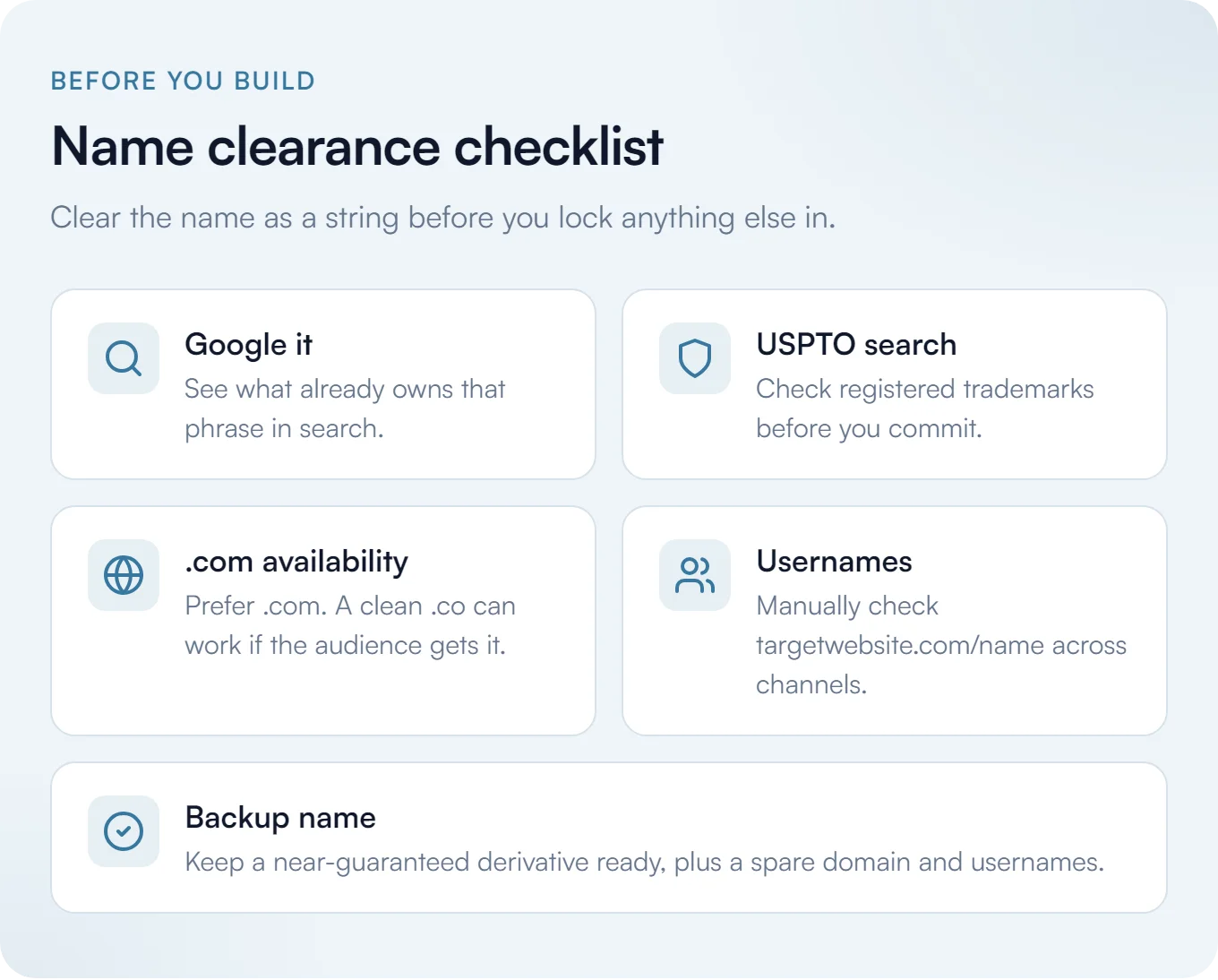
You can always brainstorm for great names. The harder part is figuring out what’s already out there, so do some internet research and see if the name already exists in some capacity.
- Google the name you’re thinking about and see what comes up.
- See if there are registered trademarks for it with a USPTO search.
- See if the
.comis available (if it’s not, a.coor another TLD that’s recognizable enough to your target audience will do). - Ask AI what else exists with that name.
You also want to consider that name as a string you can use as the username across every channel you plan on being on. There are tools for this, but I find manually looking at the links myself can be more helpful (targetwebsite.com/name), because those username checkers aren’t always accurate.
Even if you find one where everything looks open, you want a backup, derivative name that should be almost-guaranteed. A main username and a backup username, because you never know - someone might just grab it or randomly have been sitting on it, abandoned, on just one platform for some reason.
You can get a little feedback on the name, too, but be careful with it. Only go to trusted people and ask “what is this name evoking, what do you think of when you hear this name?” and see if it generally aligns with the kind of business you want to run.
If you’re running an LLC, you can also use DBAs. If you have a couple of alternative names you might want to use, you can include a few others in the DBA. It costs a little bit more, but it’s worth it if you’ve got a few ideas and you aren’t perfectly sure your mind is made up. You can even go as far as reserving a domain for the backup name you’re considering, plus some username backups.
Worth knowing is that it’s tougher now than before to just make social media accounts. These platforms often assume you’re a bot or you’re AI, so you have to validate yourself through extra - and sometimes even painful - verification steps. Sometimes that means phone number verification, almost certainly means email verification, but sometimes means something more invasive. You also can’t usually use one email address for multiple accounts - unless you use this little trick, of course:
If you use Gmail, you can put a period anywhere in the address and it usually reads as unique while still landing in the same inbox. There’s also the plus trick, where yourname+something@gmail.com works as a built-in alias and doubles as a self-label so you know what it was used for. Outlook straight up has an alias feature where you can add them. Proton has aliases, too.
That’s really useful for having one inbox behind multiple accounts. Just make sure the terms of service allow multiple accounts before you do that.
I’ve written more about the utility of the alias and some vanity URL tips if you want to go deeper on that.
Take Inventory of Your Accounts on Day One
Here’s what’s super critical about account creation for an AI native company: you are going to want to take really serious inventory and serious ownership of your accounts from day one.
If you build good habits with account management on day one, it will save you tens or maybe hundreds of hours of headache in the future.
Here’s how I’d do it.
Create a Password Manager Account
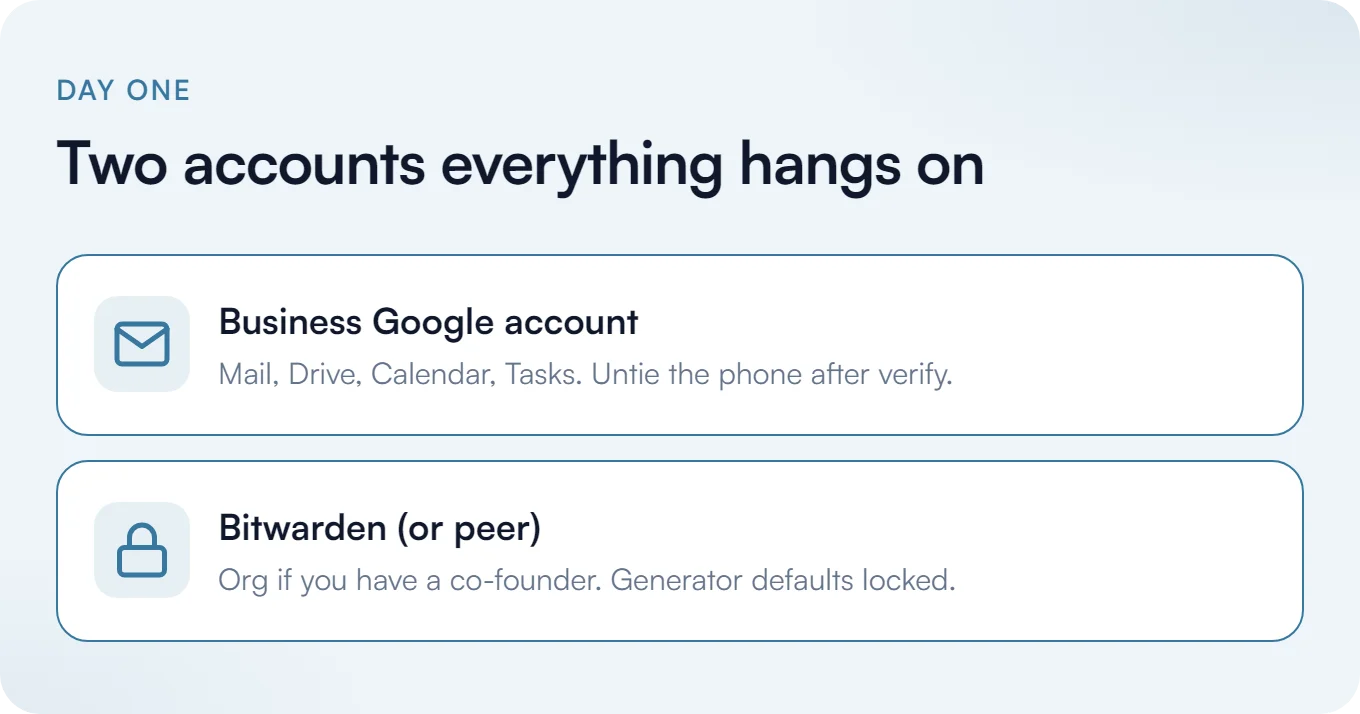
I’d create a Bitwarden account. It doesn’t have to be Bitwarden specifically, but it should be a really reliable password manager of its ilk. I like Bitwarden because it’s got an open source component to it and it’s free. It’s also got an organization feature, so if you have a co-founder you can have two users, which is great.
I’ve written a full guide to using Bitwarden if you want the walkthrough.
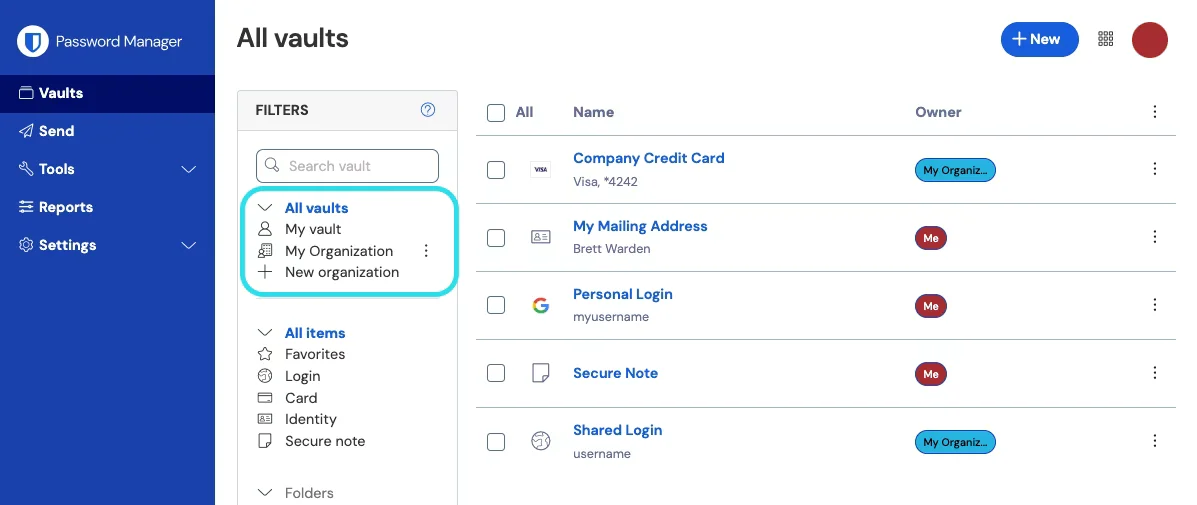
(Image courtesy of Bitwarden.)
Create a Google Account
If you want to go super lean and as minimal as possible, create a dedicated new free Google account and basically just use that for as much as you can. They’ll probably have you verify your phone number to make sure you’re a real person, and then I’d untie your phone number from it immediately. Use your personal email as a backup email, and set up a passkey with Bitwarden (or whatever password manager you’re using, hopefully it supports it).
I’d do these two things in parallel. Create the new Google account, then create the Bitwarden account using that Google account as the email address.
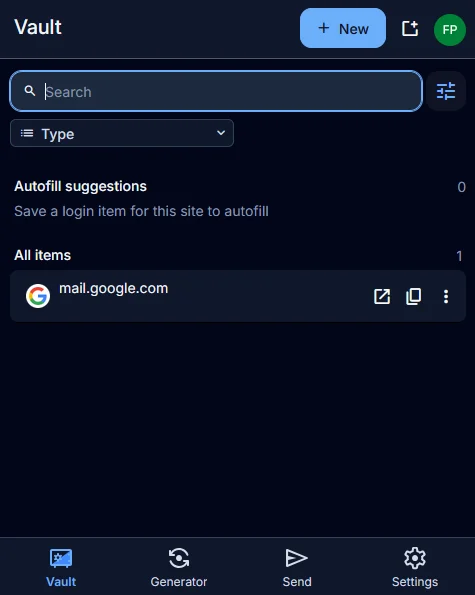
If you want a password manager personally, you can create a separate one for yourself and keep the work stuff in its own account, or you can build collections - quite frankly, there are many ways to do it. But if you’re trying to build something completely portable that you could eventually sell and just hand someone, start with the Google account and build the vault on top of it.
Change the Generator Defaults
The first thing I’d do is change the defaults so the random generator produces 20 characters with at least two special characters and two numbers. That’s a good baseline for really, really secure passwords.
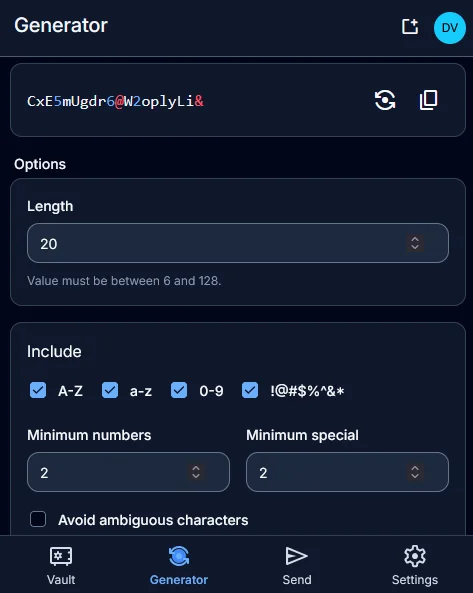
Your rule from here on out is that you don’t know any of your passwords. Don’t even try to memorize them. The only password you know (and that’s written down somewhere secure that you can access) is your Bitwarden password. Your Gmail password, and every other password associated with your business, lives in Bitwarden.
Follow the Same Account Creation Process, Every Time
Every account you make going forward follows a strict pattern.
- Sign up for the account using the same email address you created for this business.
- Generate a completely random 20-character password with two special characters and two numbers strewn throughout.
- Save it immediately.
- Add relevant URIs.
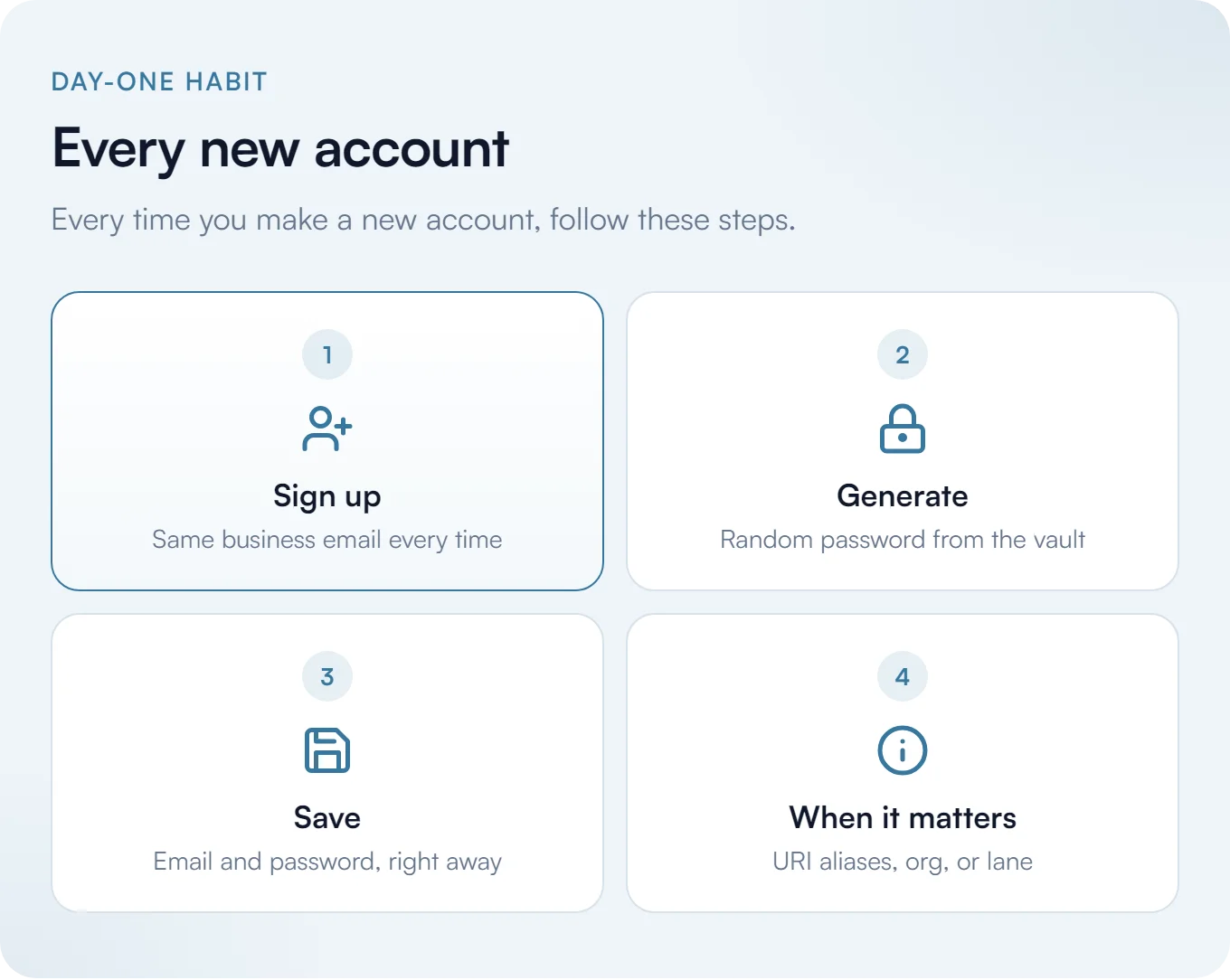
That last step is a bit more advanced, so I’ll explain it. Cursor, for example, has both cursor.com and cursor.sh. You want to add both as aliases so that no matter which page you land on, the same entry is the source of truth and pops up automatically so there’s never any mistake where you make a duplicate account by accident.
Make Bitwarden your default password manager in the browser, and actually turn off the password save feature in Chrome or Firefox or whatever you’re using. Live completely in the vault. Make it as frictionless as possible.
If you do this faithfully, you will never have account management problems. Or at least you’ll have far, far fewer of them.
If You Have a Co-Founder
Make sure you have an organization set up in Bitwarden. Every time you create an account, instead of just hitting save immediately, select the organization you have in common and then save. There’s a default collection it’ll save to automatically, but you can split those collections if you want.
Save Your API Keys in the Same Place
Every time you create an API key with a service, find the URI-aligned Bitwarden entry you saved with your username and password, and add a password-protected field with that API key.
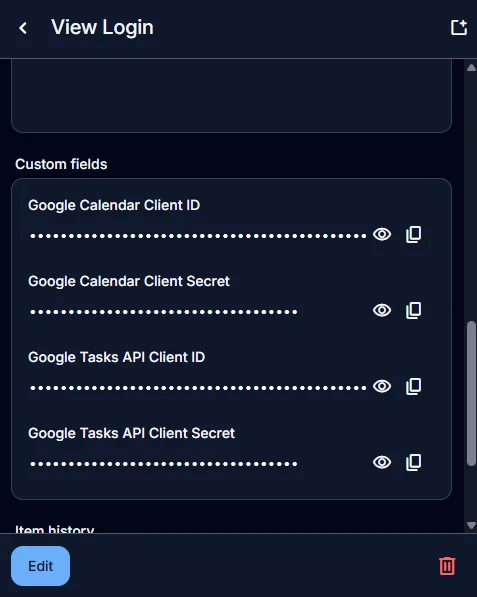
Services usually show you an API key once and then it’s gone. If you need durable access to it, this is how you get it.
If you ever rotate a key, update it in your password manager immediately and label it very clearly. Same goes for environment variables generally if you work with those.
Two-Factor, Done Right the First Time
Use passkeys whenever possible. Passkeys work with Bitwarden and it’s as simple as clicking sign in, a little pop-up comes up, and you click it.
In some cases accounts force you to sign in with another service like Google, or Facebook, or Apple. That’s unfortunate, and you should only ever do it if you’re actually forced to. In general, never opt for that, ever. Only ever do email signups.
You can connect those accounts later if you prefer, even as alternative sign-in options, and that’s totally fine. But the core of the account needs to be email and password whenever possible.
There’s real evidence behind this, too. Security researchers bought the domains of failed startups, recreated former employees’ email addresses, and used “Sign in with Google” to walk straight into live ChatGPT, Slack, Notion, and Zoom accounts, including an HR system with Social Security numbers in it.1
Some services force you to have two-factor authentication, which is fine from a security standpoint. That being said, though, when they offer you a QR code to scan, don’t just scan it, add it to your personal 2FA/MFA app, and then move on. What they’re giving you is a seed, and you want to capture that string.
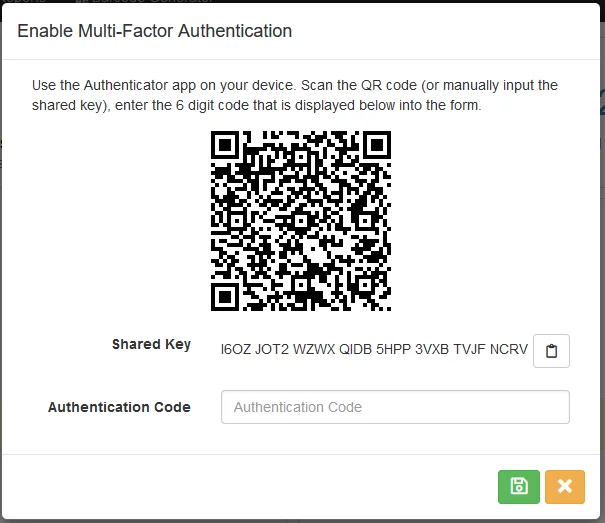
Save it in your password manager as a protected field. That way you can always get to it. If your phone gets lost or is destroyed, you get a new phone, import that string into any two-factor app, and it works. It also frees things up if it’s a shared account and a co-founder needs access later. All they need is access to that Bitwarden entry.
Those are separate from the backup codes, by the way, which you should also save in your password manager.
One thing to know: Bitwarden can show the rotating code for you directly, but that’s a paid feature. On the free tier it’ll store the seed in a hidden field without generating the code, so you’ll use a separate app for that. Bitwarden makes a free authenticator app, which I recommend, but there are plenty of other options. Authy works, and Proton has a good one, too.
You absolutely want to avoid SMS and anything tied to a phone number, at all costs. It’s pretty insecure as a two-factor method anyway,2 and if it’s tied to someone’s personal phone, that’s a huge headache. If you ever have a co-founder, or you have to sell your company, you’re stuck pestering whoever has the phone. It’s really a poor design in my opinion for anything that might be a shared account.
It cannot be understated how important the Bitwarden / password manager account itself is. You want a written backup, physically stored in a safe or something similar. Emergency access requires premium, so keep that in mind if you’re on the free tier.
Form the Company
Heads up, this is not legal or tax advice. This is based on my experience and what I’ve found works, and my recommendations could be out of date at any time. I’m not intentionally promoting any kind of fraudulent or sketchy activity. I’m just sharing what I’d recommend based on my knowledge.
You can run a lot of an AI native company before you file anything. Still, once money and contracts show up, you want the entity paperwork done.
Why Wyoming
I’ve seen a few options here regarding which state to base your business in, and Wyoming is what I’d recommend. A few reasons people pick it:
- Member and manager names don’t have to go on the public Articles of Organization, so the SOS filing stays pretty quiet.
- Wyoming itself has no state income tax. Federal still applies, and if you’re operating from another state, that state’s rules still matter.
- Cheap and light to keep alive: $100 to form, usually $60 a year for the annual report if you don’t have much in Wyoming assets.
- Nice option if you’re outside the U.S. and want a U.S. entity without a ton of friction.
Doesn’t necessarily mean it’s for you, but something to keep in mind.
The Checklist
Eventually you might want an S-Corp or something more substantial. If you want the bare minimum to get started:
- Lock the name.
- Appoint a registered agent.
- File.
- Get an EIN.
- Draft the operating agreement.
- Open the bank account.
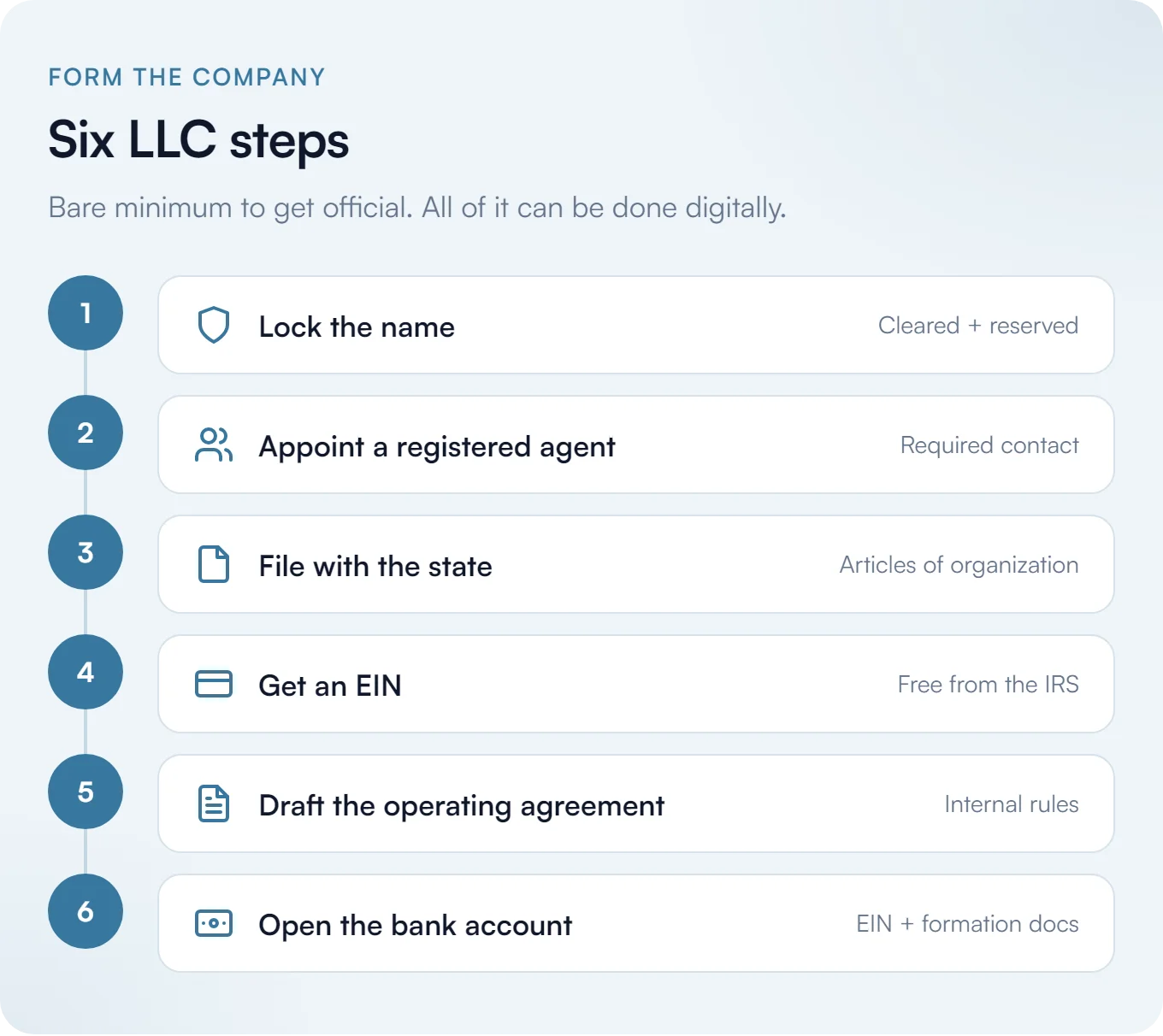
Your EIN is completely free, comes directly from the IRS website, and is issued immediately, as long as you form the entity with the state first.3
None of this needs to be done on paper, by the way. This can all be done digitally.
Every time you encounter these documents, whether you’re forming the LLC or saving paperwork, every PDF related to formation and tax needs to be saved in a central place. I’d save it locally somewhere on your PC or your local cloud. If you’re going the Google route, a natural move is to open Google Drive in that account you made and store it all there, so you have two copies.
Generally I support having one source of truth, but in case something happens to the Google account, it’s good to have a local copy. That’s what I do (I’m also very organized, so if you’re not, you might want to think about an alternative backup option).
I also recommend setting up quarterly reminders for taxes, or at least each year before tax season taxes are due. Build it into your calendar so you don’t forget.
Which brings up another aspect of this process: I don’t know how you are with your calendar right now, but if you’re not using a digital calendar, you absolutely should be. Set up Google Calendar and Google Tasks in that same account, put it on your phone so you always see it, get your alerts, and live in there. You’ll know when you’re free and when you’re busy.
If you don’t use a digital calendar at all, great - start using this one. If you already use one, I have a solution for keeping multiple calendars in sync that can help.
Once this step is done, you’ll want to save all of your business information, including your registered agent’s address, your EIN, DBAs, and all other relevant information in Bitwarden for easy access. You can use standard fields or secure fields to store the information, and you’ll be happy you did when you need to quickly refer back to it.
Banking
I’ve tried a few different options here:
By far, Mercury has been the best experience. Unlimited virtual cards, one physical card per team member, per-card spend limits, and merchant-locked cards. These are all great features. I’ve written before about how useful virtual cards with spend limits are on the consumer side with Privacy.com, and the business version is the same idea with even more control. You can even create virtual payment cards for AI agents.
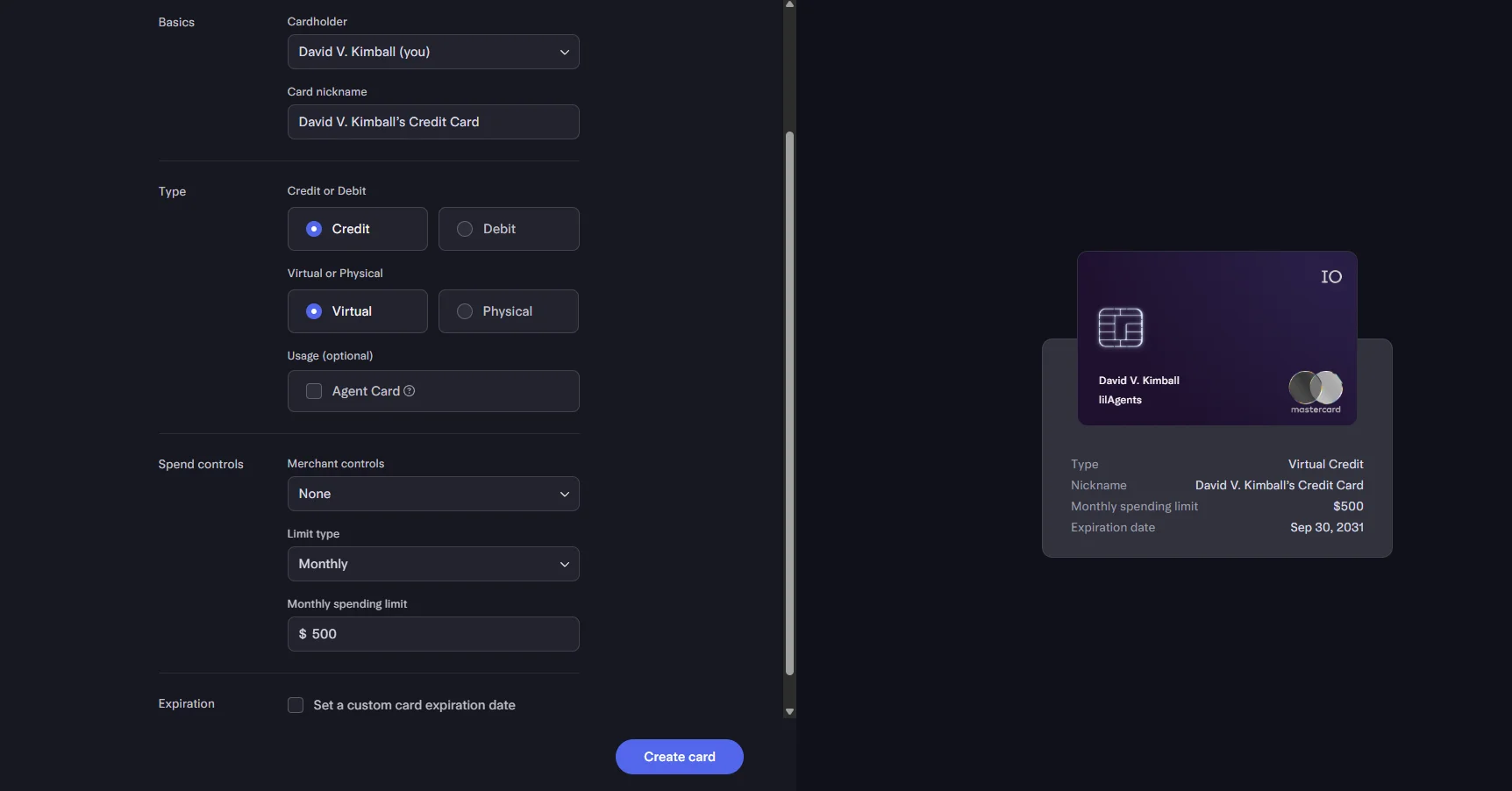
Mercury is a fintech company and not an FDIC-insured bank, so there are a few things you can get into there if you’re interested.4 As of April 2026 they’ve been approved to become an actual bank, for those interested.
The one annoyance is that Mercury doesn’t accept registered agent addresses or PO boxes, so you have to use an actual address. It doesn’t matter that much as far as I know. It’s just kind of annoying that you can’t use your registered agent’s address, because in general you want to put everything at your registered agent’s address rather than your personal home address. There are a few exceptions, and this is one of them.
You’ll also want to establish a way to store all of your transactions. Mercury has their own answer to QuickBooks called Books, but you want to make sure you have all of this saved yourself. That’s another calendar event: a recurring reminder to export your history so you have it for tax purposes and just in general.
As an aside, as an ACH originator you’re personally on the hook to keep those records for six years.
Once you set this up, you’ll want to save your virtual card numbers and bank and routing numbers in, you guessed it, Bitwarden. I’d associate it with the Mercury entry in your vault, or you can save separate card entities too for your cards.
Email, and Where the Free Path Ends
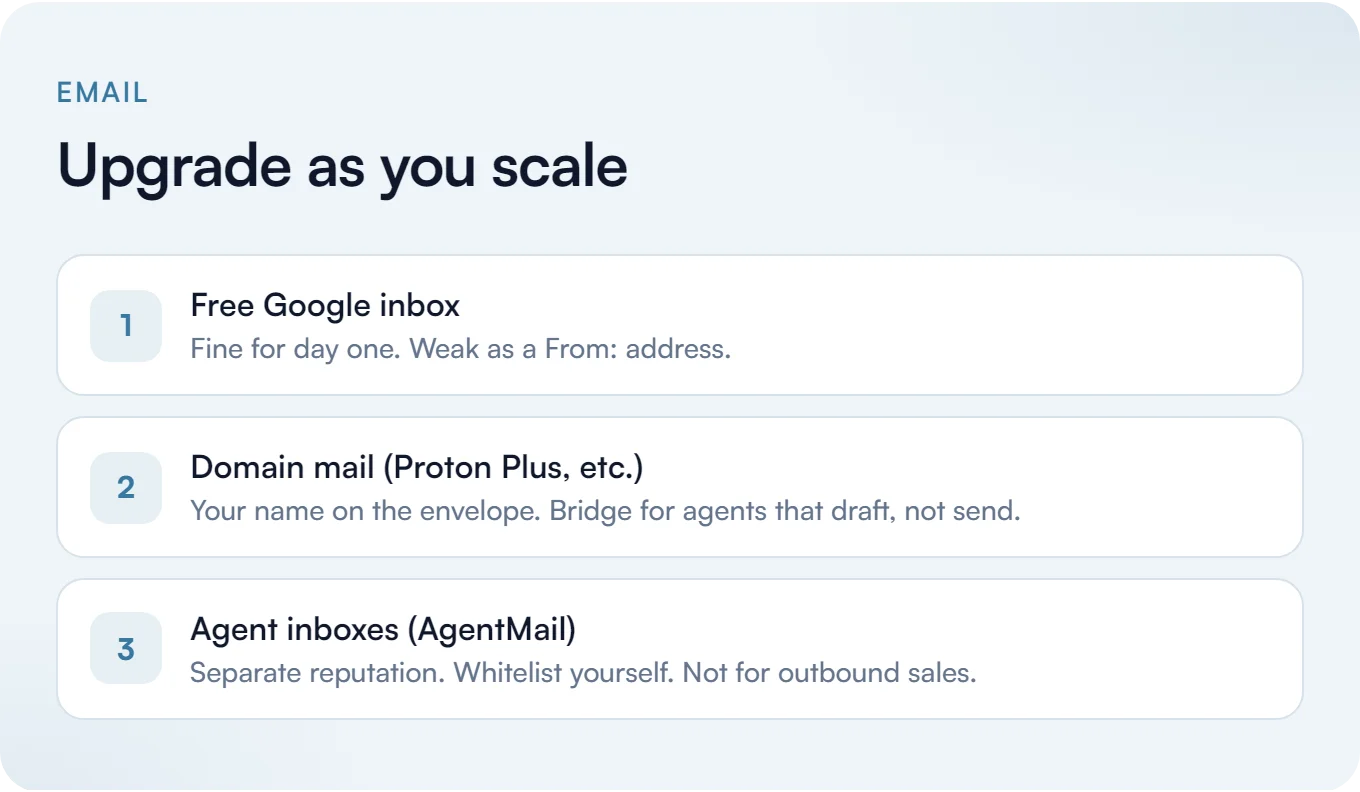
Like I said earlier, you could be really scrappy and use that one Google account for everything. However, there are a couple of downsides to that approach. It’s a free account, and you simply don’t have the same level of perceived authority if @gmail.com is in your from: address. For an AI native company that talks to customers and partners, that perception matters.
You can use something like Proton Mail, where Mail Plus lets you use your own domain name (it can be the domain name you decided on from an earlier step). When you send from your own domain, you immediately have more authority. And if you’re paying for something, that usually improves the odds that it won’t get taken down or that you won’t have downtime, which is really important for email.
I can’t stress this enough. Having a really good, solid email address is one of the most important parts of this whole process.
If you go the Proton route, it’s private, which is obviously one of the main reasons Proton is great. It also has Proton Bridge, so any Linux, Windows, and macOS mail client, or any AI client basically, can read it. That’s very handy. On Linux you’ll need a secret service password manager like GNOME Keyring or pass for it to work.
Just be careful when you’re doing IMAP connections with agents. I would never send things as an AI, and I would never have an AI send things as you (drafts, fine, sure, but no sending).
AI agents can get their own email with something like AgentMail, which has a pretty nice free tier with 3 inboxes and 3,000 emails a month on their domain. It’s nice if you need to get stuff done. It’s not really great for outbound sales, although you can try. The other thing I’d do is email yourself and add it to your whitelist so you always get those messages, because the AgentMail domain is subject to whatever everyone else is doing and it’s going to be tied to any other agent’s reputation.
The other option I’ve used in the past is Zoho Mail’s free plan. Zoho lets you use a custom domain name, which is great, but IMAP and forwarding are tied behind paid plans. I’ve been able to use it for a few things. I wouldn’t recommend it for most people, but it’s worth mentioning.
Here’s a post I wrote about accepting free email and then why I pay for it now if you’re interested in that.
Pick an AI Harness You Can Leave Trivially
Now, finally, after all this initial setup, we get to the actual AI part of building an AI native company.
The big thing to think about: this space is changing all the time. Maybe you’re excited about Claude Code right now, or Codex, or Grok Bot, or something else. What you really want to do is pick a harness you can leave.
Something like Hermes, OpenClaw, or Pi are more open options. The benefit is that if you just have a collection of text files, or infrastructure another agent can easily pick up, you’re setting yourself up for success in the future.
The tempting thing is the all-done-for-you approach, and to pick something more locked in. But then that can quickly become a problem. If you’re locked in, moving to another option is really painful. I ran into this exact tension with Grok Bot, which had the best UX I’d used and also the most vendor lock-in.
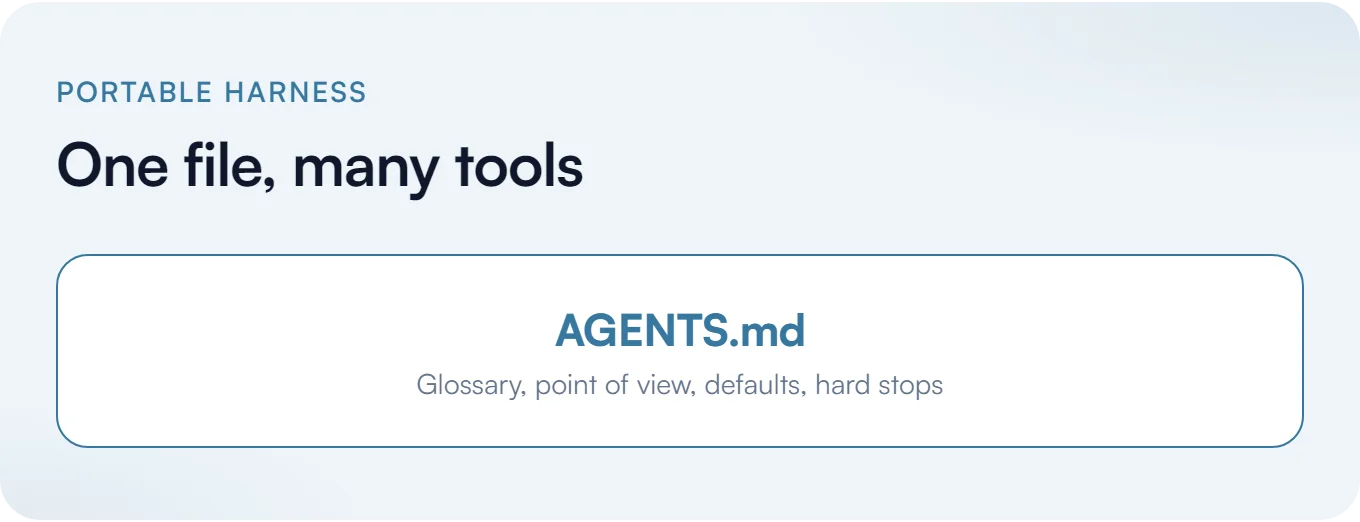
One example of mitigating this is AGENTS.md. It’s stewarded by the Agentic AI Foundation under the Linux Foundation and used by a ton of open source projects, and it’s read by Cursor, Codex, OpenCode, Claude Code, Google Antigravity, Zed, Aider, Amp, Windsurf, and a bunch of others.5 Claude Code used to be the odd one out with its own CLAUDE.md. As of the original publish date of this post, if there’s no need for a CLAUDE.md in a folder, since now it checks for and uses AGENTS.md (you can toggle that in /config).
That’s the portable setup winning in public. Keep AGENTS.md as the source of truth, and the harnesses keep catching up.
The Central Working Folder
This is the part a lot of people skip, and then everything feels scattered.
You want one permanent folder on your main PC that is the home for this company: notes, transcripts, AGENTS.md, project files, the stuff Obsidian opens, the stuff your harness reads. Not Downloads. Not a random Desktop dump. Not a temp folder you will forget in three weeks.
Pick a path you can remember and say out loud. Something like ~/CompanyName or C:\Work\CompanyName. Put it somewhere you will still find in a year. That folder is the durable memory of the business.
Then back it up on purpose. A private GitHub or GitLab repo is the easy default if you are already in that world. An encrypted backup tool to an external drive or another machine also works. Cloud sync of that folder is fine as a second copy. The point is: if the laptop dies tomorrow, the company context should still exist.
Sometimes you’ll use cloud-based harnesses too, but the more cloud-based you go, the more lock-in you tend to find. I like having things stored locally in that central folder, then syncing or deploying outward, and that’s what I’d recommend for most people in this situation.
Something like OpenCode actually falls back to CLAUDE.md and even .claude/skills, and now Claude Code falls the other way toward AGENTS.md. They’re getting smarter about reading each other’s work. So, that’s pretty cool.
Specifically with OpenCode, if you just want to get something started, the CLI is free and the app is free. Zen is pay-as-you-go with no token markup and there’s actually a generous free tier on it. Go is $10 a month for a lot of pretty interesting options, like some of the latest Kimi models and even some Grok models.
Just be aware that when you use free models you’re sometimes giving your data away, like with the NVIDIA endpoints.
Something like OpenRouter gives you a bit more firepower if you want more choice and flexibility. So you can try something like Grok Bot, just keep the limitations in mind.
Try to have a mindset of portability whenever you can, whatever you pick. What you do in the beginning is going to set up what you keep doing, and it builds over time. You want this to grow and compound.
Arm the Harness
Picking the harness is only half of it. The other half is arming it with useful information so it’s not just a disposable, one-off chat conversation that evaporates.
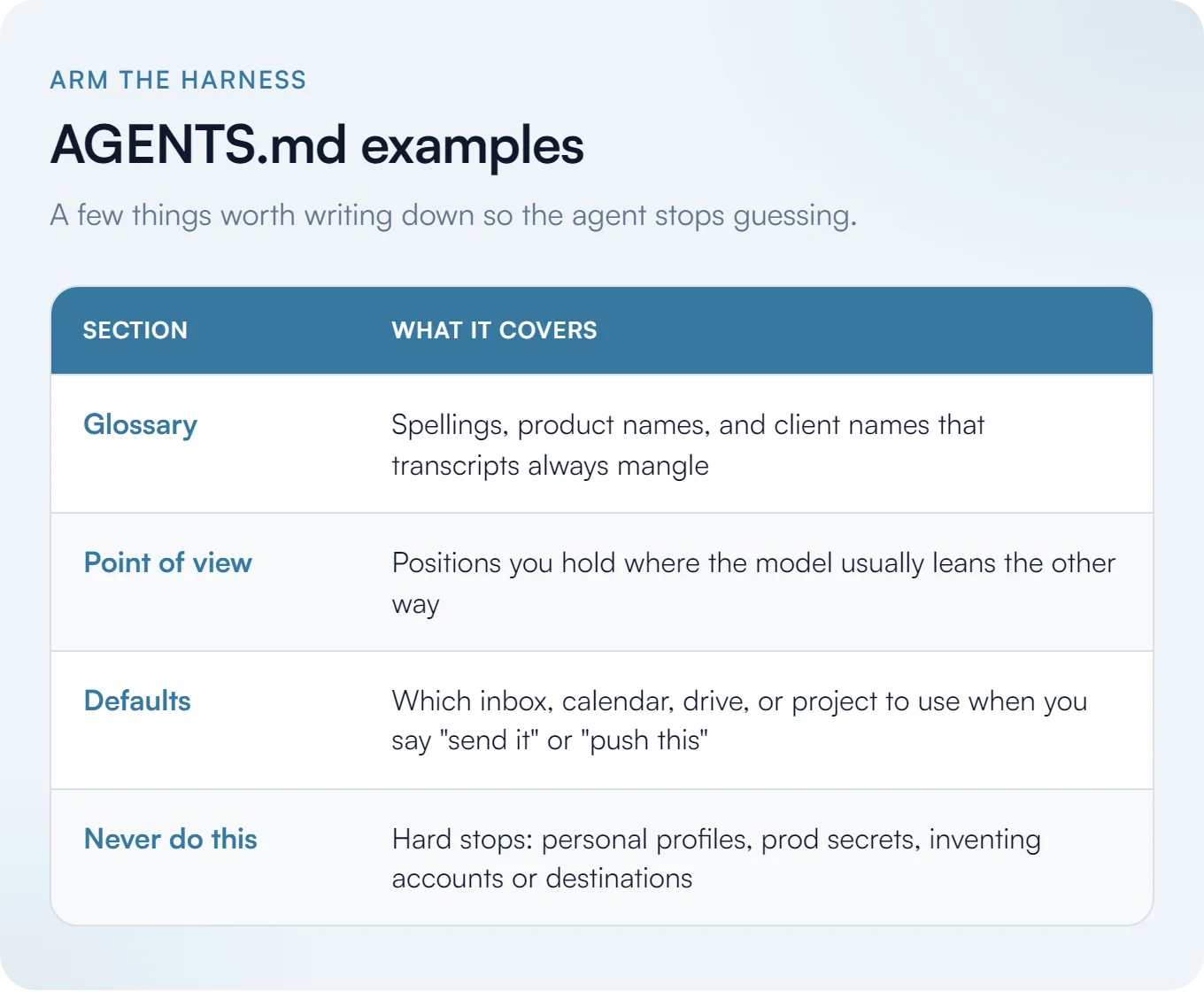
You want aggregate company documents it can reference. Stuff like brand guidelines, how you talk about yourselves, and how you structure work. But you also want something closer to a glossary.
If you have a platform with a funny name and a specific spelling that shows up a lot in transcripts and always gets misspelled, put that in. If you have a specific point of view on a topic that AI usually takes the other direction on, get ahead of it. Put it in writing where the agent will see it every time.
A few practical examples of what that looks like:
- When you say “write me a draft,” it should know to create that draft in your company Gmail, not your personal one.
- When you say “push this,” it should bias toward a specific GitHub repository, not invent a new one or pick the wrong org.
- When a transcript says a client’s name wrong, your glossary already has the correct spelling so it never compounds the error into emails and docs.
That’s what AGENTS.md (or something like it) is for. A set of defaults for day-to-day work.
From Prompt to Process
More on the bigger mindset shift that involves getting away from “oh, it’s just a one-off chat.”
You’re not bolting-on Copilot inside every app you already use. You’re building a tangible partner that can compound and grow. New projects stand on old ones and context survives overnight.
I talked about this at The Build Exchange in a session called From Prompt to Process. The short version of that talk is a five-step project engine:
- Capture your files, links, notes, exports, and source material.
- Centralize it in one place so AI has context and can build a durable structure.
- Extract themes, patterns, insights, and opportunities.
- Execute useful outputs: emails, comparisons, plans, content, plus autonomous actions.
- Remember the structure. Don’t start from zero next time.
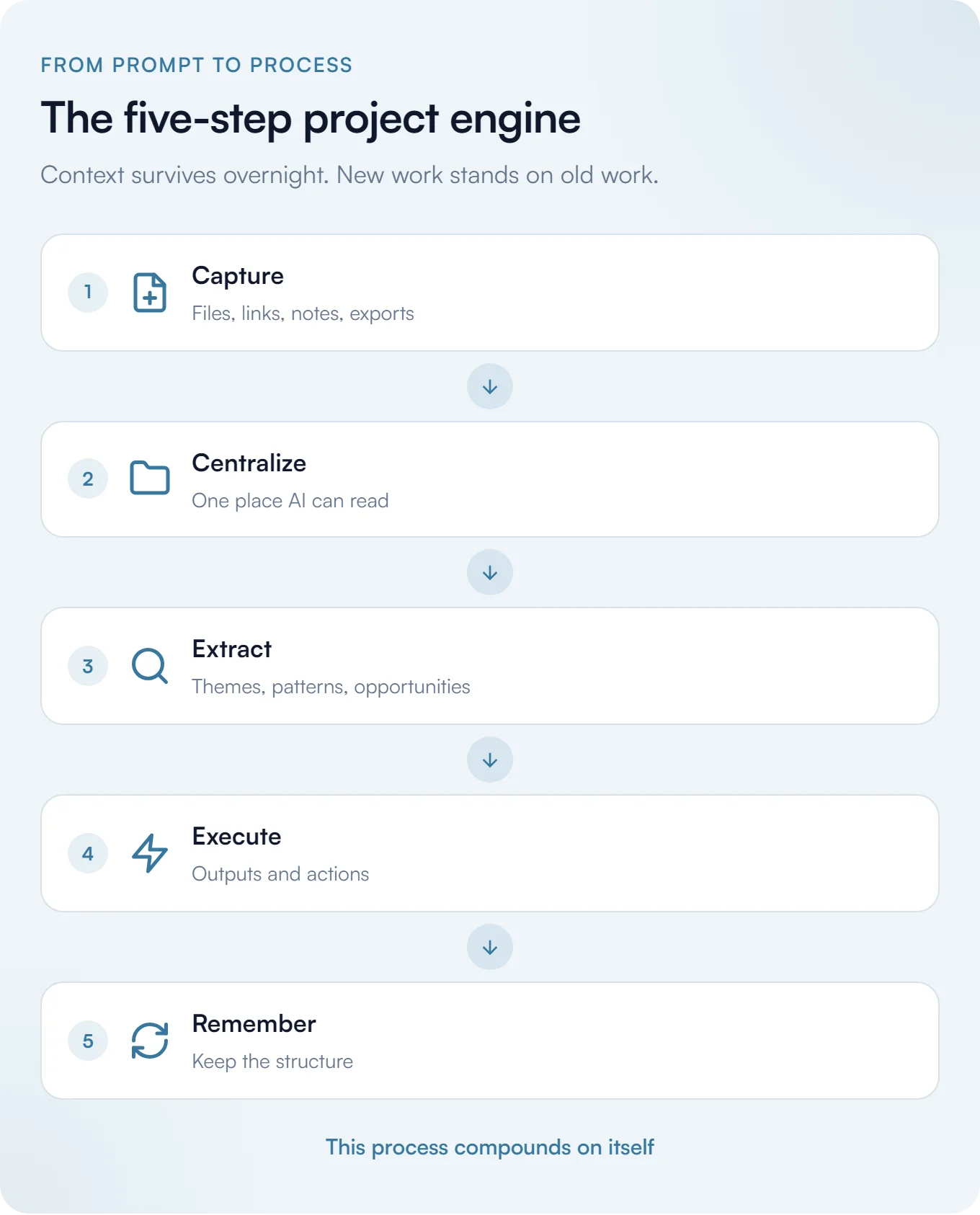
The old way is open ChatGPT, ask one question, maybe attach a file, get one answer, start over tomorrow. The new way is give AI access to your working environment, let it read your files and notes, remember what it learned, and come back later and continue.
That is the difference between AI as a bolt-on and AI as part of the workforce.
Code Hosting and the Org Trap
You’ll want to make a GitHub account. You might already have one, and that’s fine.
It’s against GitHub’s terms of service to have more than one free account, so if you want a second host, make a GitLab account. That’s fine.
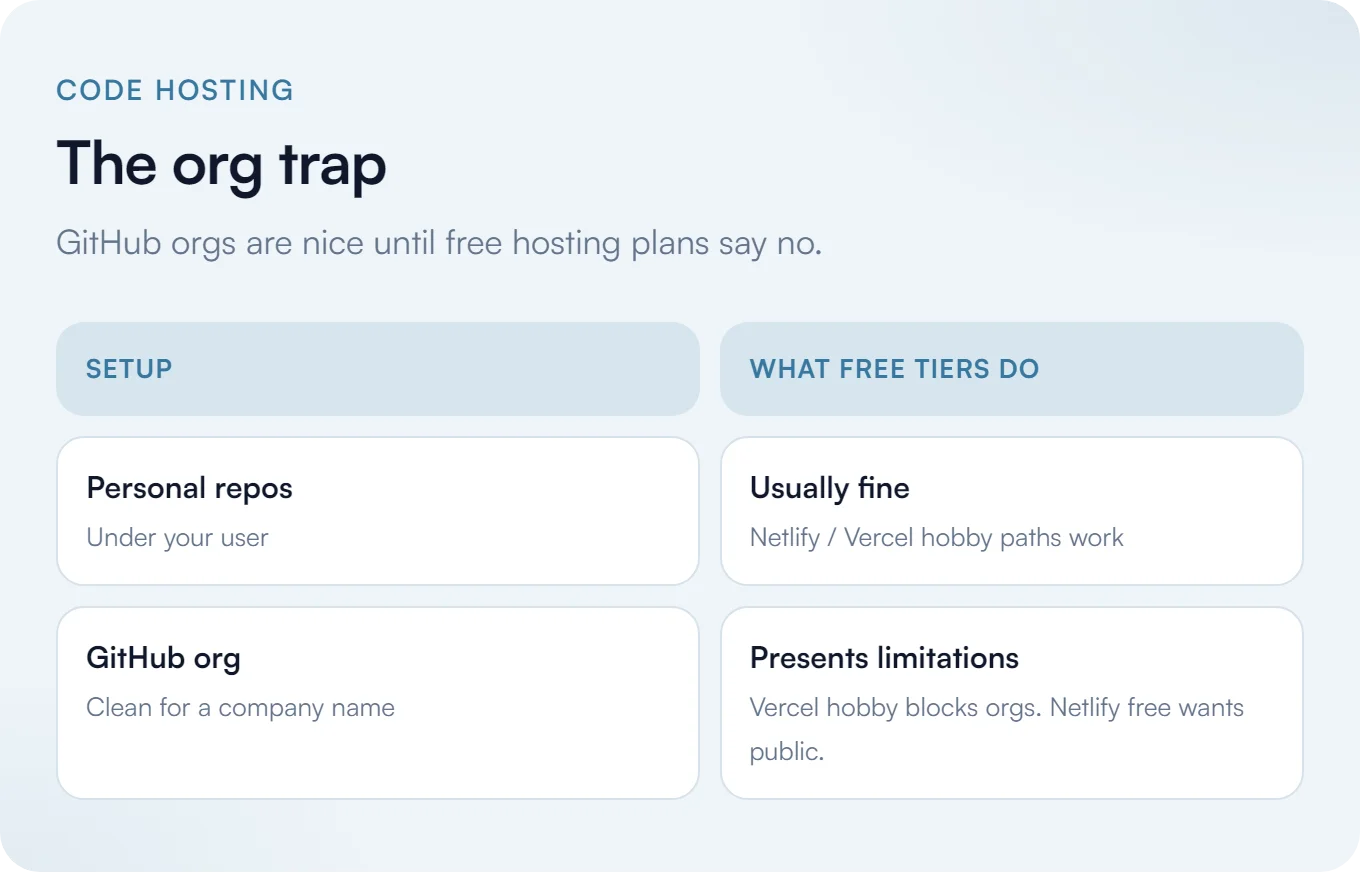
Just keep in mind that services like Netlify and Vercel get weird with orgs. GitHub itself is generous: unlimited private repos, unlimited public repos, for orgs and personal accounts alike. There aren’t really any meaningful distinctions there. And it is nice to centralize things to an org if you’re making things for an org.
But as soon as you connect it to another service, things change. Vercel’s hobby plan straight up doesn’t let you use org repos at all. Netlify only lets you deploy public org repos, not private ones.
Assuming you want to use your own GitHub account, that’s fine. You can make an org for your business through your existing account, just keep those limitations in mind if you’re trying to host your company website there. You could also use GitLab and connect that to Cloudflare instead.
Also keep in mind that your GitHub personal username and your organization name could clash if you try to use the same string. Be strategic and thoughtful about what you want those to be, because they’re both github.com/whatever-the-name-is.
Hosting
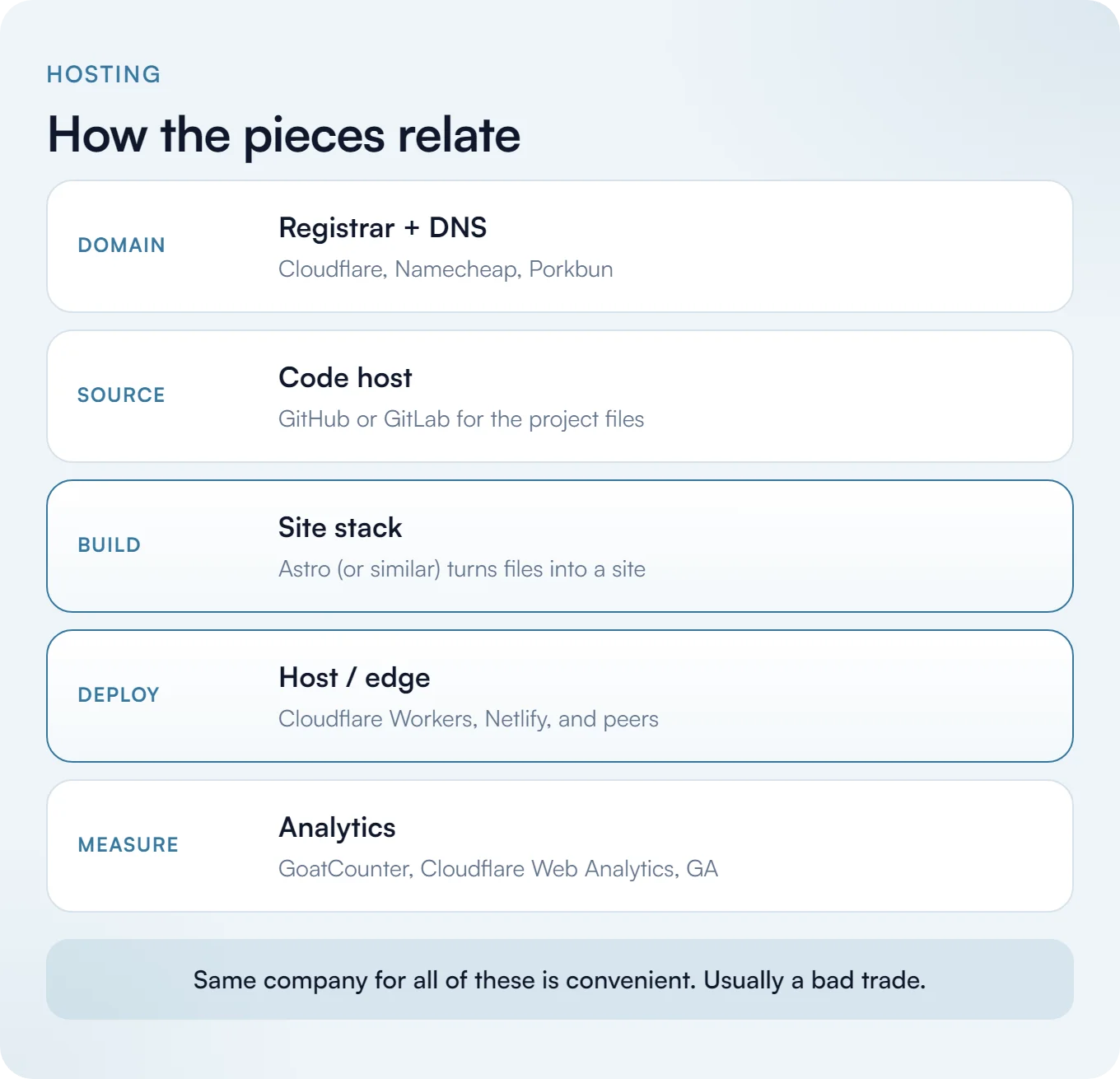
Ordinarily I would recommend Netlify, but their current free tier is nowhere near as generous as it was. Vercel is way too restrictive and very locked-in generally, and if you start paying for it, it gets really expensive very fast.
At this point I basically recommend Cloudflare across the board. Cloudflare Workers is outstanding.
The other big reason I recommend Cloudflare is Astro. They acquired Astro in January 2026, and it stays MIT-licensed with explicit platform-agnostic deploy targets, which is great6 (interestingly, Netlify is actually a listed funder of the Astro Ecosystem Fund, so that’s cool).
Astro is incredible, and still very underrated. It’s highly performant and built for content-driven websites. It’s what you’ll want to use most of the time, generally speaking. Most AI tools default to React for some reason, and there’s usually not a good reason for it. It’s usually over-engineered for what it needs to be. You can use those things if it makes sense, maybe Next.js or something else, but in my experience Astro is the right choice most of the time.
I’d also recommend buying your domains through Cloudflare. If you want a different registrar, Namecheap and Porkbun are also good options. The main problem with buying domains through Cloudflare is that you’re locked to their nameservers, which isn’t a big deal for most people, but it can be a problem if you want more control over your DNS or similar.
On the free tiers: Netlify originally gave you tons of bandwidth and build time. That’s no longer an option, though. You only get 300 credits a month now which limits you a lot more than before.
The problem with Vercel is that if you exceed the limits, it pauses you for thirty whole days. The hobby plan is non-commercial only, and Pro bills uncapped and on-demand, which can get out of hand fast.
For analytics on your sites, I recommend GoatCounter if you want one where you don’t have to do the annoying cookie banner. You could also use Cloudflare’s Web Analytics, or of course Google Analytics. Just keep in mind you’re going to have to put a bunch of disclaimers about tracking cookies and all that nonsense up, which is kind of a pain. But it is what it is.
Secrets Hygiene
If you’re storing your AI harness info in Markdown files and committing them to Git, you absolutely want to avoid storing secrets there. Add those to .gitignore, keep them in your local .env, and also add them to your password manager.
Environment variables can be deployed to Cloudflare or Netlify or wherever via the CLI, or you can do it manually through the browser / UI if you want. Just make sure that for every variable you have stored there, you also have it stored in your password manager or locally in your .env, so you have complete backup and control and you’re aware of what those are.
Sometimes you can see them once and then never again. Be careful with those credentials, and don’t sync them without thinking.
In terms of agent blast radius, you want to actually scope those credentials where you can, and sandbox anything unattended. It’s a best practice and not everyone follows it perfectly, but it’s useful to bear in mind that you don’t want to give it full rein over everything. Where it makes sense, add sensible guardrails.
Machines and Operating Systems
An AI native company needs hardware that can stay on and stay reachable. I generally recommend having a dedicated desktop PC as a daily driver. This goes back to my philosophy of having something where you can replace parts, keep it future-proof, and get the best bang for the buck.
Assuming you mostly work from home and you only need one device, you can use a laptop. But generally I’d recommend having a desktop be your daily driver monster machine, with a laptop you can take with you to be portable that feeds off of it. That’s how I personally work, I think it works really well.
You also need an always-on box. This could be a laptop, but ideally it’s another desktop or a prebuilt PC in a corner somewhere in your house that just has internet access and runs your AI stuff. It’s always on, so it’s running your routines and your cron jobs.
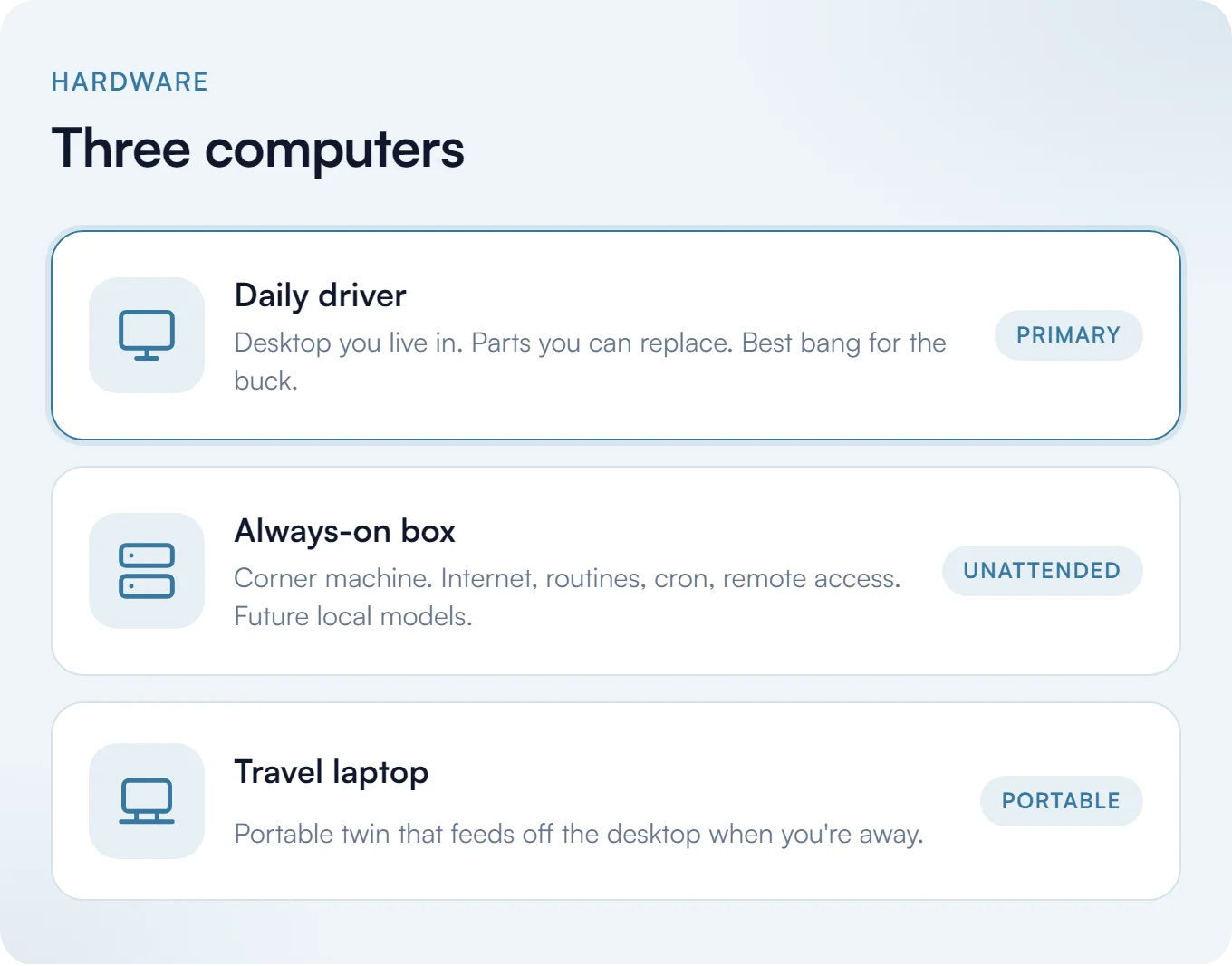
In the future it can run local models. Right now you need to buy something kind of expensive to run anything competent, but in a couple years you’ll absolutely be able to run good stuff with a mid-range graphics card. That’ll be amazing, so think about that and hedge toward it.
For operating systems, I’d actually recommend Linux, then macOS, and then Windows as a last resort (crazy to write this out loud).
I’m only on Windows for legacy reasons, like most people. I’m looking to get off of it and switch to Linux full time. I’m currently using Omarchy on my laptop, but you can use whatever makes sense for you. I’ve also used Debian in the past. If you want the Windows version of my setup, I’ve written that up separately, along with my general software of choice.
What you want to do is make sure the always-on box can run unattended, and install remote software to manage it. I use RustDesk, which is really good for that. You can go in and manage it without having to turn on another computer, just from your main machine or your laptop if you need. Really helpful.
Maybe you use Omarchy as your main machine, or macOS, and then you have a dedicated Debian PC just running all the time.
The Human Lane and the Work Lane
This is more of a decision about how you want to run an AI native company on one machine. Some people want a clear delineation between work use and personal use. If you’re setting up one machine just for work and another for play, that’s fine, but I like having both on one machine.
The way I personally split it up is that Firefox is my preferred browser, so I use it for all my “human” stuff and my personal stuff. Then I have a Chrome instance that’s my AI workhorse and also for things related to work.
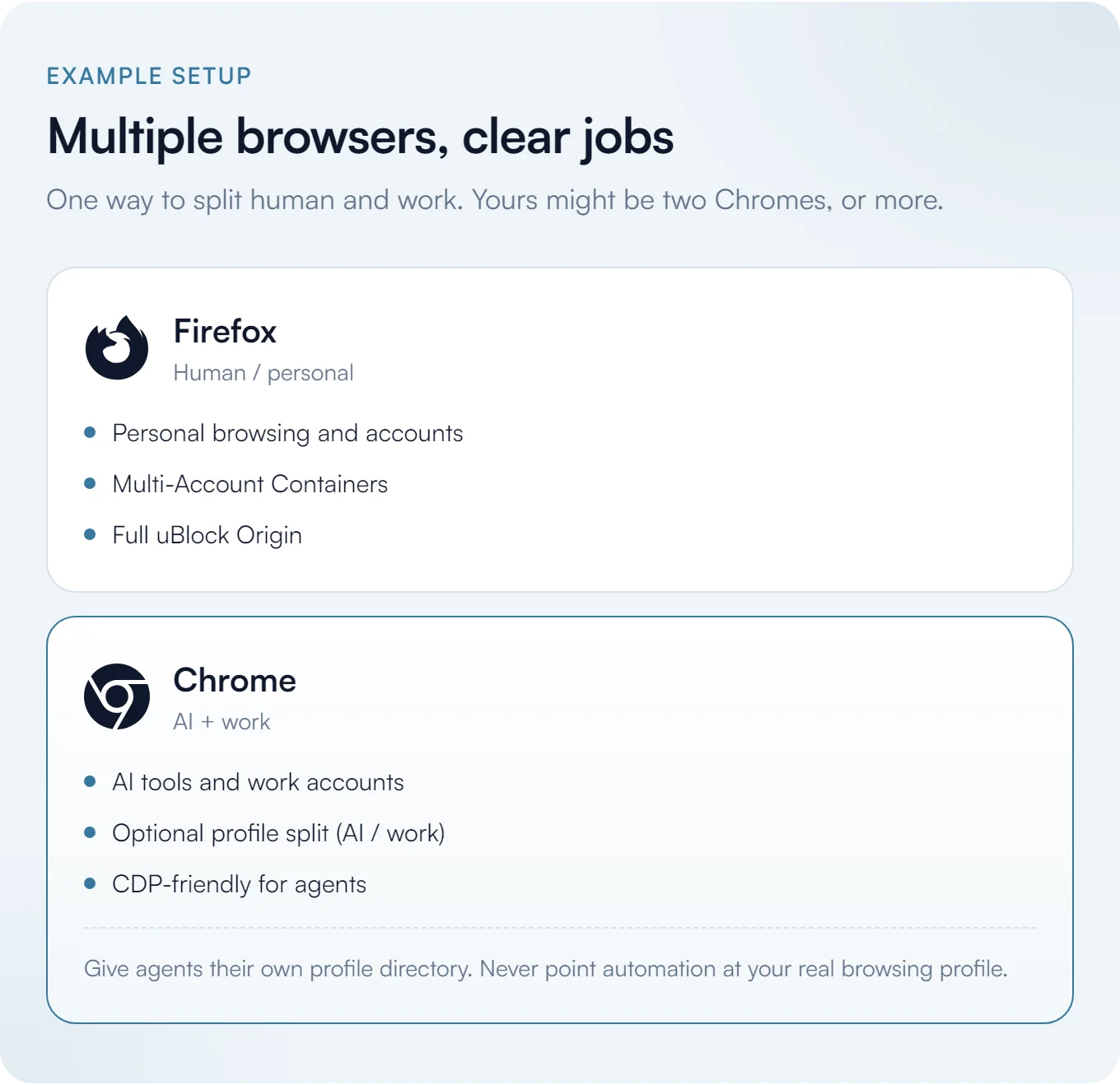
However, if you are so inclined, you can have multiple profiles in Chrome and use one browser exclusively instead. You might have one that’s just AI controls and one that’s your work one. You can spin up as many of these as you need.
Something I love about Firefox are Multi-Account Containers, and you can open new tabs into a specific container (to this day, I am unaware of anything like this for Chrome). uBlock Origin is also really nice to have, and you don’t get the full version on Chrome anymore.
Your agents can learn which profile is for what, then not touch one and only touch the other. You can also launch a profile by hand or set up desktop shortcuts.
Launching a specific Chrome profile yourself works fine. Pointing an automation framework at your actual browsing profile does not. Playwright now explicitly warns that automating Chrome’s default user profile is unsupported and can cause pages to not load or the browser to quit. It’s now best practice to give your agents their own dedicated profile directory.
One reason it’s nice to have AI work with Chromium specifically is CDP is Chromium’s own protocol. Browser Use, Stagehand, and Skyvern are all CDP-based.
The other thing I’d say is that if you’re using multiple browsers or multiple Chromium instances, maybe ungoogled-chromium for one, or Brave or Edge, you can use link routing.
For example, every time you want to open a Claude link in Chrome specifically, you can do that. Anytime you open a Google Docs link, you want it in Chrome. Maybe Firefox is your default browser but you want specific links to go elsewhere. You can do that with something called Browser Picker on Windows, which is nice. There’s Finicky on macOS that helps you do it, and Choosy and Velja are the paid ones. I’m not sure about Linux, but I’m sure you could cook something up.
Capture Absolutely Everything
This is kind of a core principle for being an AI native company. You want to capture absolutely everything.
An easy example is meetings. You want to record everything so that you can grab transcripts. Really, what you’re trying to get is text. That is, specifically, readable text to agents, which is the goal for everything you’re working on.
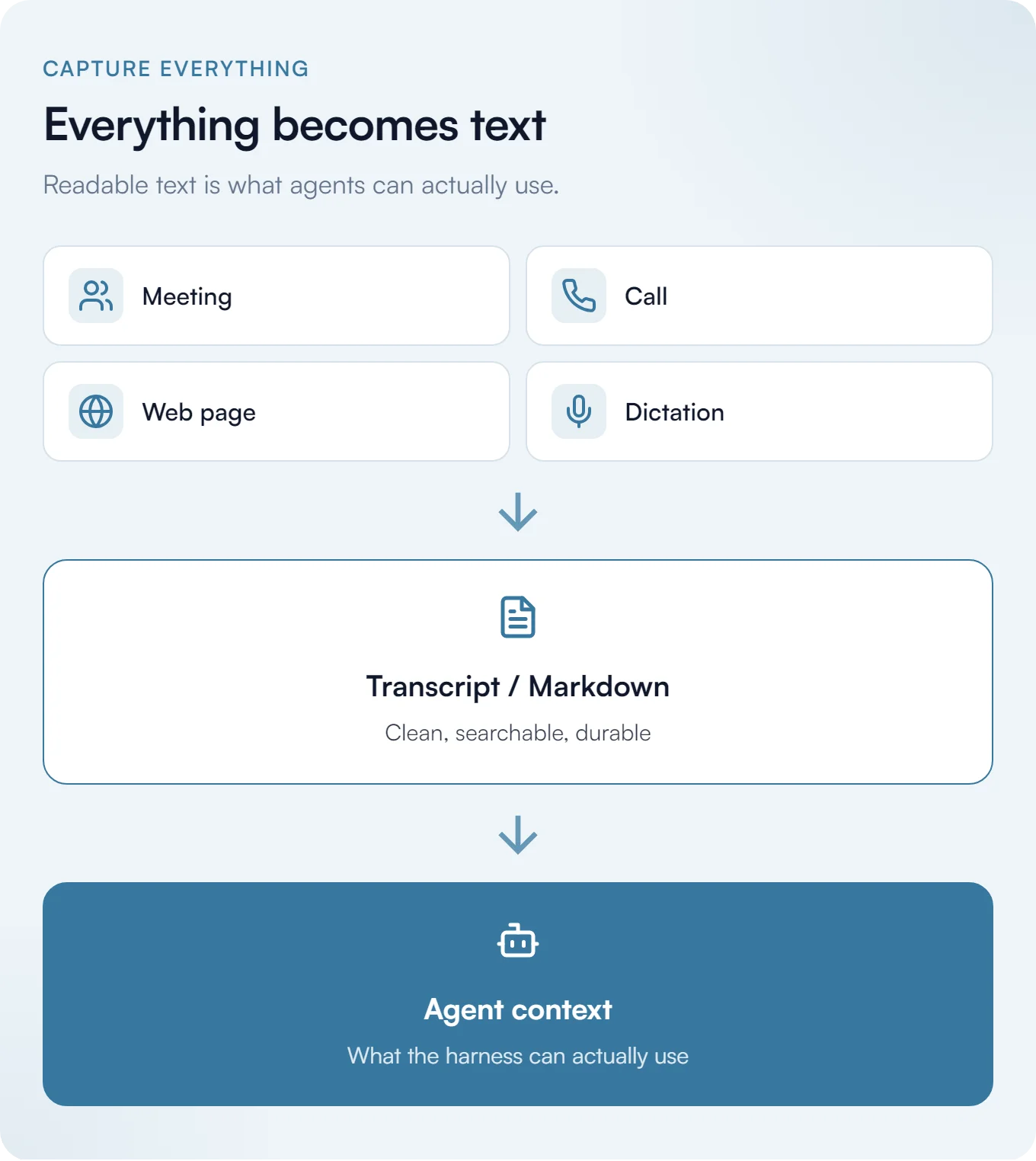
Every to-do list you mark, every meeting you have, every calendar invite, every email that goes out, ideally every communication medium including LinkedIn, should be connected to or easily connectable to AI.
Fathom is free for unlimited recordings and transcriptions, which is great. I wouldn’t even touch their AI summaries. Those aren’t important, because the only thing you’re going to do is pull the transcripts and then have your own AI do the summary and the synthesis and all of those things. Don’t even worry about premium features. Fathom has an MCP so you can plug it in directly, but you don’t have to use Fathom. There are other options. Just worry about getting the transcript, however you do it.
Google Meet doesn’t let you record on a free account, or even on a Basic paid account (which is crazy to me). Zoom Basic will let you do local recordings but not cloud.
I’d use OBS as a backup. Just run OBS, get comfortable enough with it, and hit record. It doesn’t even matter whether you’re recording visuals. You’re basically recording the audio, so route your mic and your PC audio and you’re good. That’s all you need to do.
The only thing you miss with something like that is that Whisper, which is open source and free and can run from the terminal, won’t always know who’s speaking. That’s the one downside. That’s why something like Fathom is pretty nice, because it can usually tell who is speaking in an exchange, which is really helpful.
If you’re in person, say you have a one-on-one coffee with someone, you say “hey, do you mind if I record this for my note-taking?” They’re usually okay with it. Put your phone down on the desk, hit record, and you’ll be very happy that you did.
Whether you do it in person or over a video call, make sure you have the consent of the other person. That’s just genuinely good practice, and people are kind of used to it by now anyway.7
Groq’s free tier allows 8 hours of audio per day with Whisper large-v3, which is really sick.8
OpenAI Whisper is an open model you can run yourself. Not to be confused with Wispr Flow, which is dictation and not the same thing.
If you want to start doing dictation, where you’re typing less and saying more, something like Wispr Flow is fantastic. I have a free trial with it, but there are alternatives. If you just need the built-in Windows one with Win + H, or the macOS one, or the Linux one, you can use that. You honestly don’t need anything like Wispr Flow just to get the information on the page, because AI is extremely good at interpreting your garbled nonsense into actual readable prose.
Capturing From the Web
Install a browser extension called Obsidian Web Clipper (useful even if you don’t use Obsidian at all). It can pull YouTube transcripts natively into Markdown, which is great. Defuddle is the underlying tech behind it. You can also just grab the important context from any web page very quickly and feed that to AI immediately, no questions asked. Save it in your note-taking app of choice.
I’d recommend having Obsidian planted directly in that central working folder, the same one your AI harness uses.
That’s really nice for accessing your stored memories, your context, and all kinds of things, so you can visually see it, go through it by hand, and view it with your own eyes. You’re not reliant on just assuming everything’s right necessarily this way. You can give things your own once-over, and it’s very helpful.
Obsidian is a uniquely helpful tool for that. You can customize it, you can do all kinds of things with it, and you don’t even need an AI plugin for it. It’s just built to read the stuff that AI harnesses create, so it’s very nice for that. It’s also what I use to write these blog posts.
Connect the Systems (Don’t Live in Copy-Paste)
A harness with a great AGENTS.md still fails if every tool is an island. One key advantage of an AI native company is that context moves without you being the glue.
Wire these connectors right away:
- Calendar. Google Calendar (or whatever you picked) should be readable by the harness, so it can see what you already committed to and what you’ve done in the past.
- Tasks. Google Tasks, or whatever to-do list you actually use, should be in the same loop. Weekly commitments land somewhere durable, not in a chat scrollback.
- Meetings. Fathom (or another option) should feed transcripts straight in. Fathom’s MCP is a good example: plug it in once, then stop manually copying transcripts by hand.
- Mail and docs. Prefer connections that draft in the company inbox and the company Drive, not your personal lane.
MCP (and similar) lets the agent pull the last transcript, check tomorrow’s calendar, and update the task list in one pass.
Scheduling
Going back to the calendar point from earlier: Cal.com free gives you unlimited event types and unlimited calendars for one person.
I wrote an article about how to sync your calendars if you have multiple, and also a bit about how to get around the team limit if you and a co-founder need to sync your schedules. It works pretty well. It just needs Zapier and a few other things.
The Operating Rhythm
An AI native company still needs a human cadence. You want to do a weekly prep meeting, even if you’re a solo founder.
Set some time aside on your calendar and dictate for half an hour. Speak everything on your mind:
- The things you need to do.
- The things that you did.
- A summary of the conversations you had.
- Where you feel like things are.
- What you feel like you need to focus on.
You could even have that conversation with AI, go back and forth, and have it point at all your connected systems. Then take that as a next step and say “okay, these are my commitments for the week.”
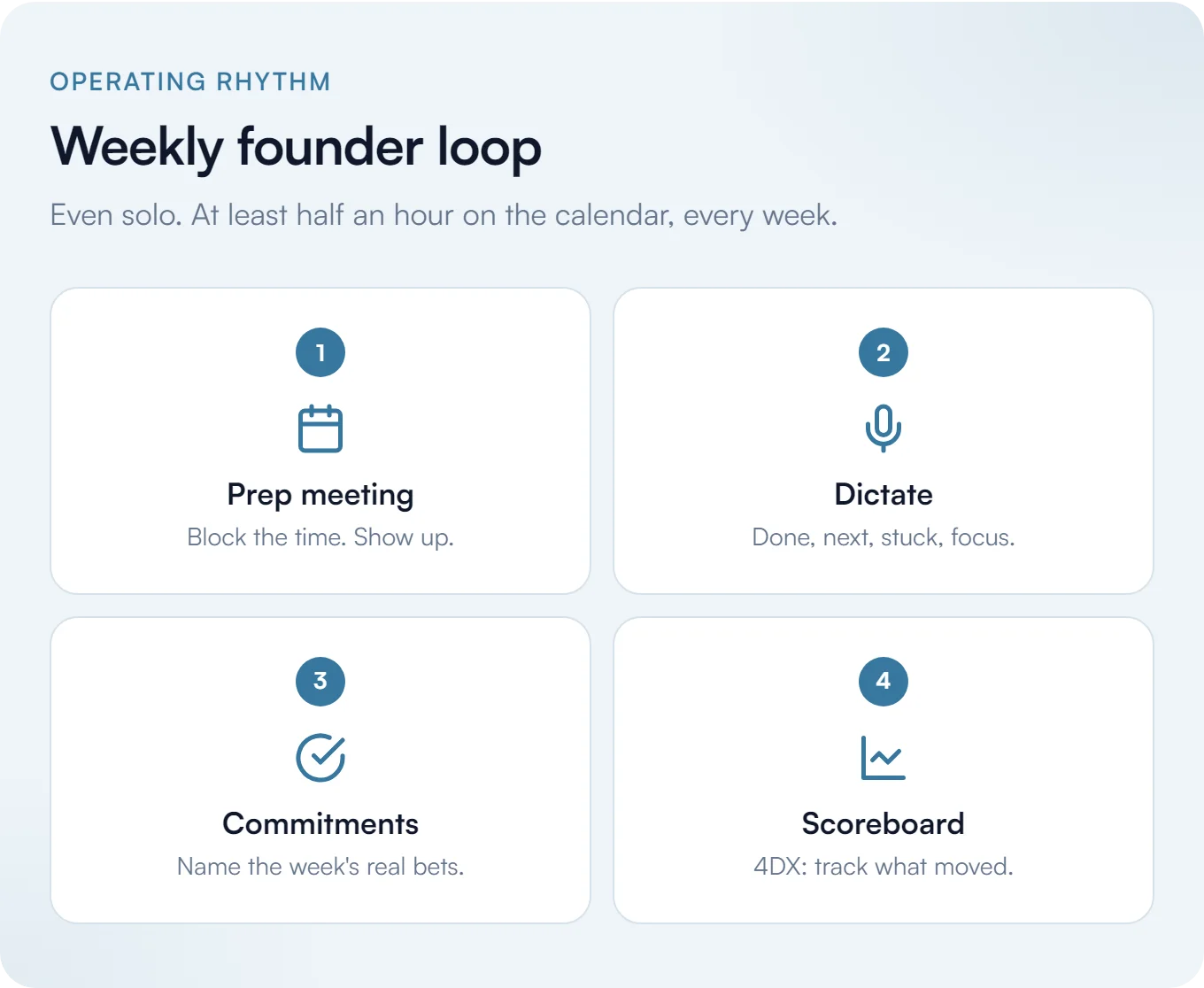
This is where the 4DX layer comes in. It’s a framework called The 4 Disciplines of Execution, and it’s a book I recommend. I’d also recommend reading Deep Work by Cal Newport and Atomic Habits by James Clear. These are all great books that will help you focus on what needs to get done, actually be able to get it done, and then make it stick. Those are all the ingredients for actually doing what you say you’re going to do.
Part of the 4DX framework is:
- Define your wildly important goal.
- Think about the lead and lag measures. The lead metrics are the ones you have complete control over. The lag ones are the resulting outcome you want, which you have less or no control over.
- Make commitments through a cadence of accountability.
- Have a scoreboard.
You want to look at the scoreboard, see how you’re doing, and make progress. You can do that so easily with AI now. Just have it create a dashboard tracking what you need to do, and come up with a durable, repeatable way to track the metrics that matter.
There’s a lot more on this. I’ve written about focus, about digital flow, about how digital productivity just requires discipline, and about turning ideas into completed projects. Worth a review if any of these topics interest you.
Build on Owned Land, Rent Deliberately
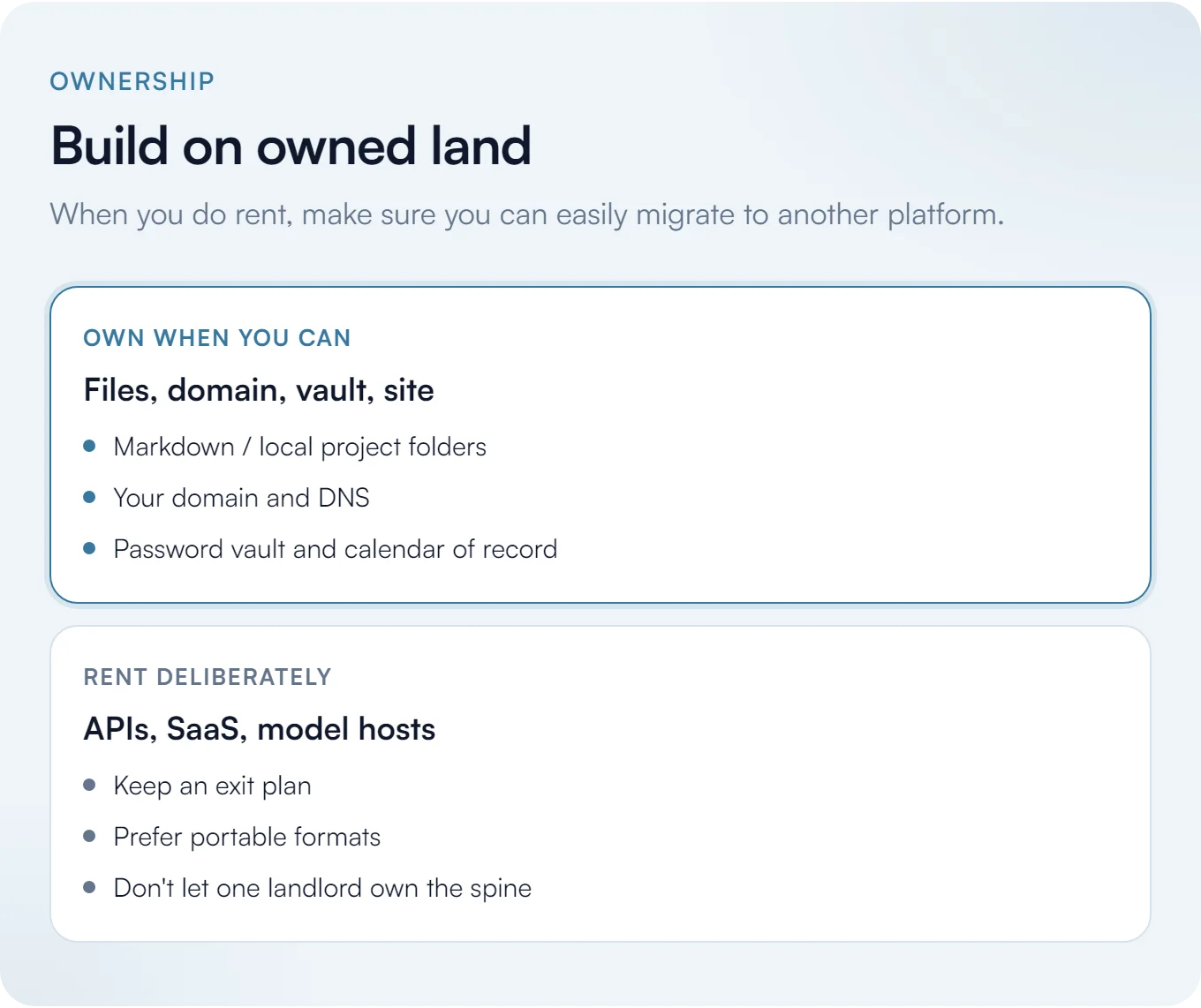
Your guiding philosophy for an AI native company is that you want to build on your own land when you can and rent deliberately. I talk about this a lot in my post on the illusion of ownership.
To the degree that you’re renting and outsourcing these services, you want to make sure they’re portable. You want to be able to trivially move off of them at a moment’s notice, as much as you can, if you’re not owning them. That’s vital.
Of course everyone’s reliant on third-party platforms for some things. That’s totally fine. Just make sure you’re not going to be held hostage by them in the future, and that you have an exit plan in case you need to use a competitor or an alternative.
Not “Can I Automate It,” But “Should I”
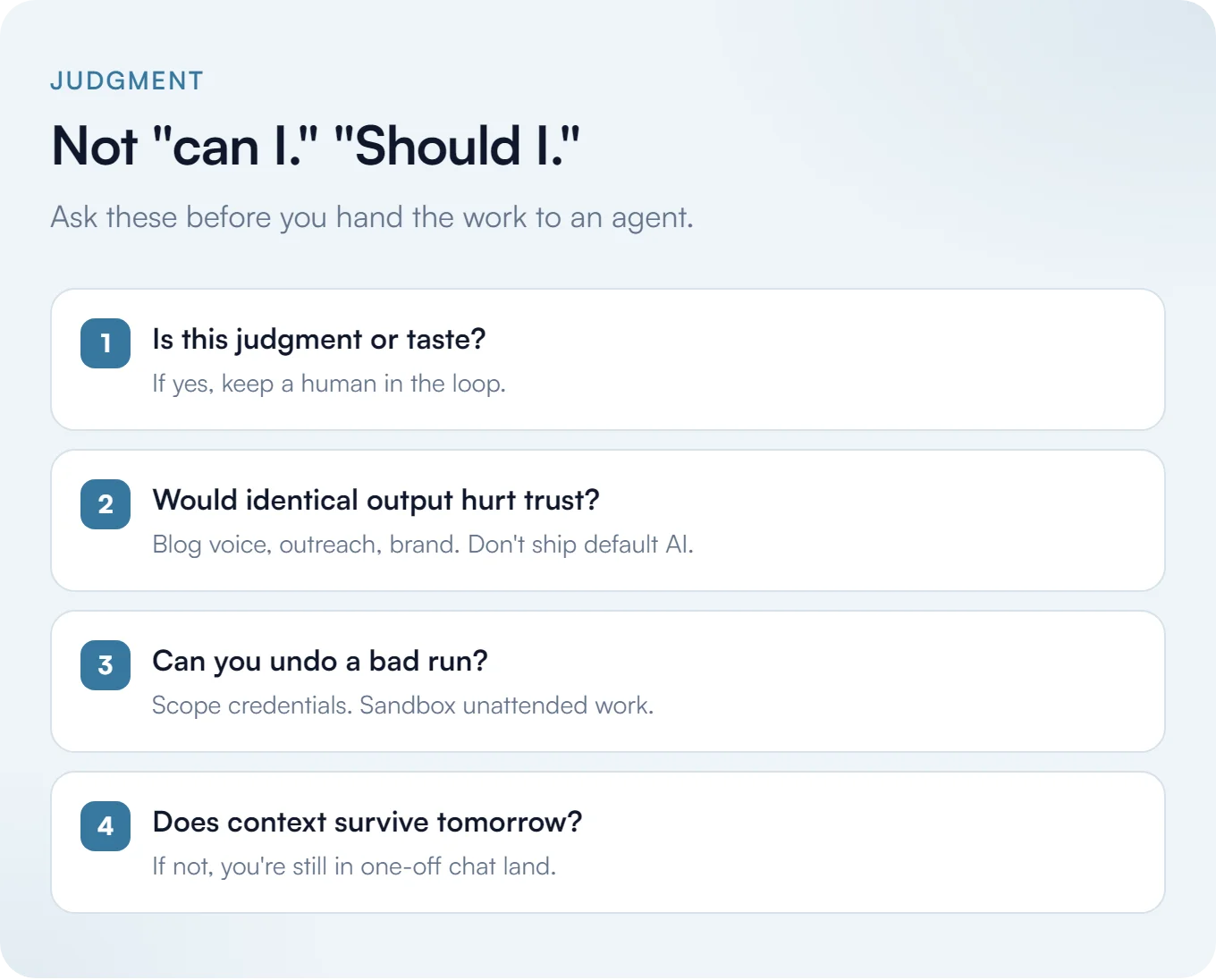
The next question when you’re making an AI native company is not “can I automate it?” so much as “should I automate it?”
You’ll be able to automate more and more things as the tech gets better. What you should really do is ask these questions, and not just accept the default that every AI tool reaches for, because you’re going to look, sound, and feel like everything else.
The example I mentioned earlier is using Astro instead of React for web stuff. Another is using an icon pack like Lucide or Phosphor instead of using emoji for everything. That’s another dead giveaway for AI-built websites.
These are the kinds of rules I keep in front of my own agents, every project:
- Avoid all mannered prose.
- Avoid em dashes entirely.
- Never use emojis in UI. Use an SVG icon set.
- Prefer
AGENTS.mdas the source of truth. If you still keep aCLAUDE.md, point it atAGENTS.md(or skip it and let Claude Code pickAGENTS.mdup). - Always pull the latest version of a git repo before working in or referencing it.
- Never hard-wrap prose to a column width.
You want rules like these because otherwise every agent defaults to the same LinkedIn-shaped output. Cut the tells before they show up.
Here’s another way to think about it: clean separation.
I’m using a website as an example again because it’s an easy one to give. You might have AI generate most of your website, and that’s totally fine. But when it comes to the content on the website, you’re going to want to be writing it yourself, or at least give it heavy edits.
If you’re running a blog, you don’t want to just outsource all of it to AI. Sometimes you just want to write on the page yourself. What I like to do is use something like Vault CMS or a dedicated desktop application, get it full screen, kill all the distractions, and then just write. That’s one way to achieve digital flow.
This gives you the best of both worlds. When you’re done writing, you can have AI review it, critique it, and brainstorm around it. When it comes to the actual human part, you get to not automate the part that makes you you, and write something genuinely from the heart.
You want to be making judgment calls like this every time. It’s not just about blog content on a website, though. That’s one example of many, and you have to think about how you’re being perceived.
If people think you’re making AI-generated content and that’s it, you’re going to be perceived as lazy and like you don’t want to do anything yourself. People are going to lose trust in your brand if you do that. I think everyone’s made that mistake once or twice, so just focus on not doing it if you can.
Authenticity is scarce now, and people can smell the default AI voice. Early YouTube felt rough and real, then everything got polished, and now we’ve arrived at an uncanny-valley that’s a little too smooth, so that a face-to-camera talk stands out again. Anything immediately visibly human is what’s trusted now.
If you have a content track record from before 2023, that helps. After 2023, people scrutinize whether you’re real. The minute they decide you might be AI, credibility takes a hit.
Don’t paste generic AI replies under other people’s posts either. If someone asks you a question and you dump it into a model and paste the answer back, you’re being a Meat Proxy. People still want to work with people. An AI native company does not mean you replace the parts that make you you.
Where to Start Tomorrow
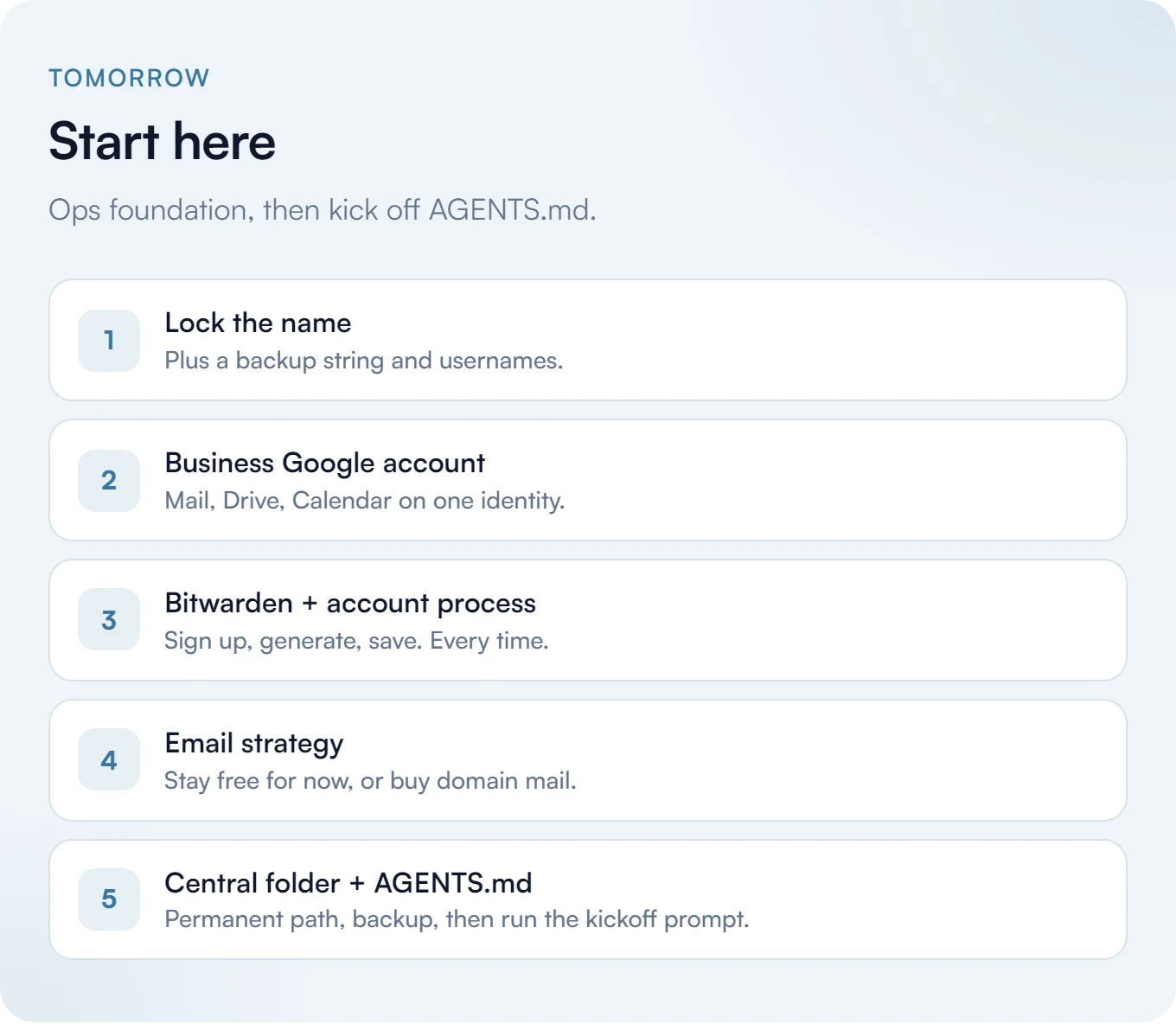
This all comes down to a handful of things you can start on right now if you want an AI native company standing up this week.
- Lock your name in, plus a few backups.
- Make that Google account.
- Decide on your email strategy, whether that’s staying free for now or buying something like Proton Mail Plus and using your domain.
- Make the Bitwarden account and save every account you make into it, following the account process from earlier.
- Pick a permanent central working folder on your main PC (not Downloads or Desktop), back it up, pick a flexible harness, drop an empty
AGENTS.mdin that folder, and run the prompt below once with whatever notes you already have.
All the LLC set up steps would be next up. Get working on that paperwork so you can be official, get your bank account set up, and you’ve basically got a blueprint for an AI native company you can keep compounding on.
This is also a great starting place for any organization, not just a brand-new one. Plug in your product or service, give the harness as much real context as you can (notes, decks, transcripts, rough ideas, etc.), and let it brainstorm with you.
Paste this into your harness on day one. Point it at your central working folder on your main PC. Answer out loud or in writing. Have it write the first AGENTS.md from what it learns:
You are helping me stand up the operating context for my company.
Read everything in this working folder first (notes, docs, transcripts, drafts). Do not invent facts I have not given you.

Then quiz me, one question at a time, until you can draft a solid AGENTS.md. Cover at least:

1. What we sell or build, in plain language
2. Who we are targeting, and where those people actually hang out
3. Our value proposition and unfair advantage (what we can say that a generic competitor cannot)
4. Early competitor set: who they are, what they do well, where they are weak
5. Spelling, names, and glossary items that models usually get wrong
6. Hard defaults: which email, calendar, repos, and folders are company vs personal
7. Hard stops: what agents must never do (send mail as me, invent accounts, touch personal profiles, etc.)

After the quiz, produce:
- A first-pass AGENTS.md I can drop into this folder
- A short competitor snapshot (bullets, not a novel)
- A one-page value prop / unfair advantage draft
- A target brief: who, where, and what pain we think they have
- A research plan: how you would spin up agents to find problems and pain points for that demographic (sources, search angles, what "good evidence" looks like)

If something is unknown, say so and ask. Prefer my words over marketing fluff.
As you develop preferences, tastes, and expectations from working with your AI agents, you’ll find more examples like what I shared above for universal rules. Do not bloat the context with tons of information - try to keep your context organized, lean, and clean.
Thank you so much for reading! If you’d like some help on any aspect of this, I’d be happy to talk to you about it.
Footnotes
-
Truffle Security, Millions at Risk Due to Google’s OAuth Flaw. Researchers purchased failed startup domains, recreated employee email addresses, and logged into live SaaS accounts including an HR system containing Social Security numbers. Google’s position is that no fix is needed and that founders should properly close out their domains. ↩
-
NIST, SP 800-63B, Authenticators. NIST classifies SMS over the public telephone network as the only “restricted” authenticator in the entire guideline, and tells verifiers to check for SIM changes and number porting before sending a code. ↩
-
IRS, Get an Employer Identification Number. Worth quoting directly: “Beware of websites that charge for an EIN. You never have to pay a fee for an EIN.” ↩
-
Mercury, Business Banking Disclosures. Their own wording: “Mercury is a fintech company, not an FDIC-insured bank. Banking services provided through Choice Financial Group and Column N.A., Members FDIC.” ↩
-
AGENTS.md. The format is stewarded by the Agentic AI Foundation under the Linux Foundation and the site lists the tools that read it natively, which is the actual argument for using it over any one vendor’s file. Claude Code joined that list in 2.1.277: if there’s no
CLAUDE.md, it usesAGENTS.md. ↩ -
Cloudflare, Astro joins Cloudflare and Astro’s own announcement. Astro stays MIT-licensed and commits to supporting all deploy targets, not just Cloudflare. ↩
-
Reporters Committee for Freedom of the Press, Reporter’s Recording Guide. Recording consent law varies by state and eleven states require consent from every participant on a phone call, not just one. Announcing the recording and getting a verbal yes on the record satisfies the strictest of them. This is not legal advice. ↩
-
Groq, Rate limits. The free tier allows 28,800 audio seconds per day on
whisper-large-v3, which works out to 8 hours, along with 2,000 requests per day and a 25 MB file cap. ↩