---
title: "The Ultimate Animelee Guide for Slippi"
description: "How to set up and use the Animelee mod for Super Smash Bros. Melee and Slippi online - or even set up your own custom Animelee build."
published: 2024-07-05T00:00:00.000Z
updated: 2026-05-31T00:00:00.000Z
tags: ["melee","customization","video","gaming"]
url: "https://davidvkimball.com/posts/the-ultimate-animelee-guide"
---
Are you trying to use [Animelee](https://animelee.xyz), the cell-shaded aesthetic mod for Melee and play online? You've come to the right place. This guide will provide you with all you need to know about setting up the mod and how to customize your experience.
## What is Animelee?
For those unfamiliar, Animelee is a mod of Super Smash Bros. Melee that gives it a cell-shaded look. It's purely aesthetic, meaning none of the changes affect gameplay in anyway. This allows for compatibility with Slippi, the fork of Dolphin emulator made for playing Melee online, **allowing you to use play online using Animelee even if your opponent uses a standard Melee ISO.**
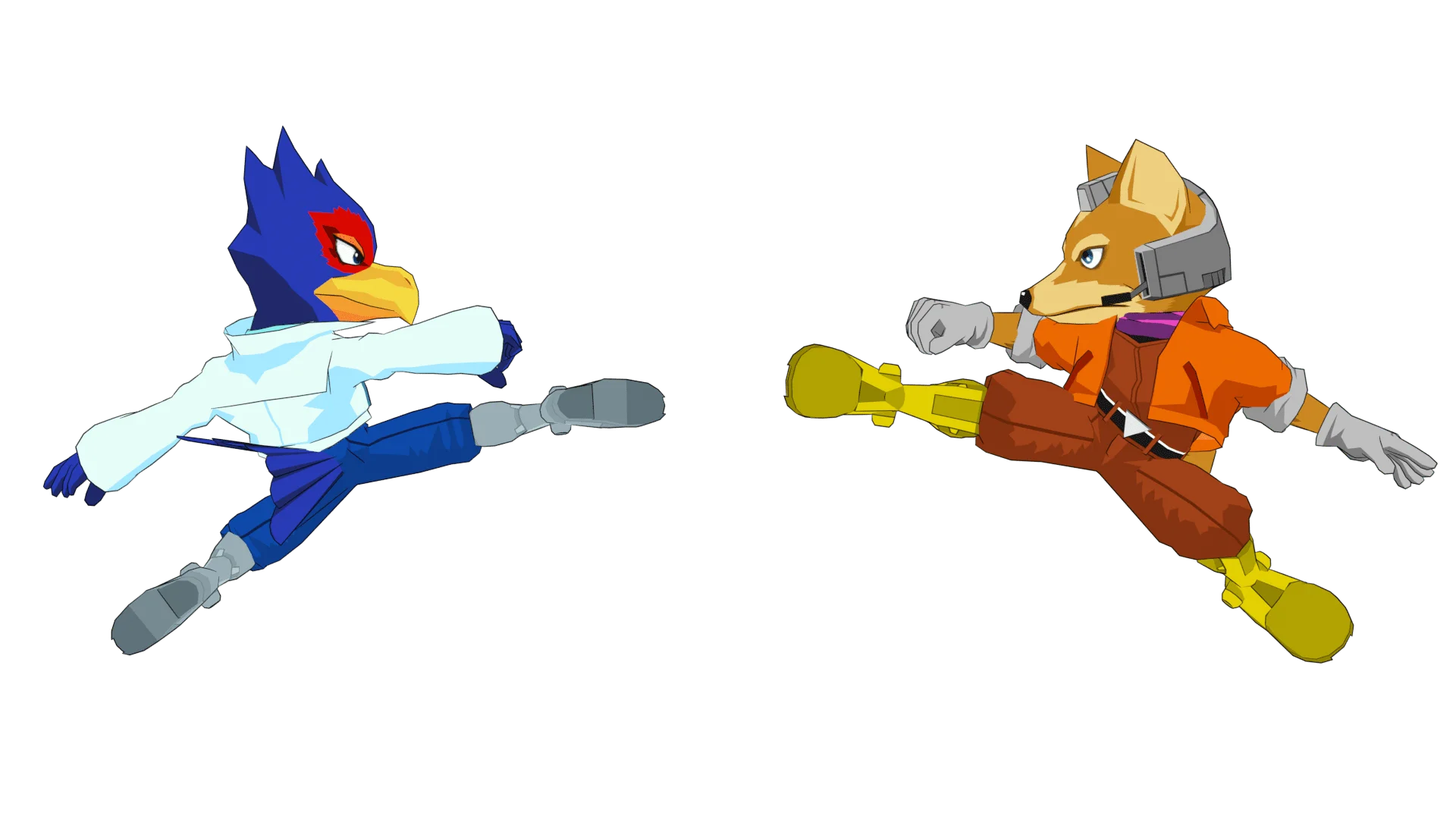
While it's primarily known for its two main packs, Complete Edition and Dragon-Ball Z Edition, Animelee's tagline is more broad: "modernizing Melee." This is articulated by Animelee's creator, [Primal](https://x.com/VC_Primal), and his his [Combo Counter](https://www.patreon.com/posts/combo-counter-73729445) is another good example of this.
[Primal introduces the Animelee mod and its vision for modernizing Melee](https://www.youtube.com/watch?v=GZqUf6vEqqw)
There's a [small but mighty team](https://www.animelee.xyz/pack-downloads#about) of Melee modders led by Primal who maintain the main builds. But there's also a growing Animelee modding community, making custom content matching the same cell-shaded aesthetic as well. While Primal has created the [vast majority of the assets](https://ssbmtextures.com/author/vancity_primal/), just searching "Animelee" on [ssbmtextures.com](https://ssbmtextures.com/tag/animelee/) will yield many results (sadly, this website is shutting down soon).
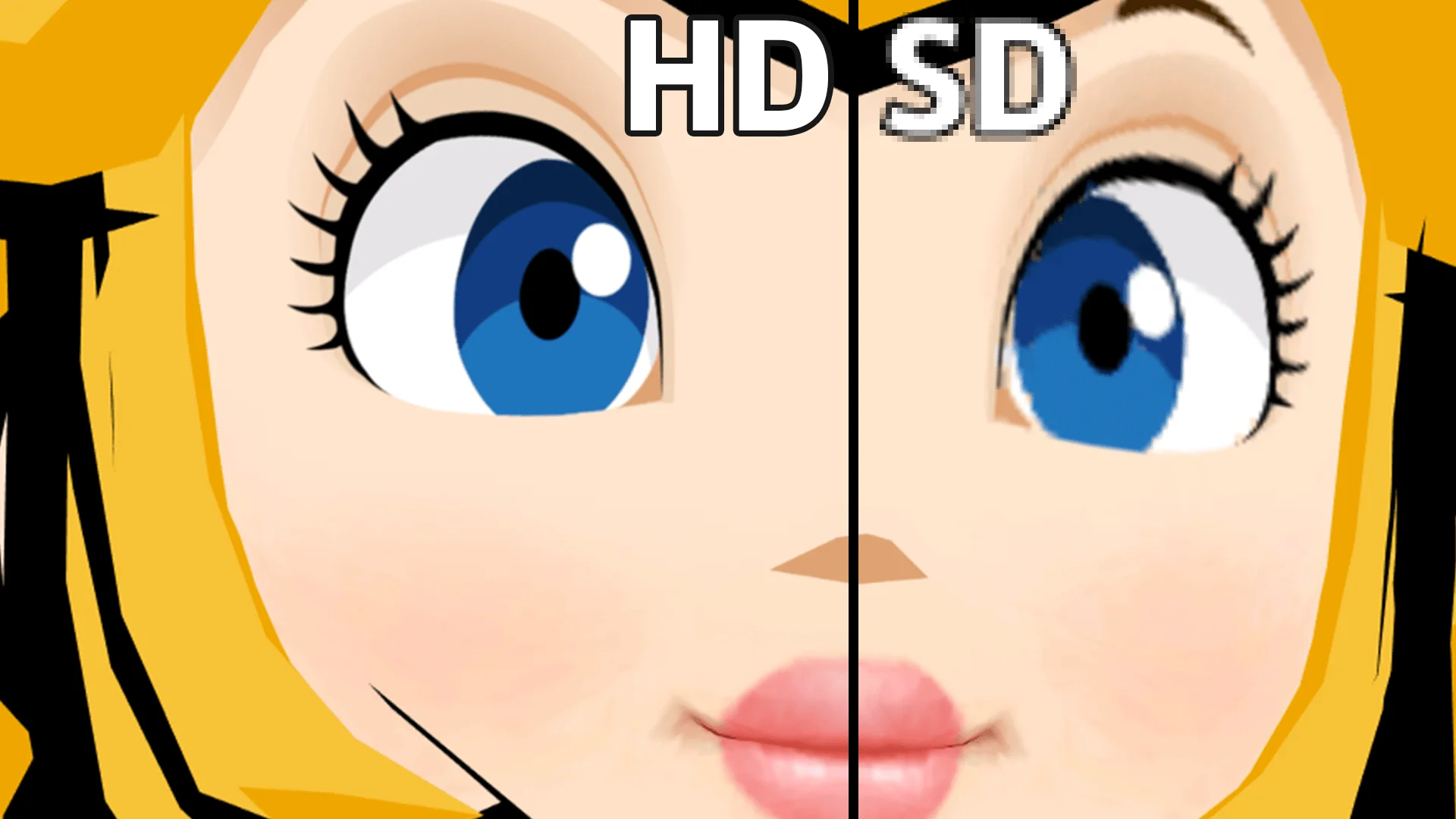
Animelee's beautiful visuals can be enhanced further with Dolphin texture loading. Not only can you bump up the in-game resolution to 1080p or 4K (well beyond what GameCube's 2001 hardware was capable of), but you can also massively upgrade the in-game textures (at the cost of more demanding PC performance).
### Key Animelee Links
| Link | Description |
| ----------------------------------------------------------------------- | -------------------------------------------------------------------------------------------------------------------------------------------------- |
| [Animelee.xyz](https://animelee.xyz) | The official Animelee website where you can download Animelee CE and DBZ versions. |
| [Animelee Discord](https://discord.gg/SwPR7bCAgb) | The official Discord server for Animelee, maintained by the team. |
| [Primal's Patreon](https://www.patreon.com/vancity_primal) | Additional Animelee content gets posted here for patrons. A list of additional Patreon Animelee creators are [available here](#animelee-creators). |
| [Animelee m-ex](https://mega.nz/folder/JR1lDaJQ#36Y3uxAXMXZFgIpNiP9nXA) | A custom Animelee build by me that adds skins, stages, and enhanced UI elements into one package. |
## Prerequisites
To follow this guide, you'll need a few things first in order to play Melee online.
1. A Super Smash Bros. Melee NTSC 1.02 ISO file ripped from your disc. [Get Melee online](https://melee.tv/#play).
2. [Slippi](https://slippi.gg) - a fork of Dolphin - the GameCube emulator for Windows, Mac, and Linux.
3. A PC running Windows 10 or newer.
4. Recommended: A [GameCube controller](https://dvdv.kim/BlippiGCController99) with a PC adapter. Adapter options I recommend include either [Input Integrity's Lossless Adapter](https://www.input-integrity.com/), [Nintendo's GameCube Controller Adapter](https://dvdv.kim/3QOEFZG), or the [MayFlash GC Adapter](https://dvdv.kim/3T2FrVN) ([further reading](https://melee.tv/#play)).
Once you have a rip of the game on your PC with the emulator installed, you're ready to roll.
### 10/13/2025 Update
> [!Warning] Warning
> For m-ex based builds to work, you must use the Slippi code below as of 2025. Otherwise your build will crash on the stage selection screen.
Slippi has been updated, so you must use this Gecko Code for any m-ex build to work (both the "Full Experience" and the "Custom Experience" below):
```
$Skip Slippi SSS [KELLZ]
C20166B4 00000016
3D808001 618C6204
7D8903A6 4E800421
7C7E1B78 7C0802A6
90010004 9421FF00
BE810008 3C60801A
60635014 80630000
3C804082 60840010
7C032000 4182005C
80610000 80630000
80630000 82830004
3C608025 6063A9DC
7C141800 41820018
3C608025 6063A9EC
7C141800 41820008
48000028 BA810008
80010104 38210100
7C0803A6 7FC3F378
3D808001 618C66BC
7D8903A6 4E800420
BA810008 80010104
38210100 7C0803A6
7FC3F378 00000000
C20163F8 00000016
3D808001 618C6204
7D8903A6 4E800421
7C7E1B78 7C0802A6
90010004 9421FF00
BE810008 3C60801A
60635014 80630000
3C804082 60840010
7C032000 4182005C
80610000 80630000
80630000 82830004
3C608025 6063A9DC
7C141800 41820018
3C608025 6063A9EC
7C141800 41820008
48000028 BA810008
80010104 38210100
7C0803A6 7FC3F378
3D808001 618C6400
7D8903A6 4E800420
BA810008 80010104
38210100 7C0803A6
7FC3F378 00000000
```
Copy the above code and follow [step 9](#getting-it-working-with-slippi-animelee-m-ex) below for managing Gecko Codes but select the "Add" tab instead, paste the code and click save. Make sure it's enabled.
## The Fast Experience
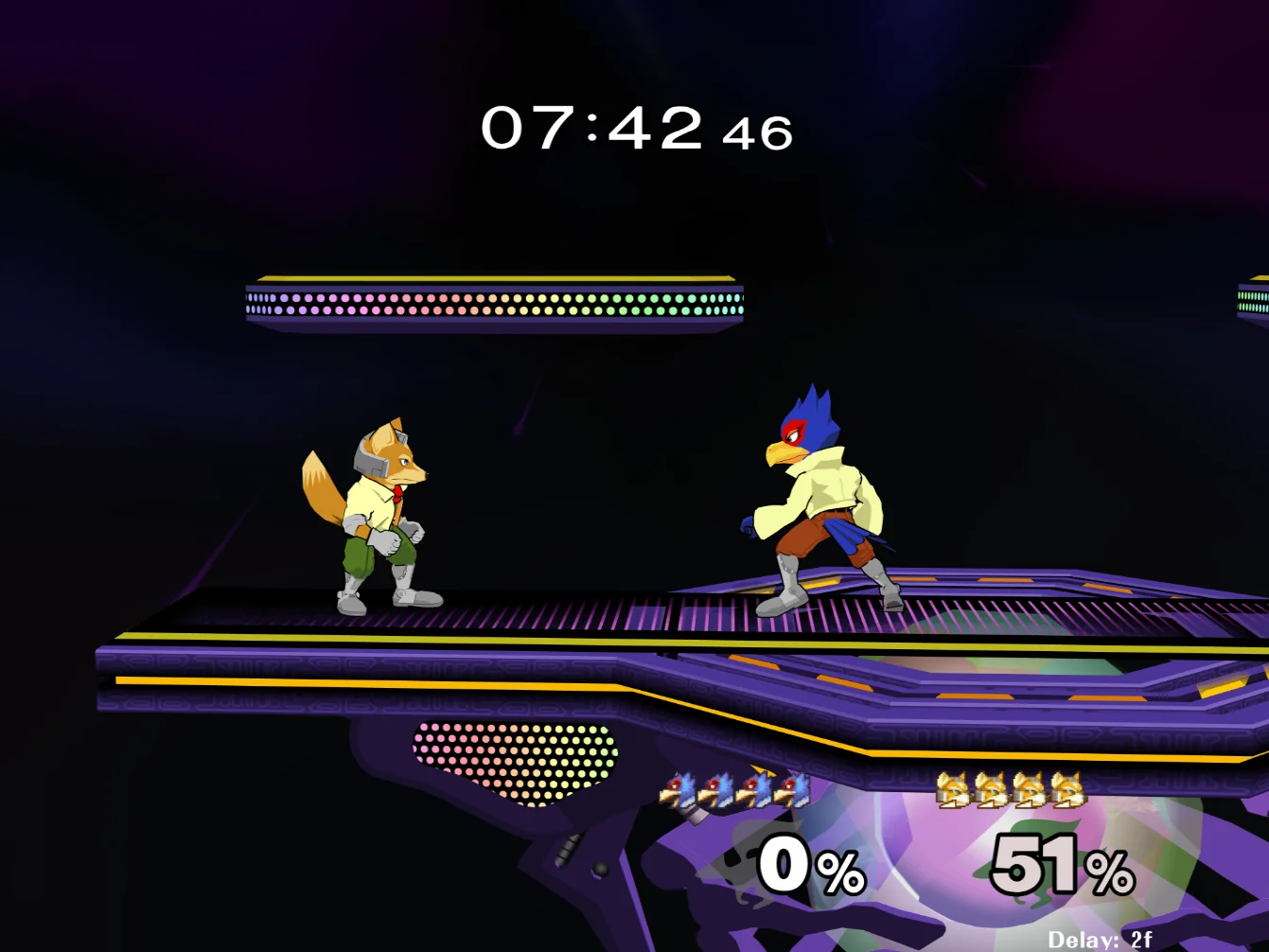
If you want the quirk-and-dirty, simplest-possible Animelee setup, the Fast Experience is for you.
You'll be downloading Animelee Complete Edition directly from the official Animelee website.
### Initial Setup (Animelee CE)
1. Visit [animelee.xyz](https://www.animelee.xyz/).
2. Click "GET ANIMELEE."
3. Under "Grab the Complete Edition now!", click Download.
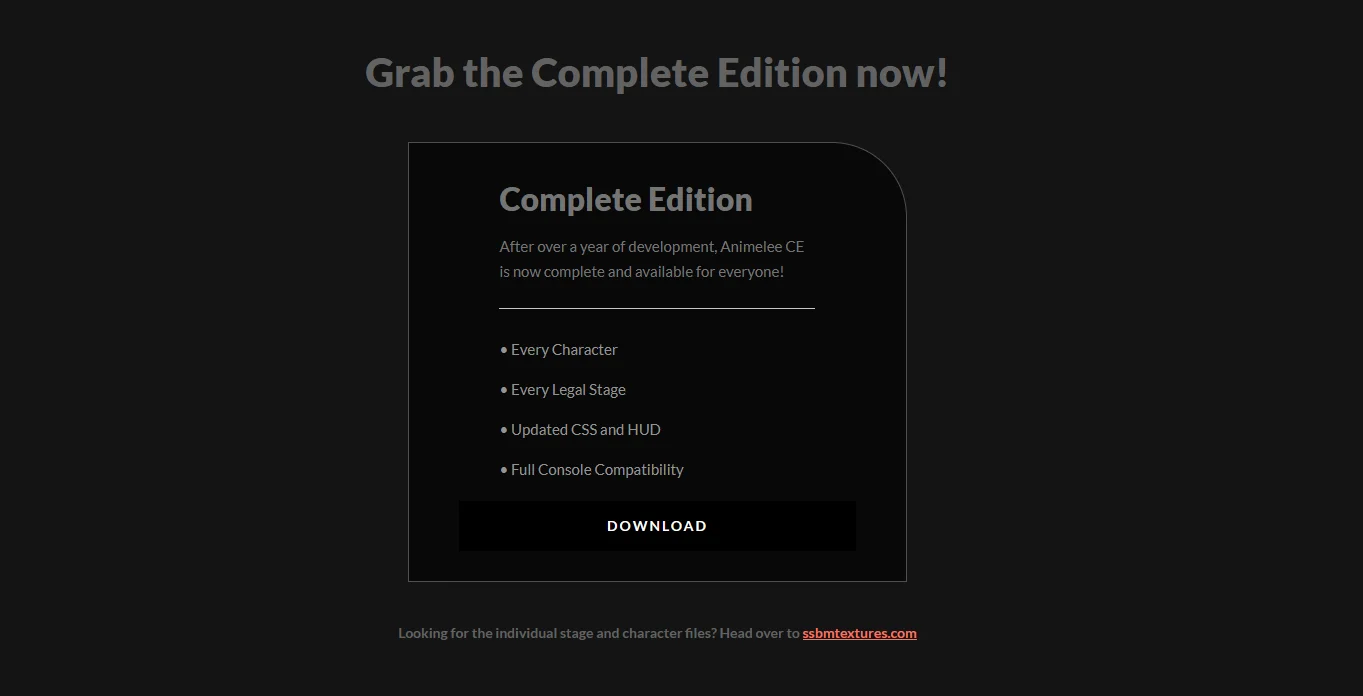
5. Click Download on the download page.
6. Open the `.zip` file you just downloaded, and extract the contents to folder you can find later.
7. Click and drag your Melee ISO onto the `Drag your Melee NTSC 1.02 ISO Here.bat` file.
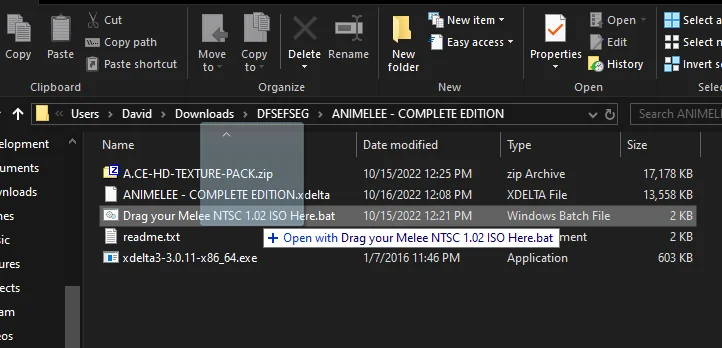
8. Wait a few minutes while the patcher builds the new ISO. Press any key to close once finished. If you've gotten an error, there's likely something wrong with your ISO. [Ensure the version of Melee is 1.02](https://www.smashladder.com/guides/view/26cn/melee/hashes-of-melee-isos), and that your ISO isn't scrubbed or compressed.
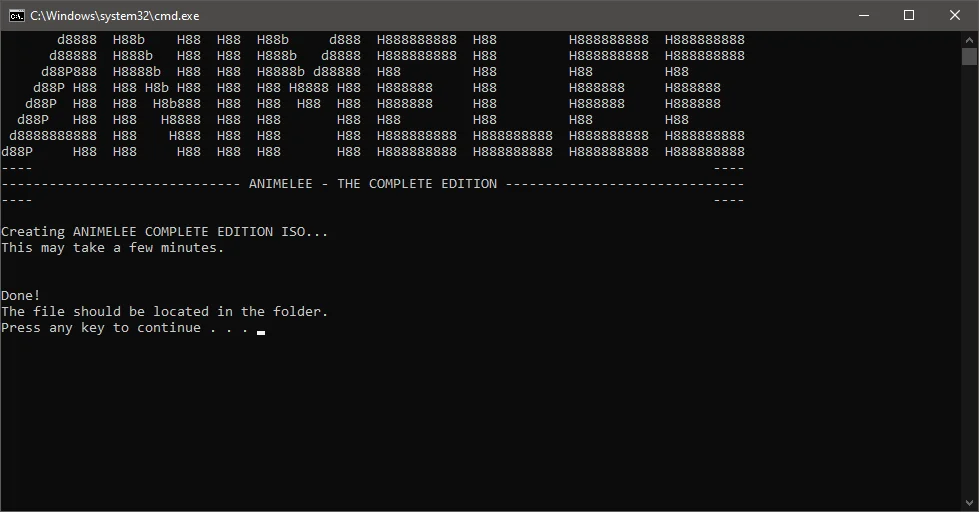
9. `ANIMELEE - COMPLETE EDITION.iso` will be generated and be ready for use!
### Getting it Working with Slippi (Animelee CE)
There are just a few steps to get Animelee working with Slippi:
1. Move your Animelee ISO to a memorable location (maybe in the same directory as your vanilla Melee ISO for example).
2. Open Slippi and click Settings.
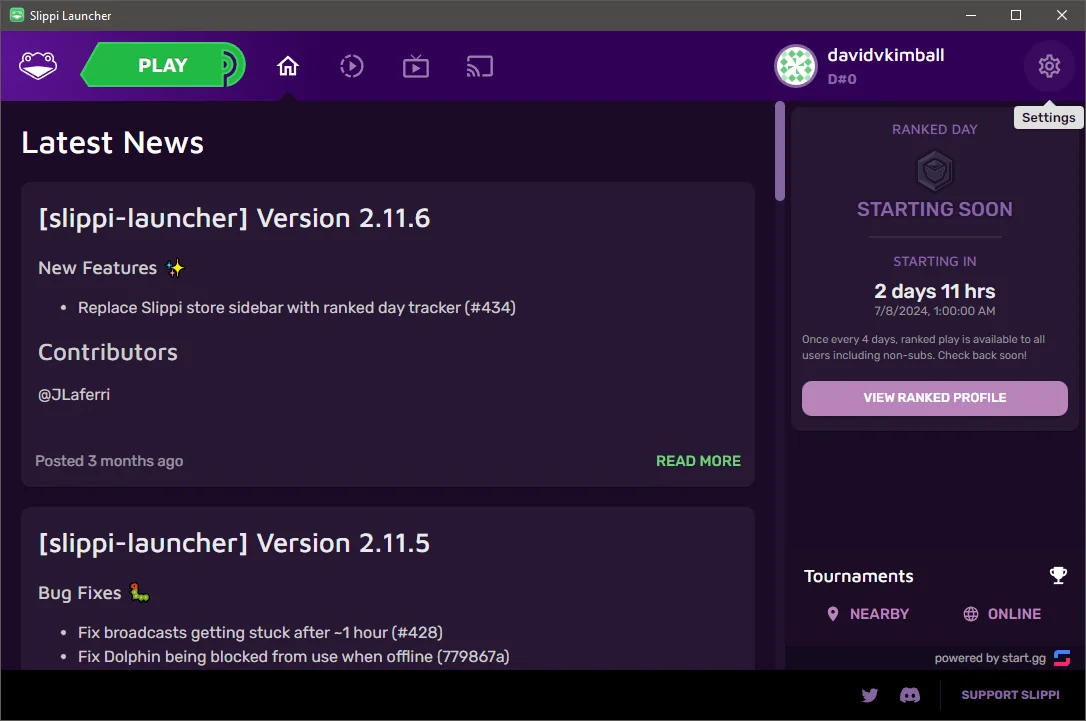
3. Click "Select" underneath Melee ISO File within General Settings > Game.
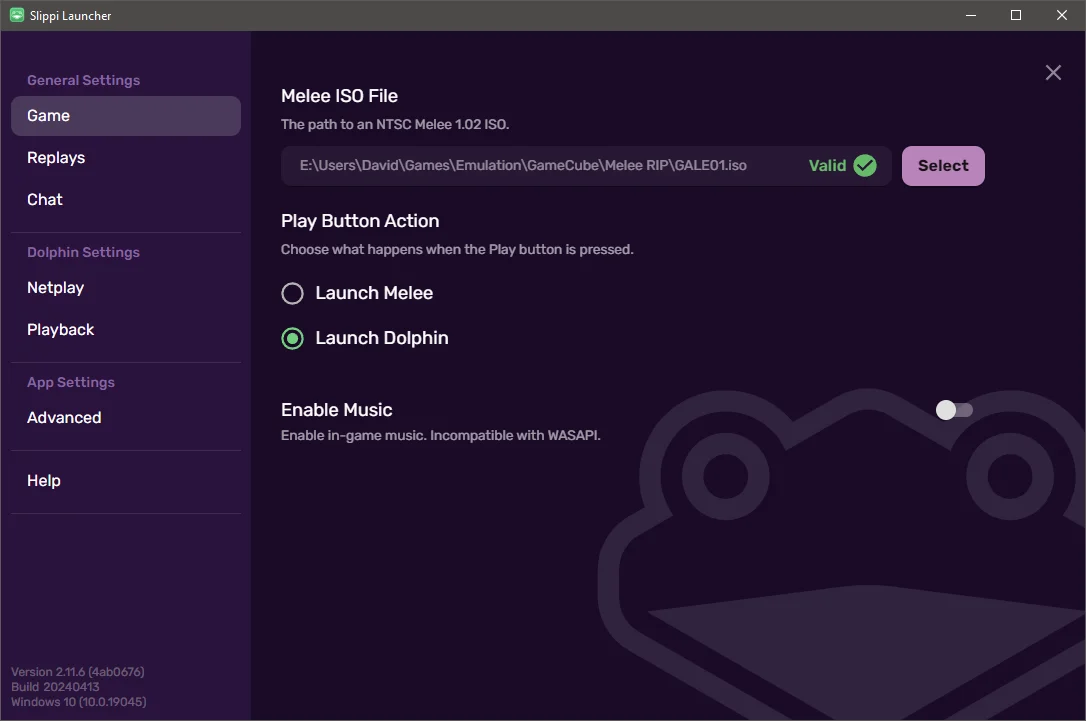
4. Browse to your Animelee ISO file and select it. Slippi will change the "Valid" tag to "Unknown" which is expected since a patched Melee ISO will differ from vanilla.
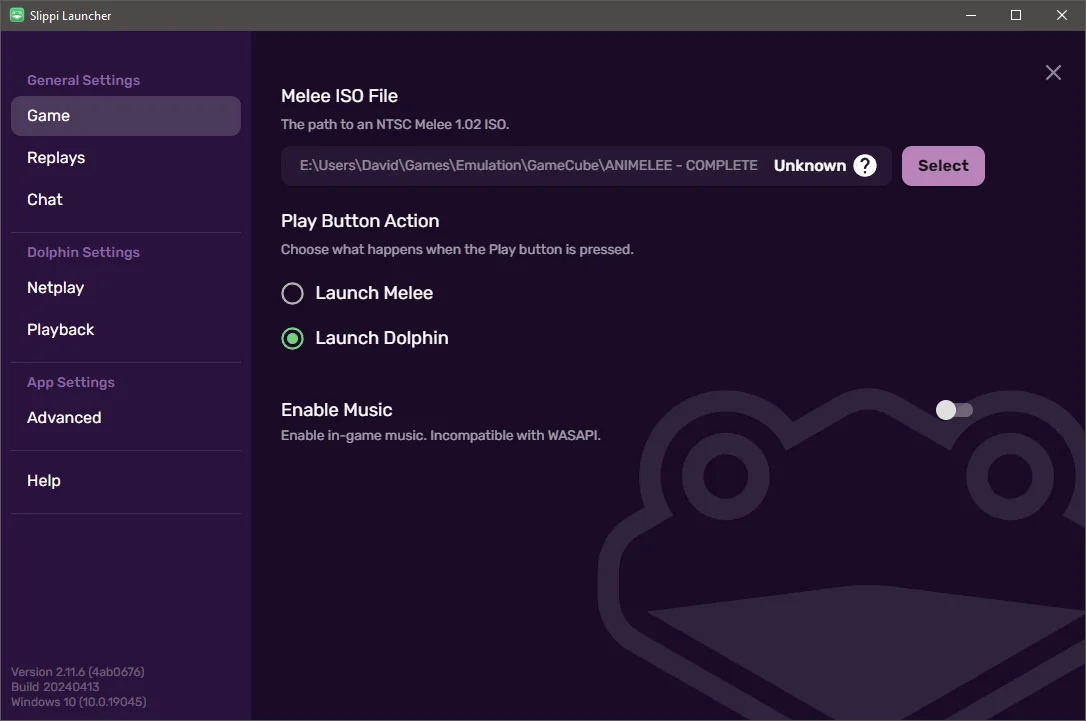
5. Close settings and select Play. You'll now be able to play Animelee with Slippi online!
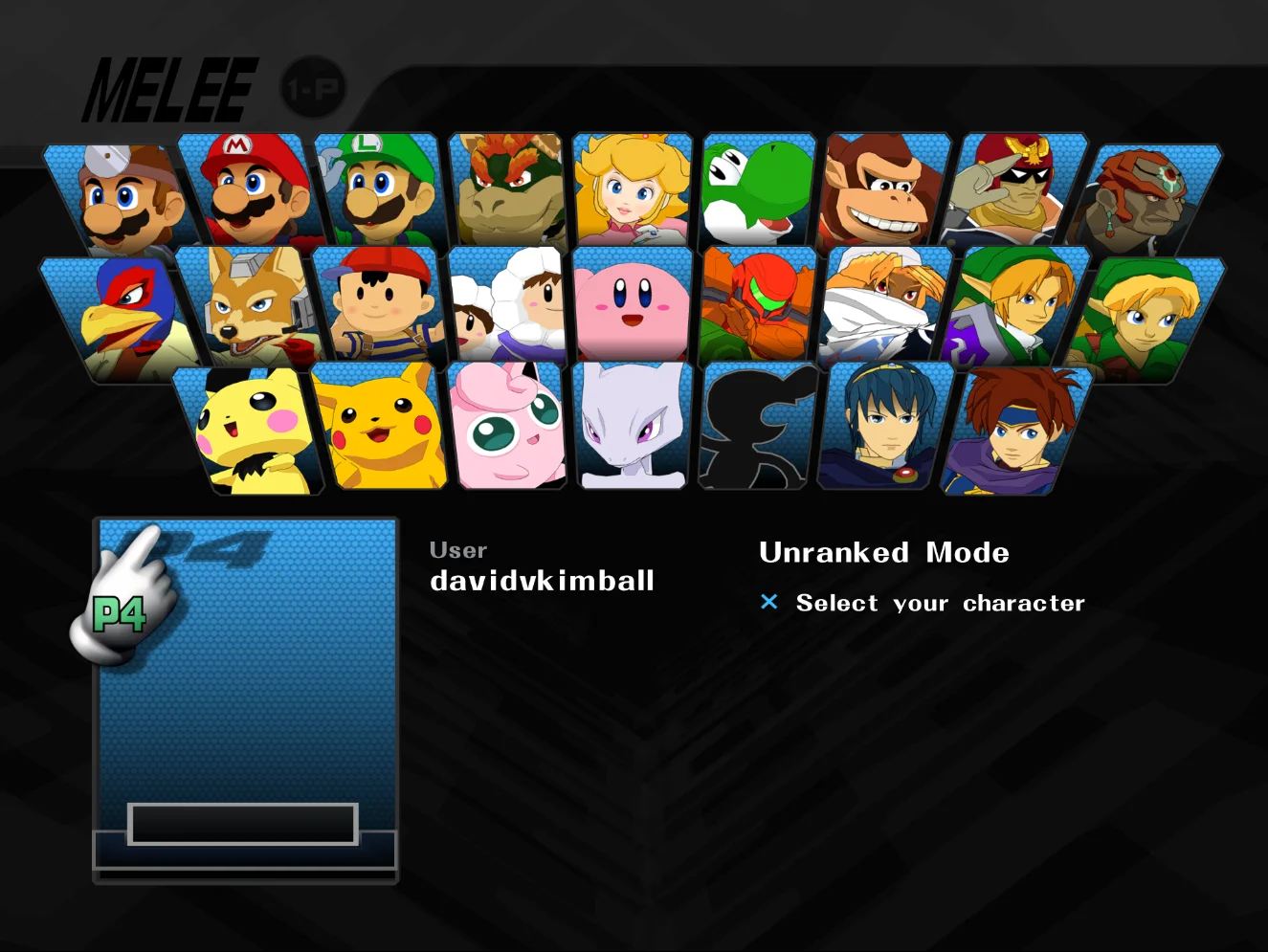
## The Full Experience
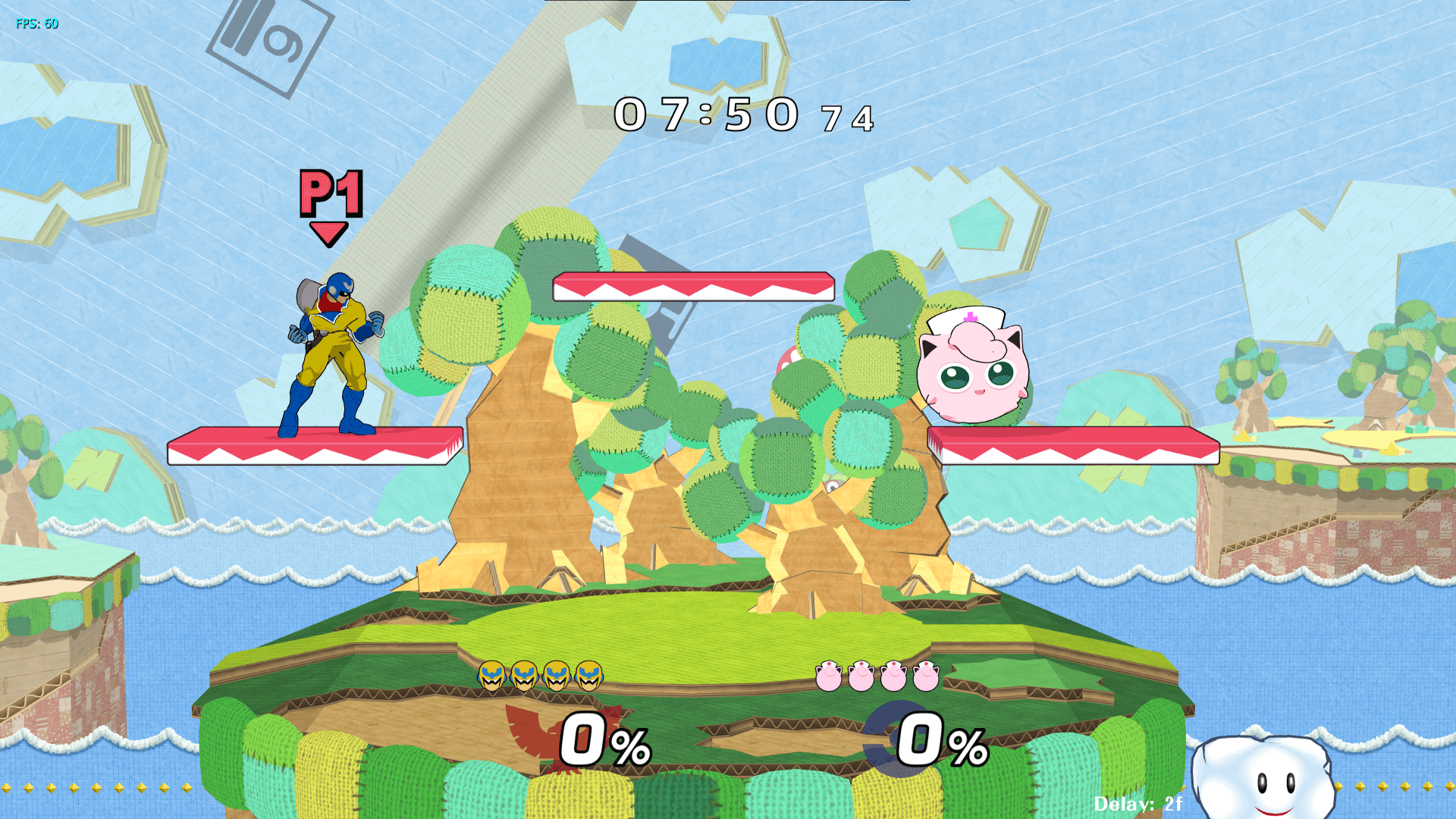
If you're looking for getting the most visually with Animelee while getting more character and stages skins *and* more functionality too, go with the Full Experience. You'll be downloading [Animelee m-ex](https://mega.nz/folder/JR1lDaJQ#36Y3uxAXMXZFgIpNiP9nXA) which happens to be a custom version I built that combines community-created creations and functionality into the most ideal way to experience Animelee for Slippi online (no bias, of course).
Character textures, HUD elements, and in-game effects have been overhauled and upscaled. You'll want to crank up your Slippi/Dolphin settings to get the most out of your experience - I'll walk you through that, too.
### Initial Setup (Animelee m-ex)
If you prefer watching a video instead of reading, I've got you:
[Video tutorial: Animelee m-ex initial setup walkthrough](https://www.youtube.com/watch?v=38uzvN-plOg)
Here's the written guide:
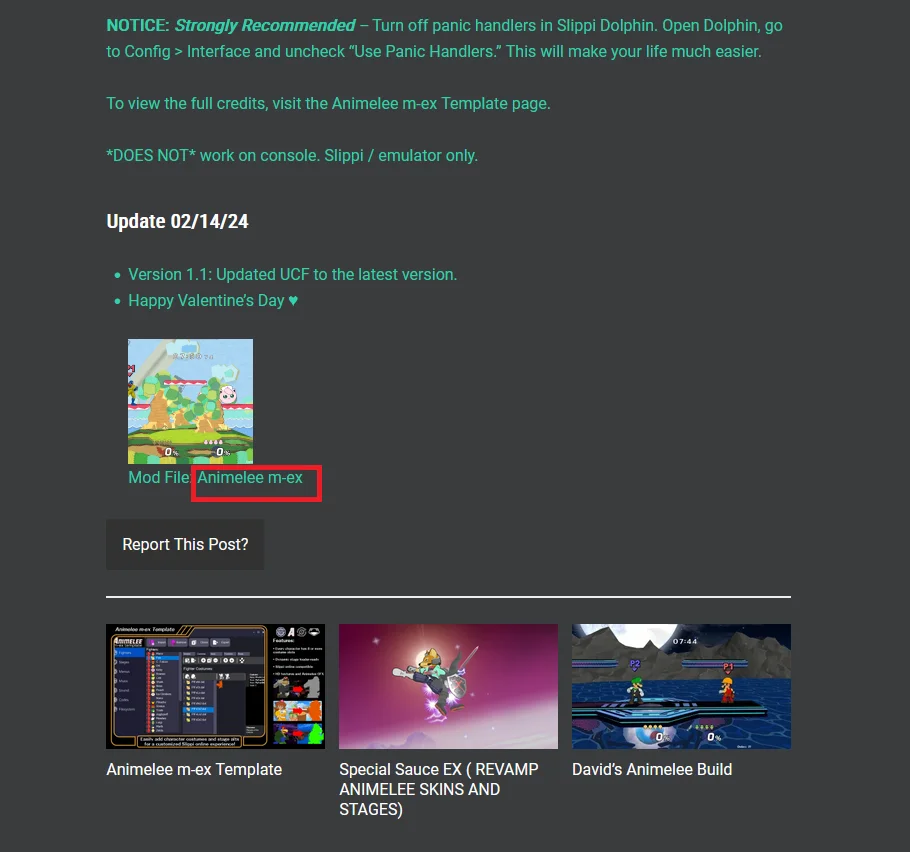
1. ~~Visit the Animelee m-ex download page, click the hyperlinked text `Mod File: Animelee m-ex` towards the bottom of the page, and download the `.zip`.~~ **UPDATE:** SSBMTextures.com is shutting down, so I've moved the [download link to MEGA](https://mega.nz/folder/JR1lDaJQ#36Y3uxAXMXZFgIpNiP9nXA).
2. Extract the contents once it's finished downloading and open the folder.
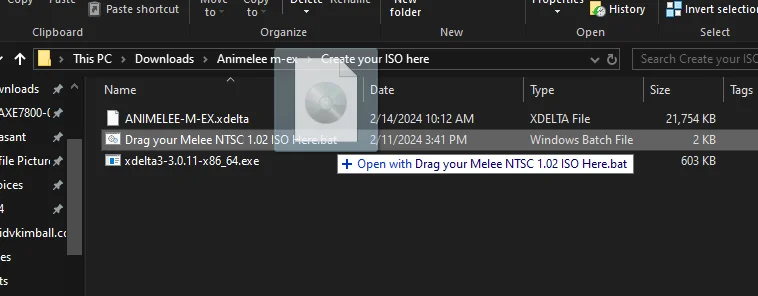
3. Open the Create your ISO here folder, and drag and drop your Melee 1.02 ISO onto the `Drag your Melee NTSC 1.02 ISO Here.bat` file.
4. Wait a few minutes while the patcher builds the new ISO. Press any key to close once finished. If you've gotten an error, there's likely something wrong with your ISO. [Ensure the version of Melee is 1.02](https://www.smashladder.com/guides/view/26cn/melee/hashes-of-melee-isos), and that your ISO isn't scrubbed or compressed.
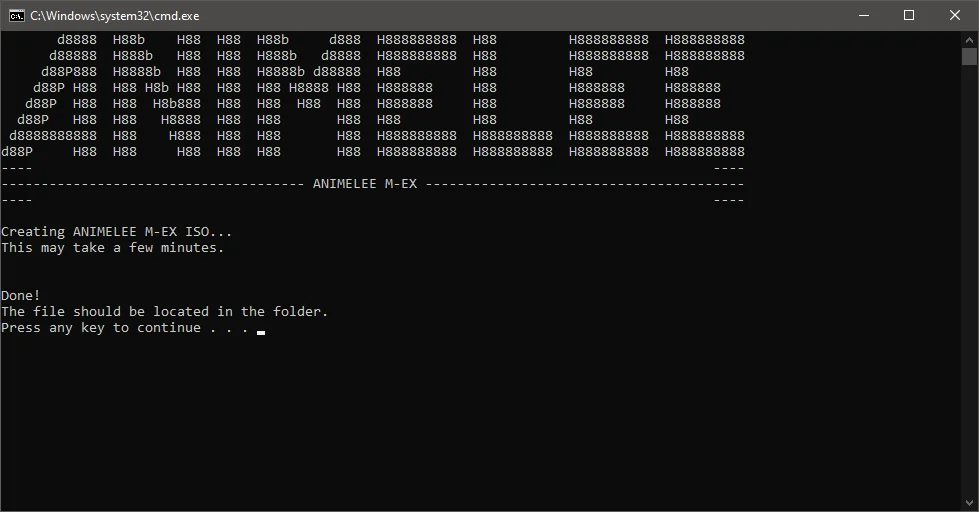
5. `ANIMELEE-M-EX.iso` will be generated and is ready to be used! But setup isn't quite ready yet to get the full experience. Let's tweak the Slippi / Dolphin emulator a bit first.
### Getting it Working with Slippi (Animelee m-ex)
1. Go to the root folder from the `.zip` you extracted, and copy the `GALE01` folder. This contains the pack's HD textures.
2. Find the `Copy the GALE01 folder to this location` shortcut folder and open it, and paste the folder there.
> [!Tip] Tip
> If you haven't already, get the [Melee HD Texture Pack for Slippi](https://assets.melee.tv/post/651913361021353984/definitive-melee-hd-texture-pack-for-dolphin-and).
Downloading the Melee HD texture pack will get you the non-Animelee textures of the game HD like the menus and other UI elements. If you don't have it yet, download it and paste the GALE01 folder in the same location. Having this pack and your Animelee pack will *not* conflict with each other.
3. Open the Slippi Launcher, and click Settings.

4. Click Netplay under Dolphin Settings and click the Configure Dolphin button.
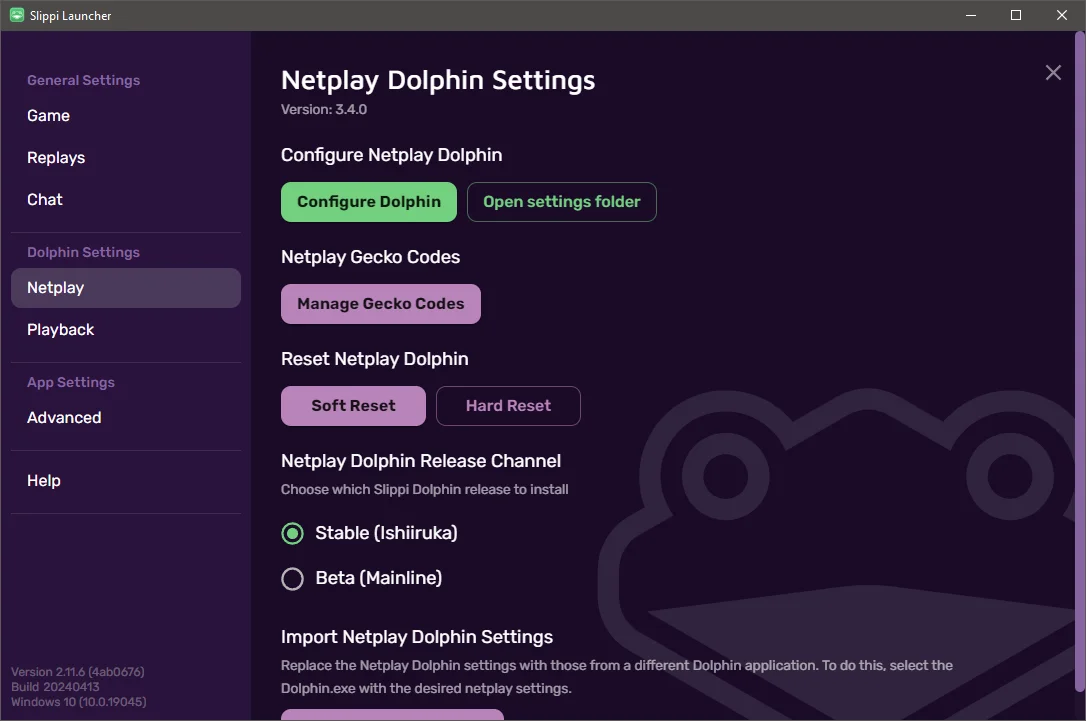
5. Once Dolphin opens click Config. Select the Interface tab, and uncheck Use Panic Handlers. Close out of the Config window.
6. Click Graphics and on the General tab change both Fullscreen resolution and Aspect Ratio to Auto.
7. On the first Enhancements tab, select 3x (1920x1584) for 1080p and increase the Anti-Aliasing and Anisotropic Filtering to the highest setting your PC will allow without performance issues.
8. On the Advanced tab, check Load Custom Textures and then Prefetch Custom Textures. Then close the Graphics window.
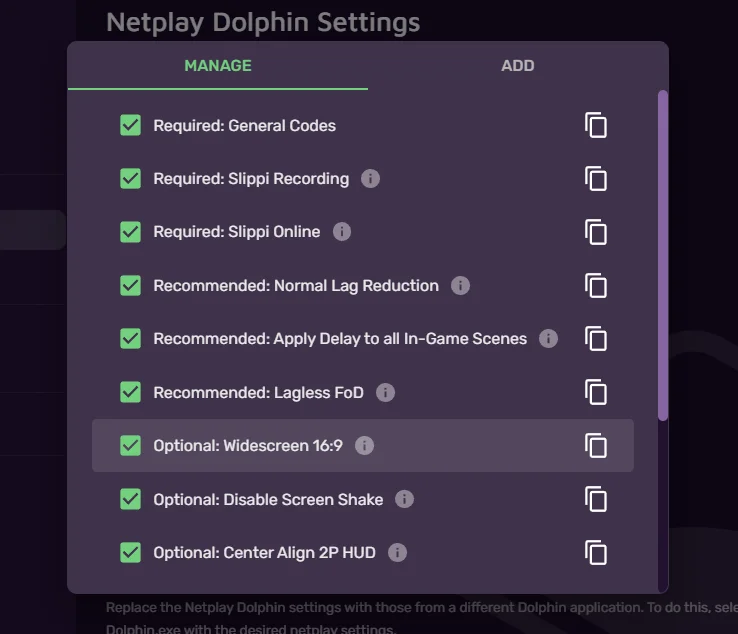
9. Close out of the Dolphin emulator and open the Slippi Launcher again, this time clicking the Manage Gecko Codes button.

10. Ensure the `Optional: Widescreen 16:9` box is checked. Then click away to go back to Settings.
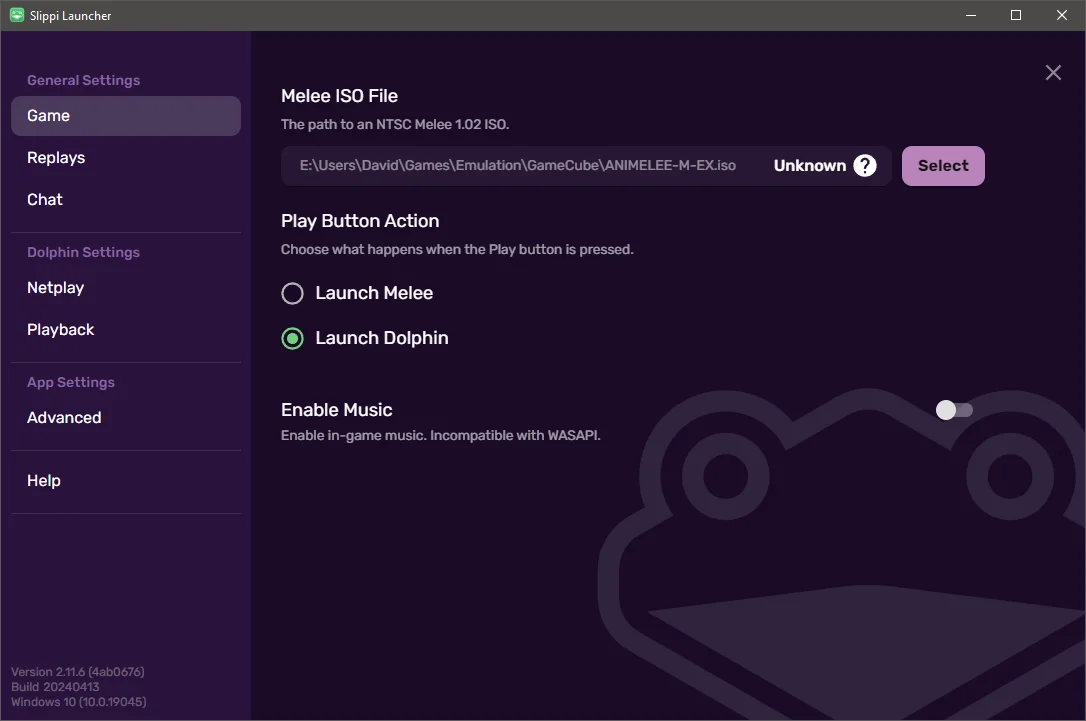
1. Click Game under General Settings on the left-hand side and click the "Select" button to choose your new Animelee m-ex ISO.

12. Browse to your Animelee m-ex ISO file and select it. Slippi will change the "Valid" tag to "Unknown" which is expected since a patched Melee ISO will differ from vanilla.
13. Close settings and select Play. You'll now be able to play Animelee m-ex with Slippi online!
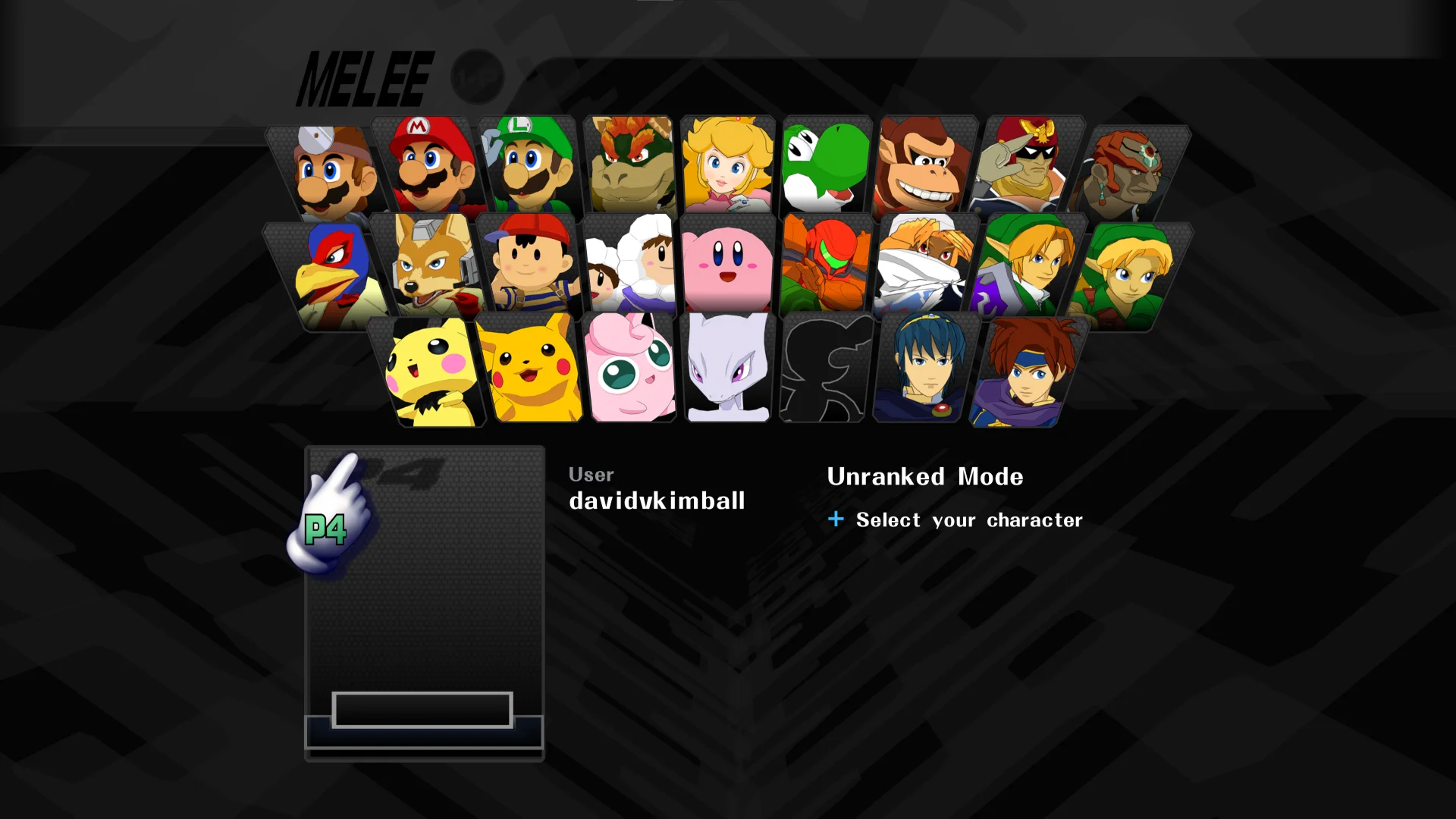
> [!Tip] Tip
> You can use `Alt` + `Enter` to toggle full screen.
## The Custom Experience
Love Animelee, and can't get enough of it? If you like to customize your experience, the Custom Experience is what you'll choose.
You can add your own character and stage skins to the game very easily and customize other parts of the game, too. You can use either [Animelee m-ex](https://mega.nz/folder/JR1lDaJQ#36Y3uxAXMXZFgIpNiP9nXA) or the expanded [Animelee m-ex Template](https://mega.nz/folder/QEdExDTT#ZkGu4Ie4ASLCxF-6rasabg/) that comes with a bunch of additional character slots and placeholder cosmetic silhouettes for easy costume replacement.
[Video overview: building a custom Animelee experience with Animelee m-ex](https://www.youtube.com/watch?v=D_mmrXT-5iM)
### Initial Setup (Animelee mex-template)
I have another video tutorial for you if that's more your speed:
[Video tutorial: Animelee m-ex Template setup and mexTool customization](https://www.youtube.com/watch?v=EgQfigy5-yo)
You'll want to basically follow the steps of the The Full Experience written instructions above, and once you've generated your ISO, that will bring us to the new step 1: setting up the mexTool! You'll be using this to customize your build. Maybe you've used [DAT Texture Wizard](https://github.com/DRGN-DRC/DAT-Texture-Wizard/releases/latest) or [HSDraw](https://github.com/Ploaj/HSDLib/releases/latest) before to customize your Melee build.
1. Download and install the [mexTool](https://github.com/akaneia/mexTool/releases/latest).
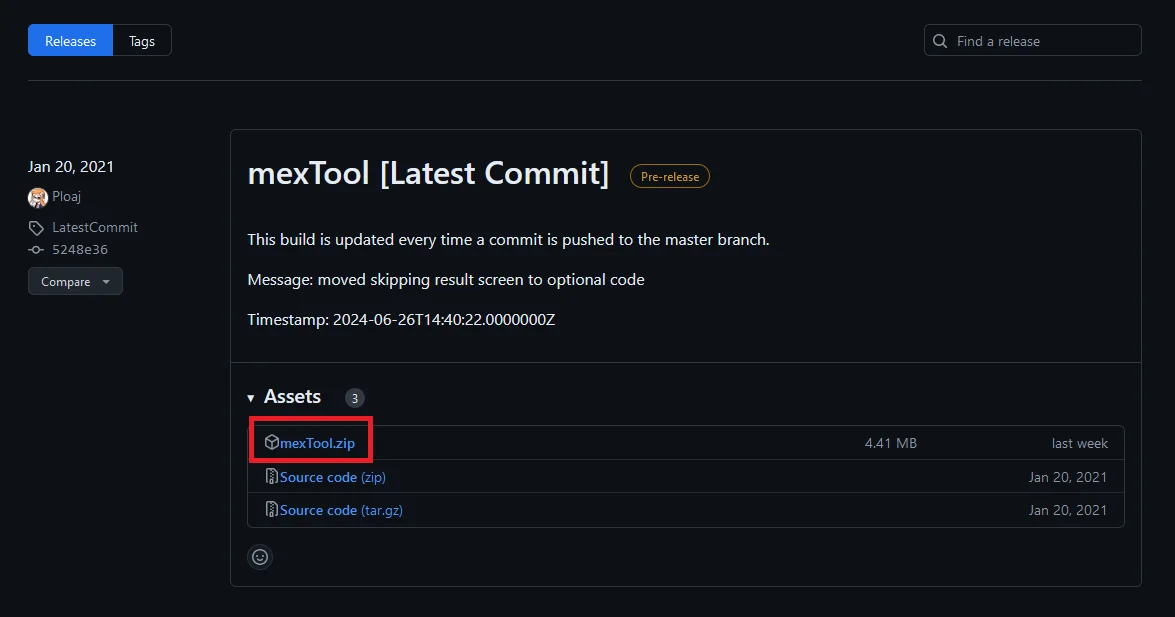
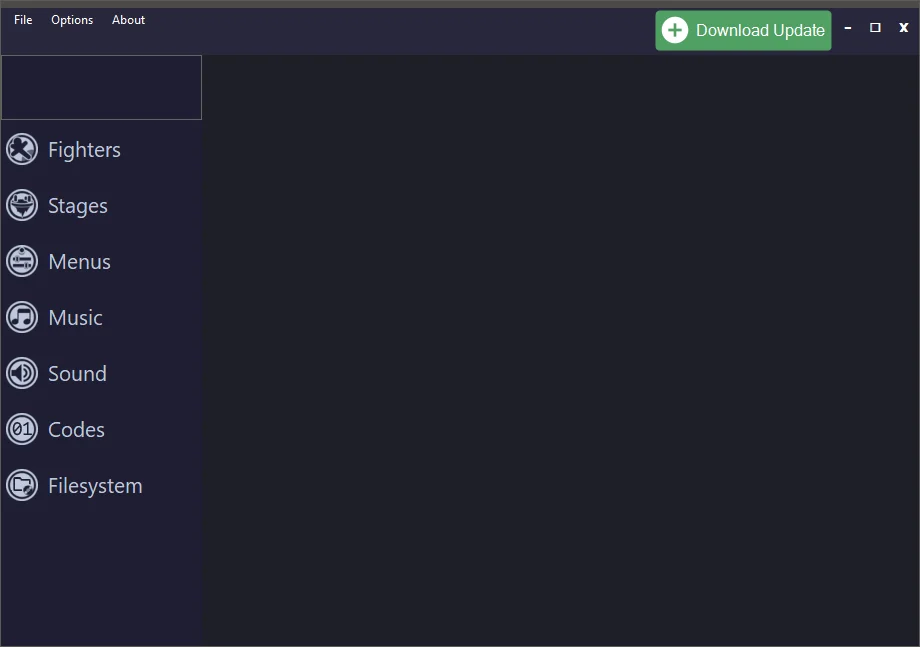
2. Extract the `.zip` file to a memorable location and open the folder. Run `mexTool.exe`. Click "Download Update" on the top right if available.
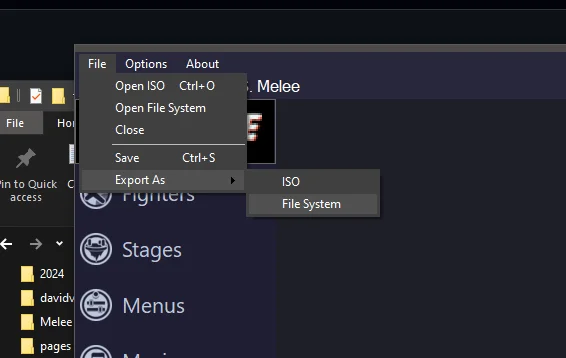
3. Click File > Open ISO and locate your Animelee m-ex/m-ex Template ISO file. Now *immediately* select File > Export As > File System and select a **permanent, memorable location**. This will be your working directory where you will make changes and updates to your build.
> [!Important] Important
>If you intend to make a custom Animelee m-ex build, use a File System as your working directory.
I can't stress this enough. Do not rely on exporting and importing ISOs over and over to make changes. That will quickly become a nightmare. Instead, get into the practice of maintaining your File System as your source of truth, and only use m-ex to open and modify that File System, and export ISO files when you're ready to test or play.
When you're ready to make more changes, open that File System again and use that as the base, exporting ISOs and saving over old ISOs as needed. I also recommend making a few backups just to be safe - so in case you accidentally screw something up, you can go back to a previous version. A good practice is to export a "stable" version you can reliable go back to if you really break something.
If you're extra fancy, you can setup version control with something like git to keep track of changes, but I won't be covering that in this guide.
### Customizing Your Build
For this section, rather than write out all of the things you could do, I recommend [watching the video linked above](#initial-setup-animelee-m-ex) starting at `5:18`. That will give you a great foundation so you know your way around mexTool and the dynamic alt stages functionality. It's pretty intuitive once you've done it a few times.
#### Dolphin Texture Loading and Dumping
Here's a short video guide on how texture loading and dumping works, if you want to mess with the HD textures yourself.
[Video guide: Dolphin texture loading and dumping for Animelee HD textures](https://www.youtube.com/watch?v=yq5an6LyE08)
### Getting it to Work with Slippi (Custom Animelee m-ex)
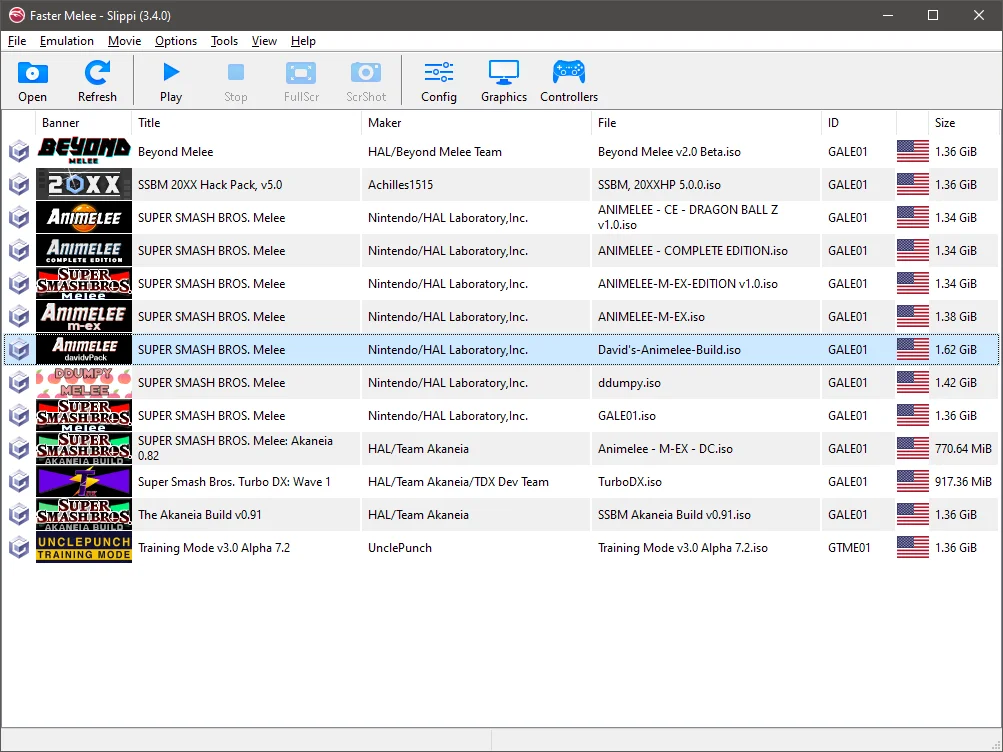
Really just follow the same instructions from [here](#getting-it-working-with-slippi-animelee-m-ex) but with your custom ISO you've exported and making sure you've migrated your custom HD textures to the `GALE01` folder in `Load > Textures`. I like placing Melee ISOs in a common directory so it's easy for me to choose which build I want to use - I usually launch Dolphin from the Slippi Launcher instead of launching the game directly when clicking Play.
## Featured Custom Animelee Content
Here are a few examples of really cool custom content you can download that work well in making your own Animelee builds.
### David V. Kimball's Custom Animelee Build
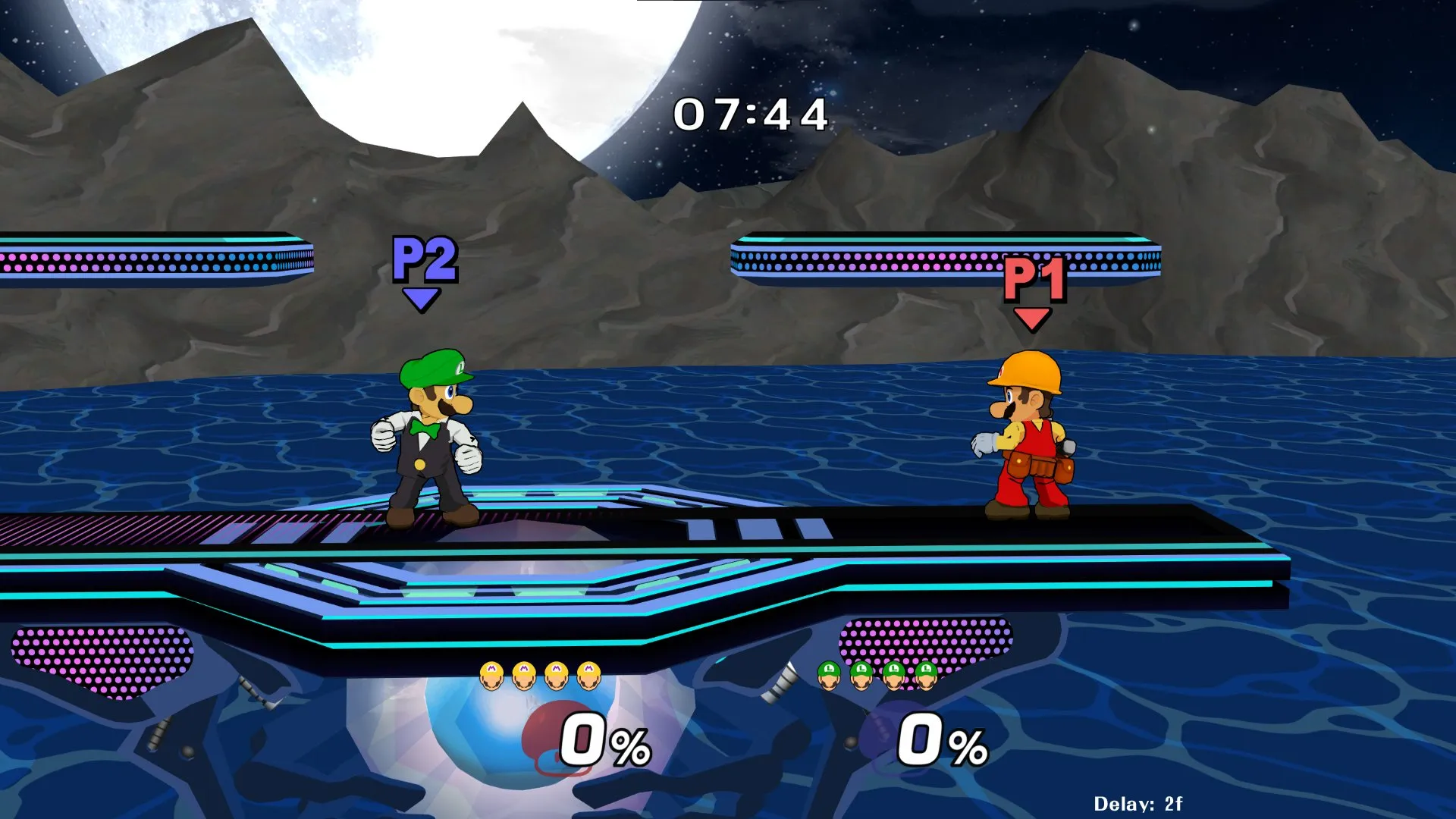
With yet another self-plug, my personal build. It showcases all of the ways you can customize your build, including custom character and stage skins, custom in-game HUD, custom menus, and even custom music!
[David V. Kimball's custom Animelee build showcase on X](https://x.com/davidvkimball/status/1757201126599082287)
### Animelee GFX Texture Overhaul
[Video showcase: Animelee GFX Texture Overhaul by Professor Randl](https://www.youtube.com/watch?v=X8A3NqdX8l8)
While the majority of this is already included in Animelee m-ex and Animelee m-ex Template, it's worth calling out. Professor Randl rolls out updates first to his patrons on [Patreon](https://www.patreon.com/AnimeleeGFXProject), and then to everyone else - so support the project!
### Claymation Yoshi's Story
[Chief Neif's Claymation Yoshi's Story stage preview on X](https://x.com/ChiefNeif/status/1702411898140934413)
One of the most visually fun and unique stages I have ever seen! Created by Chief Neif.
### Animelee Stage Variety Pack
[Video showcase: Animelee Stage Variety Pack featuring Moonfield, Grassfield, Vaporwave Story, and Winter Story](https://www.youtube.com/watch?v=9buktwtMrl4)
Four Animelee-style stages I made! Two Battlefield stages, Moonfield and Grassfield, and two Yoshi's Story stages, Vaporwave Story, and Winter Story.
### Monochrome Animelee Pack
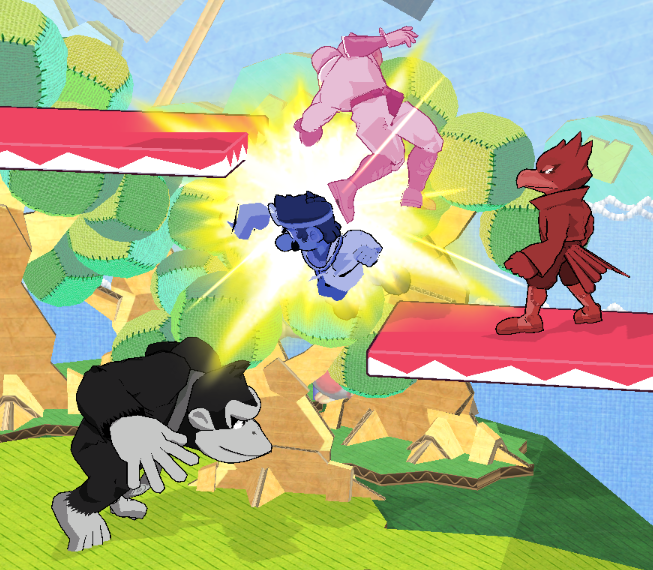
A unique approach to making characters monochrome in their colors - really cool for a minimal or themed Animelee build. Created by Maraschino.
### Dragon Ball Z Pack
[Video showcase: Animelee Dragon Ball Z Pack by Primal](https://www.youtube.com/watch?v=9eGYnGOCZZE)
A DBZ-themed pack from Primal.
### Precursor Battlefield
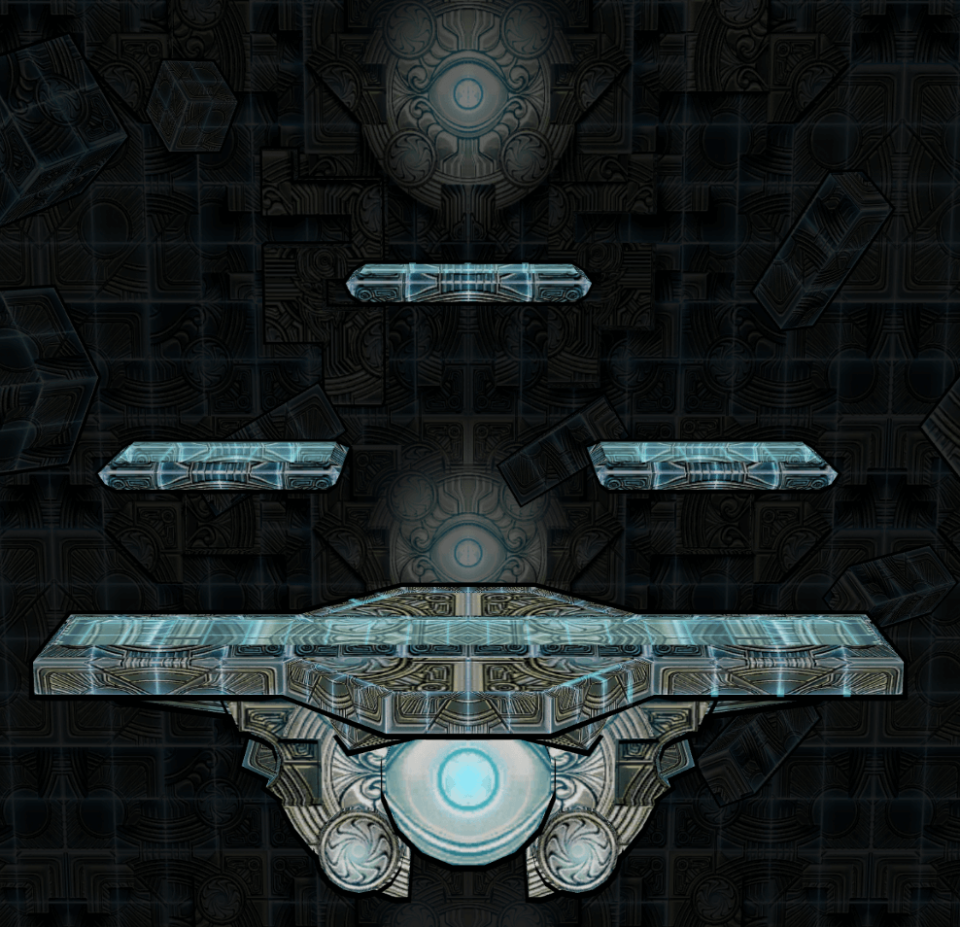
A stage by Triwing.
### Burritopher's Animelee Skins
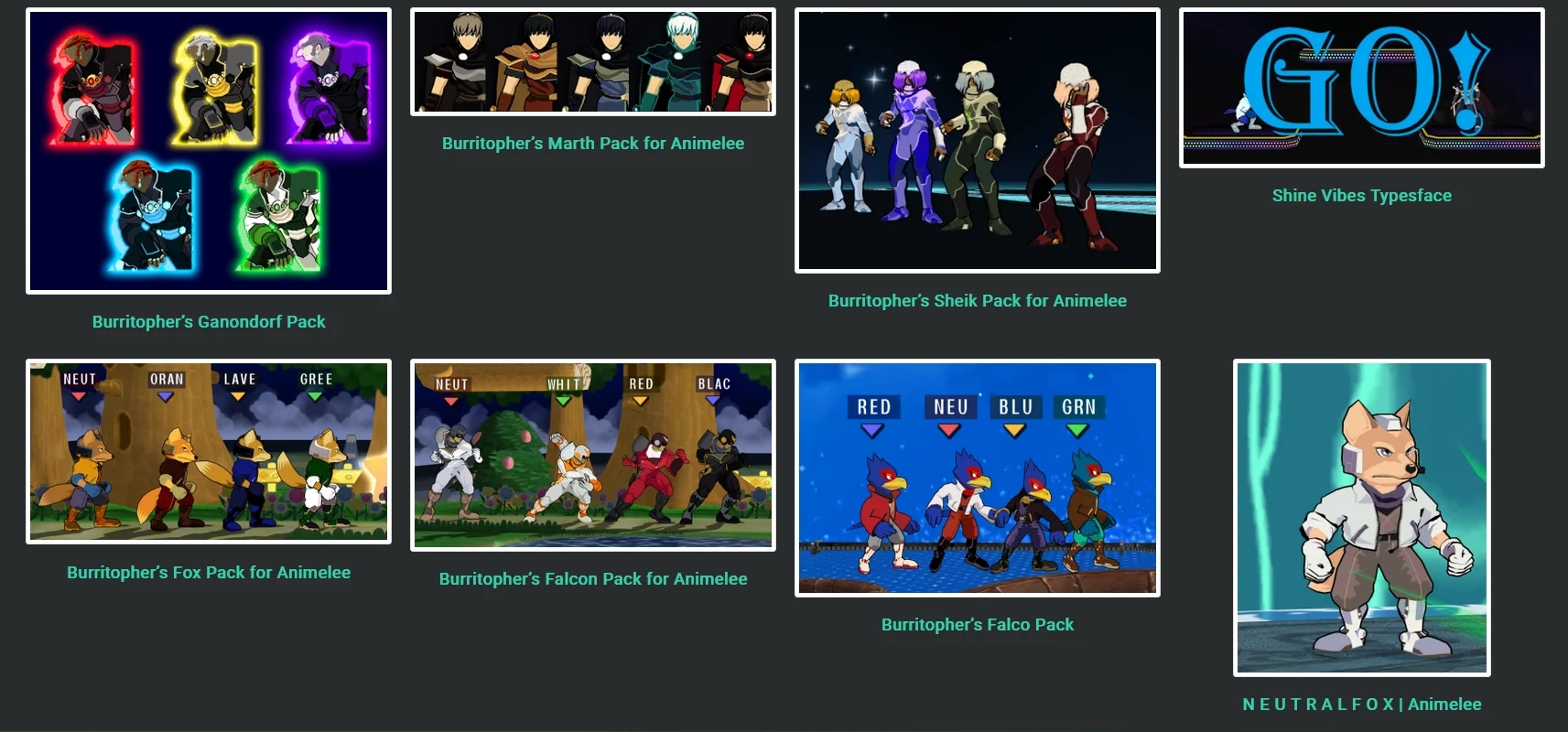
A nice variety of Animelee skins.
### Simple Stages Pack
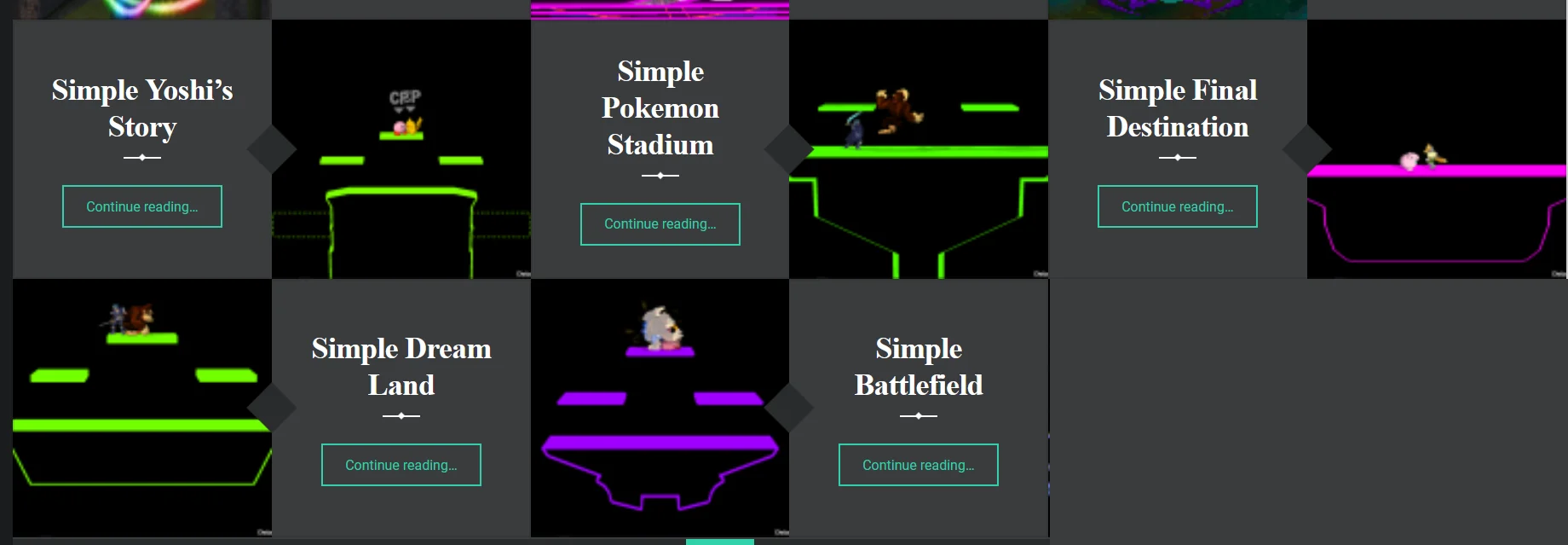
Minimalist stages created by the absolute Melee modding juggernaut [Gay Lord Erika](https://ssbmtextures.com/author/gay-lord-erika/), easiest to find under the "Rainbow" hashtag.
### Blade Runner Stadium
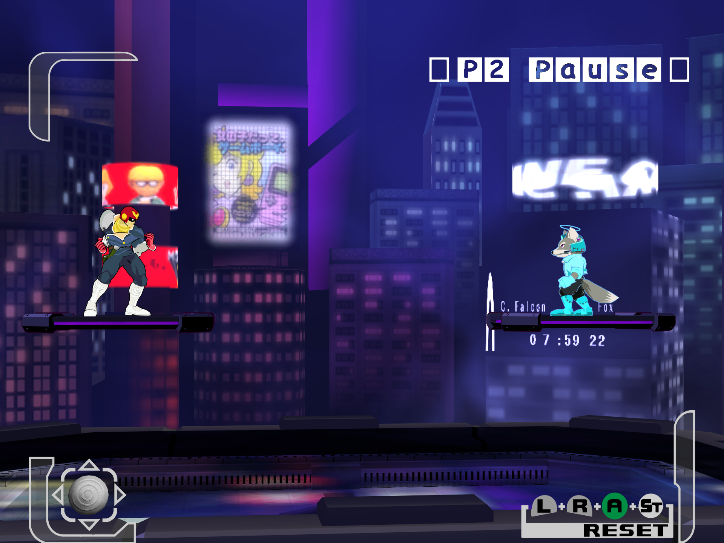
An Animelee, doubles-friendly version of the stage, created by Syrox with help by Cjag/Barry Barrows and UnclePunch.
### Neo Destination
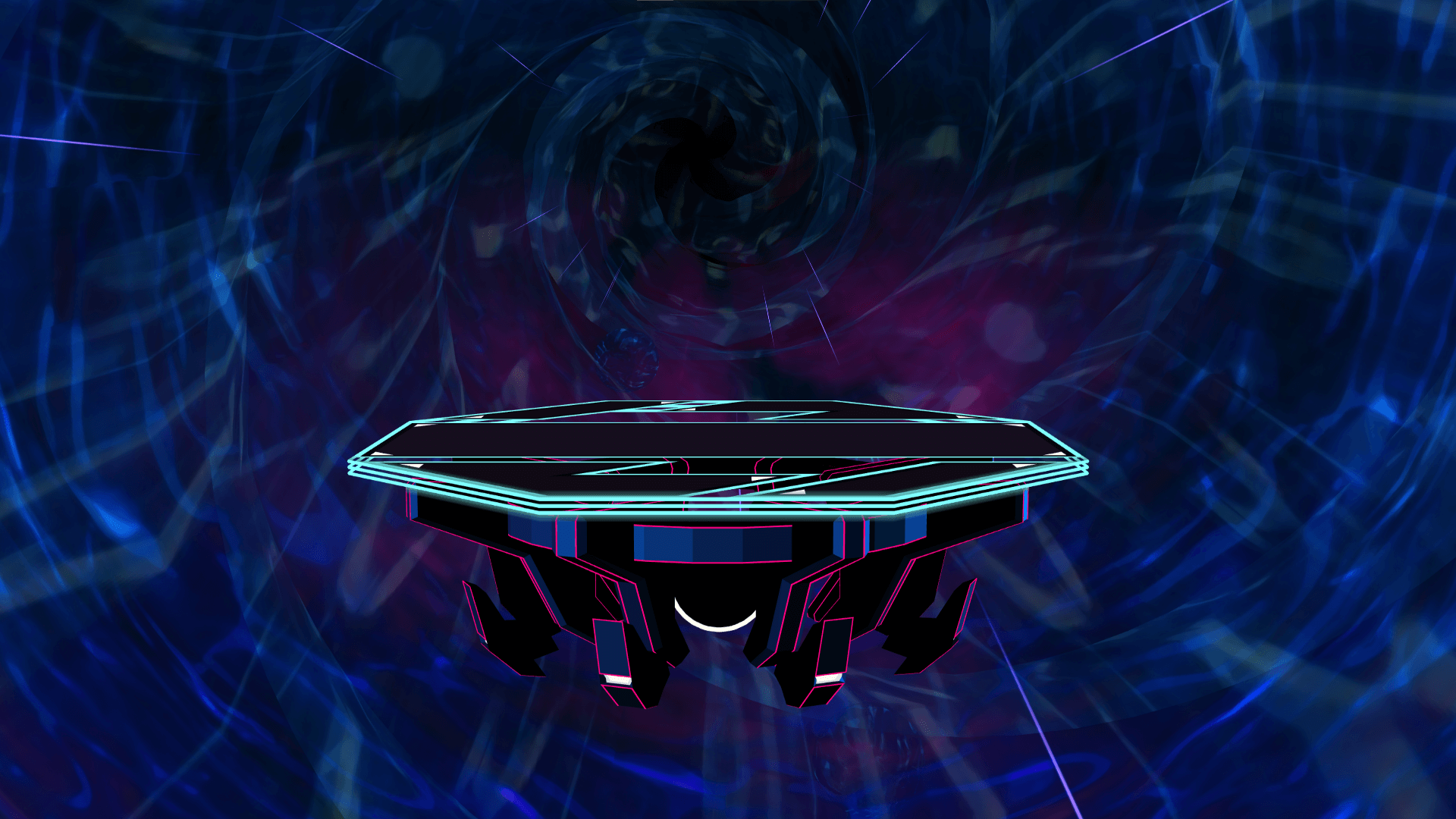
Light blue FD I made with the background from the Link encounter in the Temple stage from Melee Adventure mode.
### Bowser's Fury Bowser
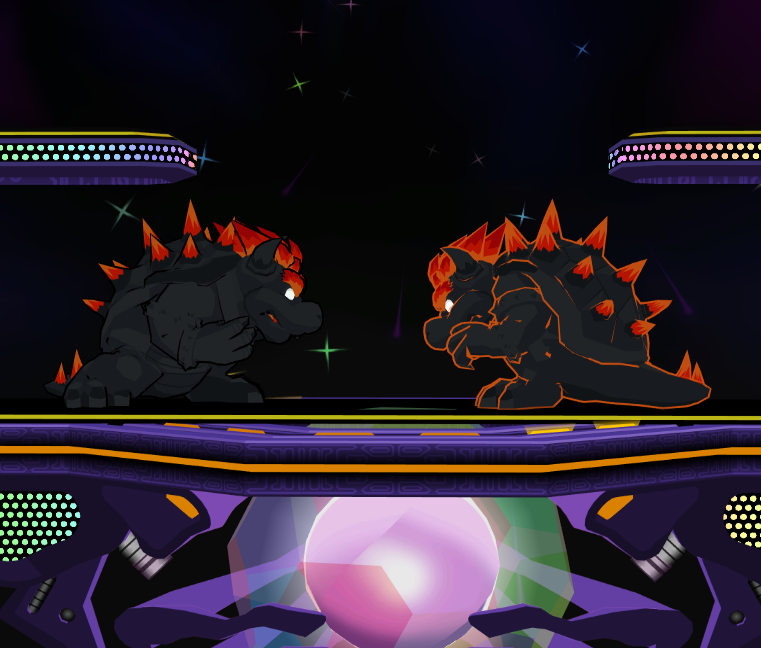
Really sick costume variants of Bowser with a unique application of the Animelee outline. Created by Nunderscore.
### And Friends Pack
[XRunRiot's And Friends custom Animelee build showcase on X](https://x.com/xRunRiot/status/1640061009393074179)
XRunRiot's custom Animelee build.
### Kame House
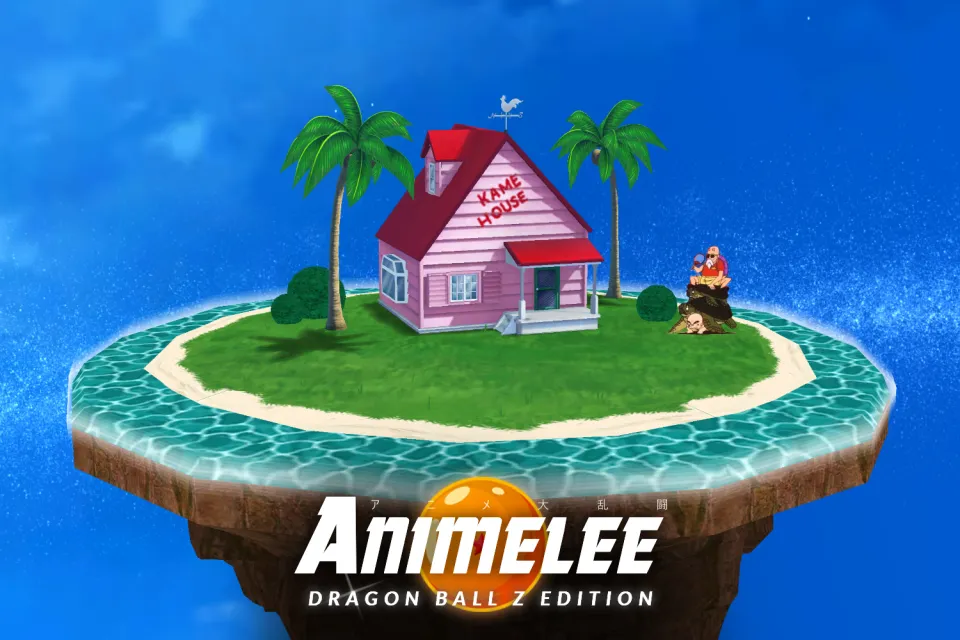
Part of the DBZ Pack, but Primal also offers a standalone version of this Final Destination stage. I also made a DBZ-agnostic version called [Kame (no house)](https://mega.nz/file/NYk2FThY#Z7Z-yFyNfjc6YZyRBGlCtvPQCjdo-23UwvdtS8nT6Ug).
### Jordan 1s Mario
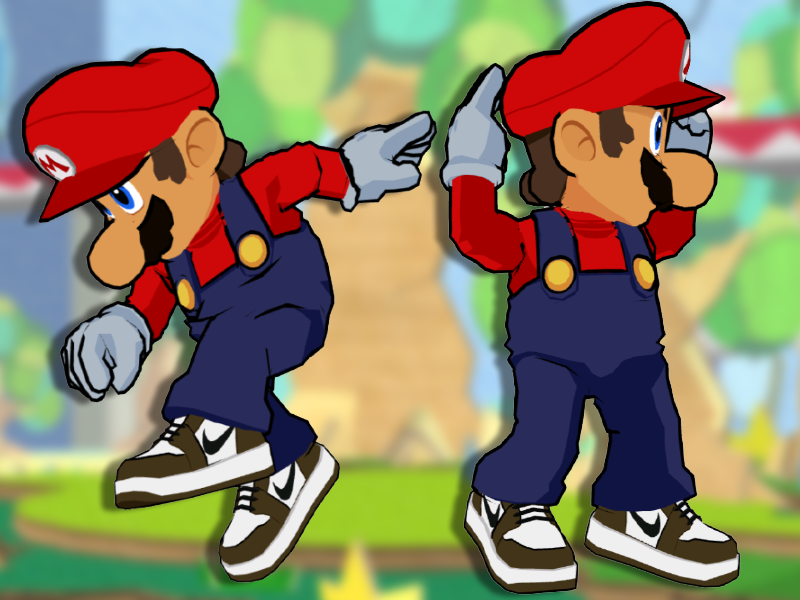
Mario wearing Jordan 1s. By Lazlo.
### Free Melee Peach
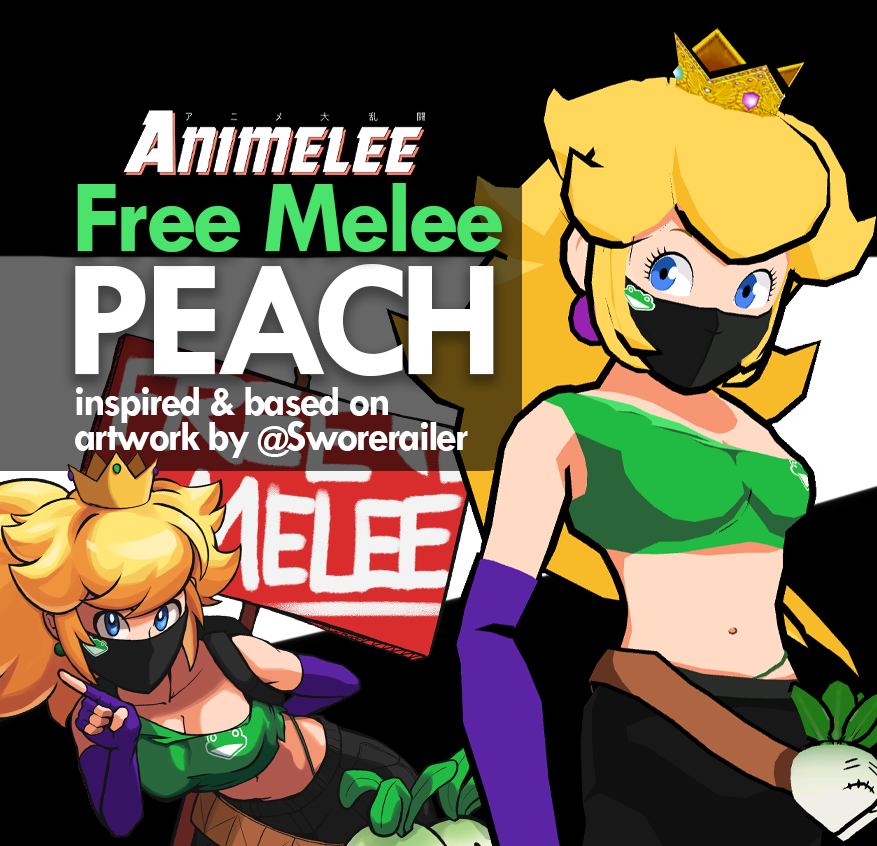
Spamitburns' Peach skin with modeled eyes based on artwork by [Sworderailer](https://x.com/Sworderailer).
### So much more!!
It was difficult to showcase content because of how much good stuff there is on ssbmtextures alone. I encourage you to browse the `#Animelee` [tag on the website](https://ssbmtextures.com/tag/animelee/ ) and see what you find.
## Animelee Creators
Here's a list of every Animelee Patreon creator with which I'm familiar. It won't be an exhaustive list, but I've subscribed to each of them for at least 1 month so I can vouch for their work personally.
- [Primal](https://www.patreon.com/vancity_primal)
- [Lazlo](https://www.patreon.com/LazloSSBM)
- [shiggles](https://www.patreon.com/shiggles)
- [Gay Lord Erika](https://www.patreon.com/user?u=75468522)
- [sinaa](https://www.patreon.com/sinaa_ssbm)
- [Pigs](https://www.patreon.com/PigsSSBM)
- [XRunRiot](https://www.patreon.com/xRunRiot_Textures)
- [Professor Randl](https://www.patreon.com/AnimeleeGFXProject)
- [Skraton](https://www.patreon.com/skraton)
- [Chief Neif](https://www.patreon.com/chiefneif)
- [gonko](https://www.patreon.com/gonko)
- [Dewrion](https://www.patreon.com/Dewrion)
- Spamitburns - [X profile](https://x.com/spamitburns)
- KTH - [X profile](https://x.com/kth_ssbb)
These creators have created some of the best Animelee content yet. Go check them out and support them if you're keen!
## Linked mentions
- [Don't Start From Scratch: Build Compounding Projects](https://davidvkimball.com/posts/dont-start-from-scratch-build-compounding-projects)
- [My Thoughts on Rivals of Aether II](https://davidvkimball.com/posts/my-thoughts-on-rivals-of-aether-ii)
- [Competitive Stages Are Actually The Best Casual Stages, Too](https://davidvkimball.com/posts/competitive-stages-are-actually-the-best-casual-stages-too)
- [Super Smash Bros. Melee Twitch Stream Overlay Tour](https://davidvkimball.com/posts/super-smash-bros-melee-twitch-stream-overlay-tour)