---
title: "Cool Minimal Astro Blog Themes"
description: "Minimal Astro blog themes I like, free and paid, with a table to help you pick, including the ones I make for writing in Obsidian with Vault CMS."
published: 2025-08-14T00:00:00.000Z
updated: 2026-11-04T00:00:00.000Z
tags: ["customization","design","tech","astro","vault-cms"]
url: "https://davidvkimball.com/posts/cool-astro-minimal-blog-themes"
---
## What is Astro?
[Astro](https://astro.build/) is a web framework for markdown-based websites and blogs. I enjoy using it, especially when paired with [Obsidian](https://obsidian.md/) for drafting site content.
I ran a tweaked version of [Fuwari](https://github.com/saicaca/fuwari) on davidvkimball.com for over a year before switching to something more minimal. These are the themes I looked at, and they're still the ones I'd point you to, along with the ones I've made since.
Everything here is free on GitHub except Axis, Coffer, and Continuum, which are paid themes I sell. I'll link to a live demo of each one. And of course, they each have a light and dark theme.
## Quick Comparison
| Theme | Price | Best for |
| --- | --- | --- |
| [Zaduma](#zaduma) | Free | A quiet blog with a command palette |
| [Astro Nano](#astro-nano--astro-micro) | Free | Your bio, work history, and projects on the home page |
| [Astro Micro](#astro-nano--astro-micro) | Free | Astro Nano, plus search and comments |
| [Minimal](#minimal) | Free | A site that feels like Obsidian |
| [Chiri](#chiri) | Free | Nothing between readers and your writing |
| [Astro Modular](#astro-modular) (mine) | Free | Writing in Obsidian and tweaking everything |
| [Axis](#axis) (mine) | $49.99 | A full blog with projects and docs |
| [Coffer](#coffer) (mine) | $29.99 | A digital garden of short, linked notes |
| [Continuum](#continuum) (mine) | $29.99 | Personality and motion |
## Zaduma
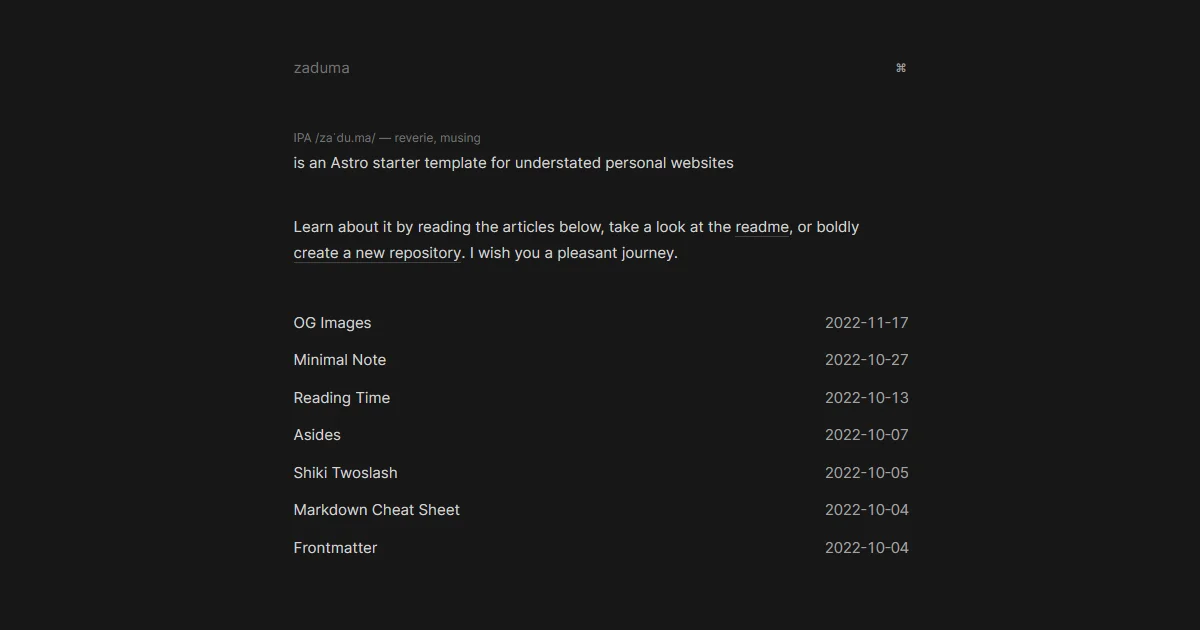
I love its understated design, but something that really stands out is this command button on the top right.
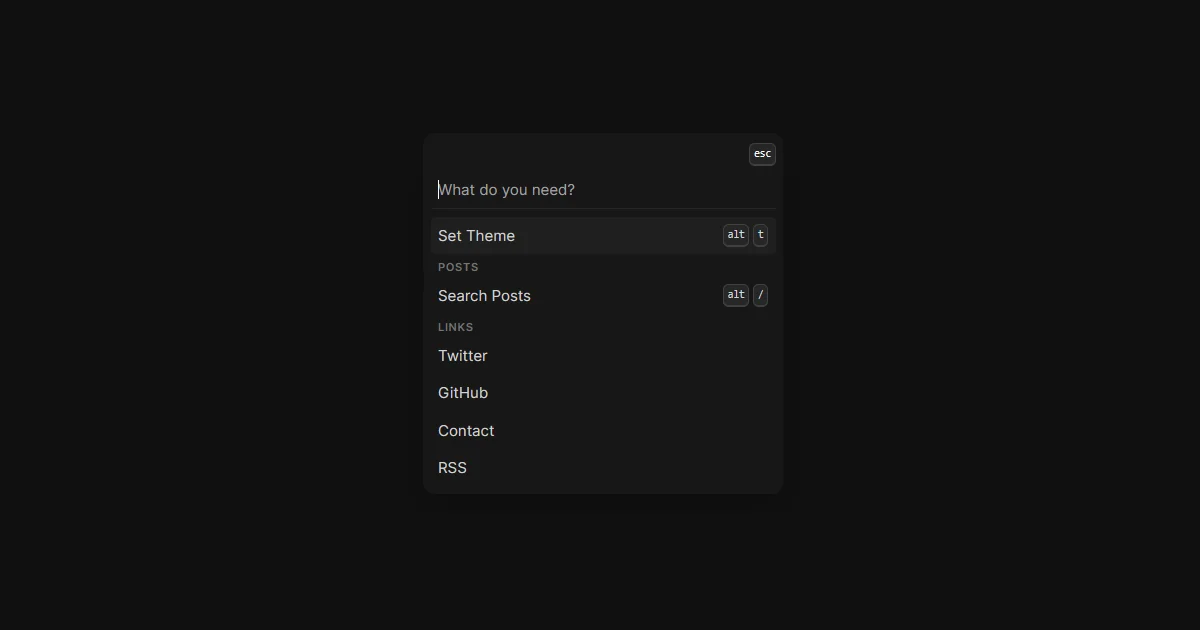
With it you can toggle the site's theme with a keyboard shortcut or quickly search through posts. I really like it, and this site has its own command palette now (try CTRL/CMD + K).
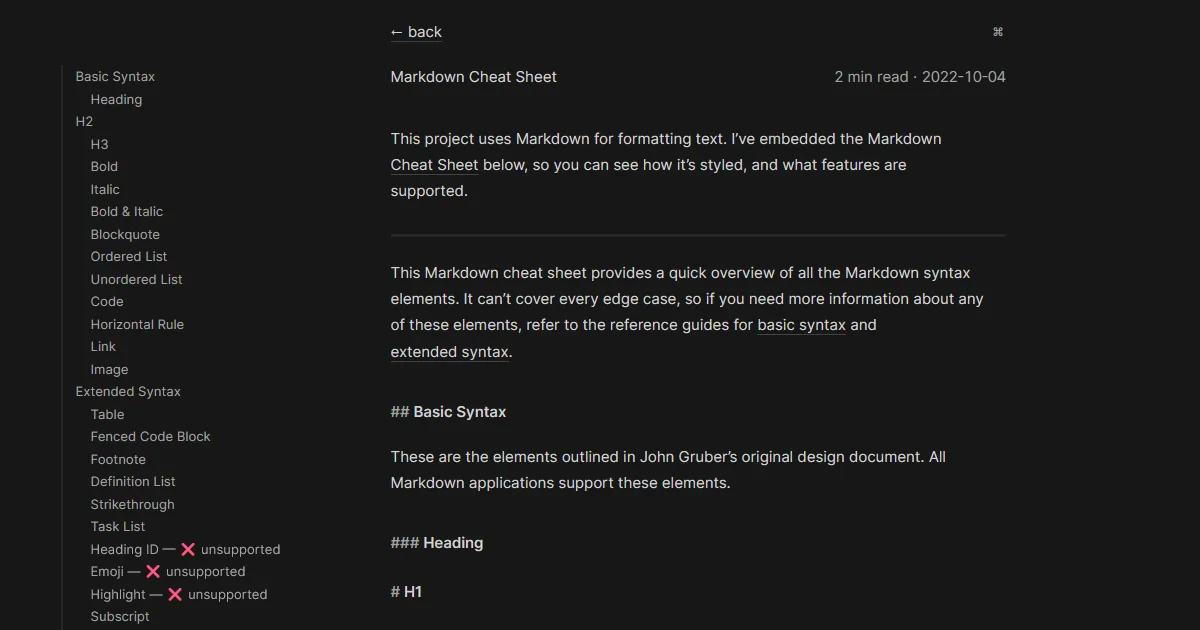
```embed
https://github.com/hasparus/zaduma
```
## Astro Nano / Astro Micro
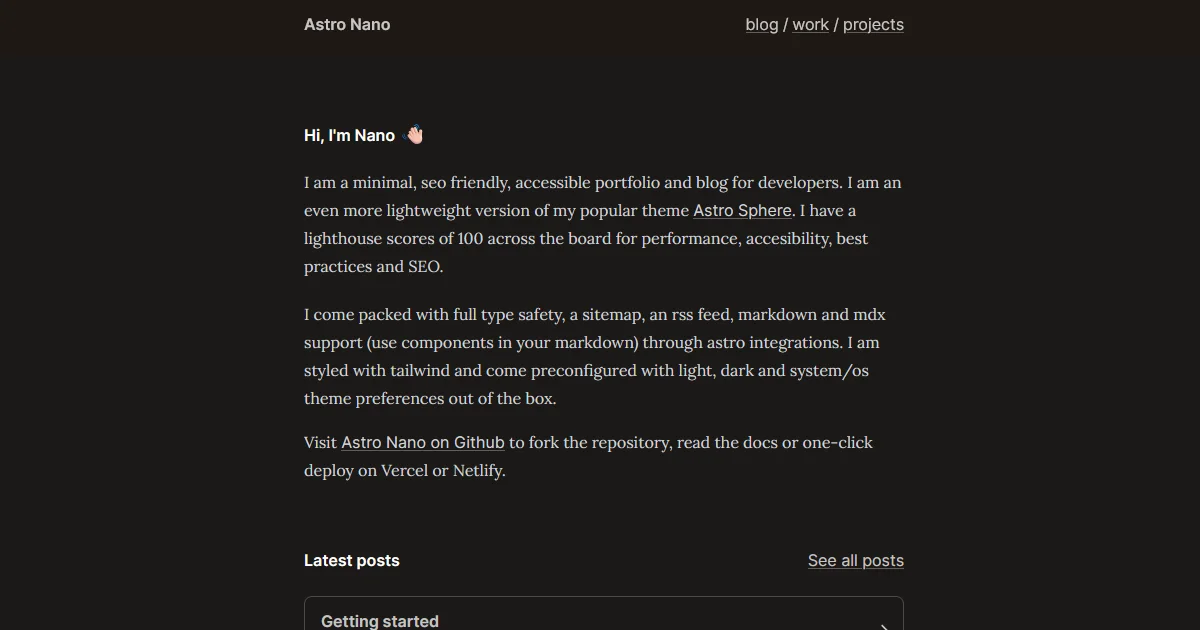
This theme gives you a little bio, latest post section, a work experience section, and a recent projects section on the main page.
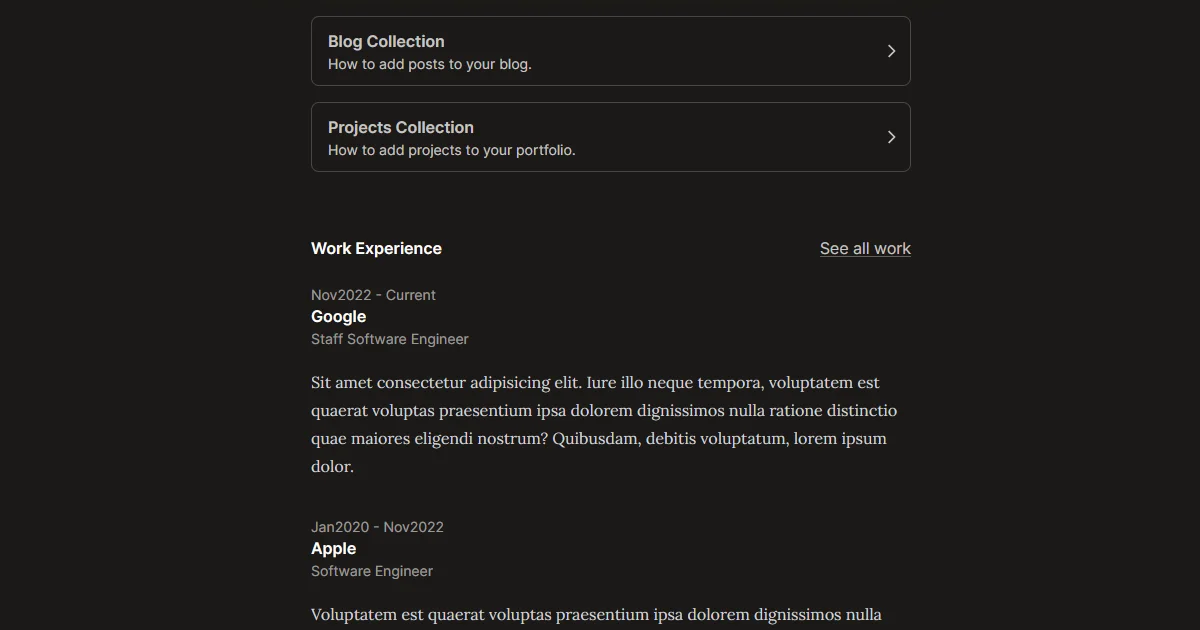
Each project works sort of like a blog post as separate items.
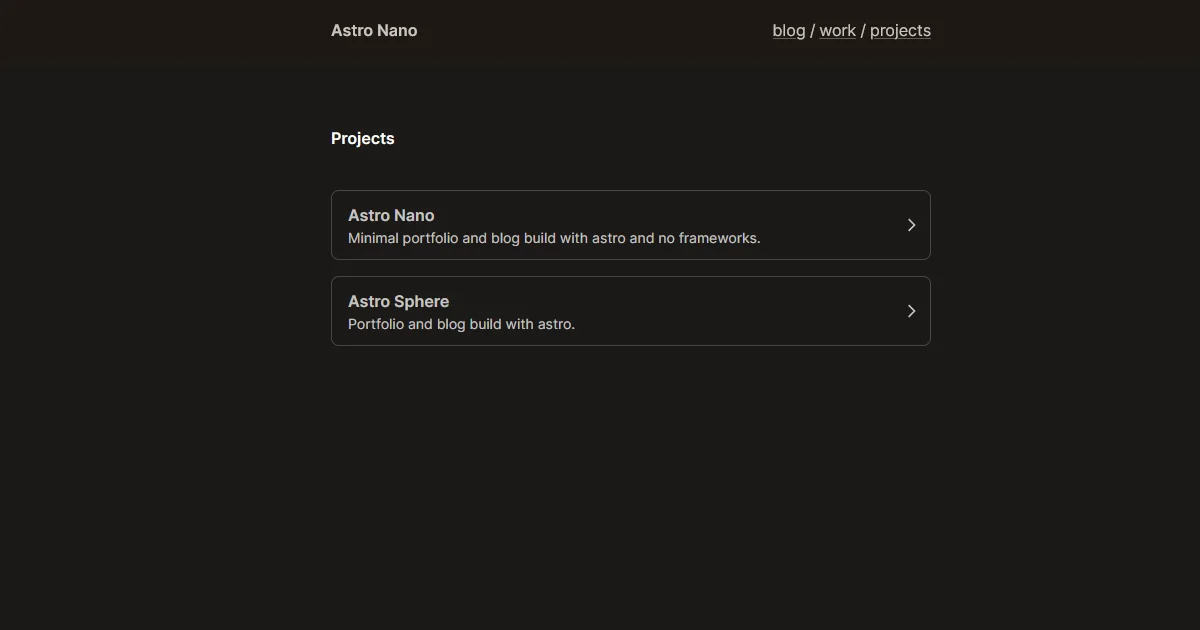
I particularly enjoy the subtle pop-in effects when a page loads, it's elegant without being overbearing.
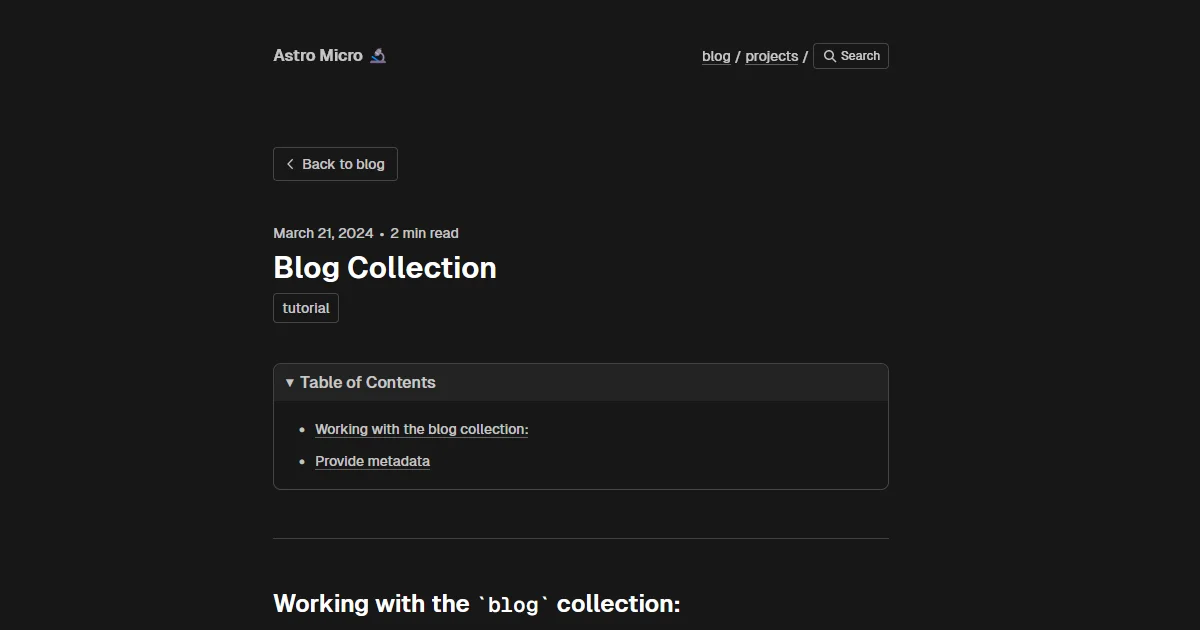
A fork of Astro Nano called Astro Micro adds a sleek quick search function (via [Pagefind](https://pagefind.app/)) and also has comments (via [Giscus](https://giscus.app/)), although I think adding comments may take away some of the appeal of a minimal theme.
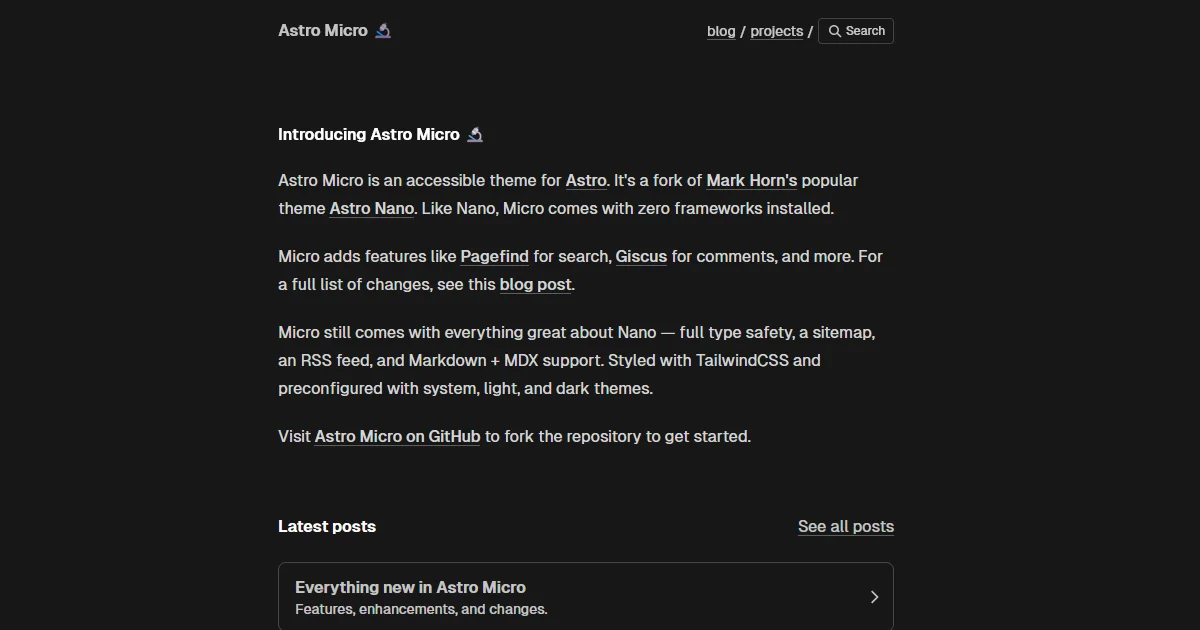
Even so, it seems like the de facto version of the design.
```embed
https://github.com/markhorn-dev/astro-nano
```
```embed
https://github.com/trevortylerlee/astro-micro
```
## Minimal
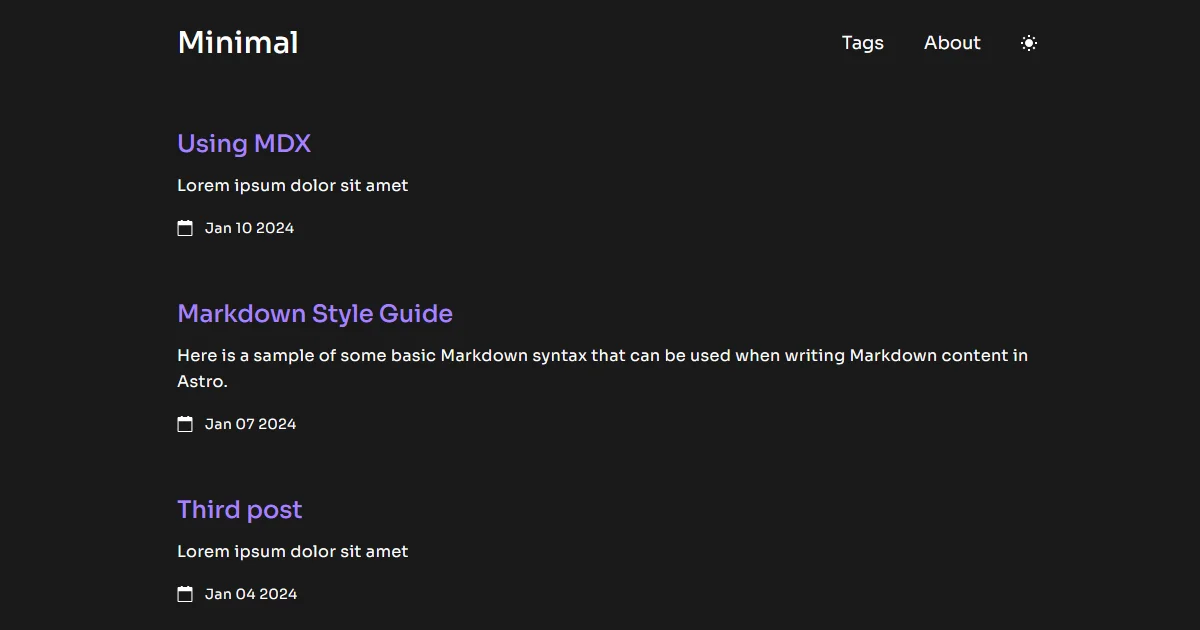
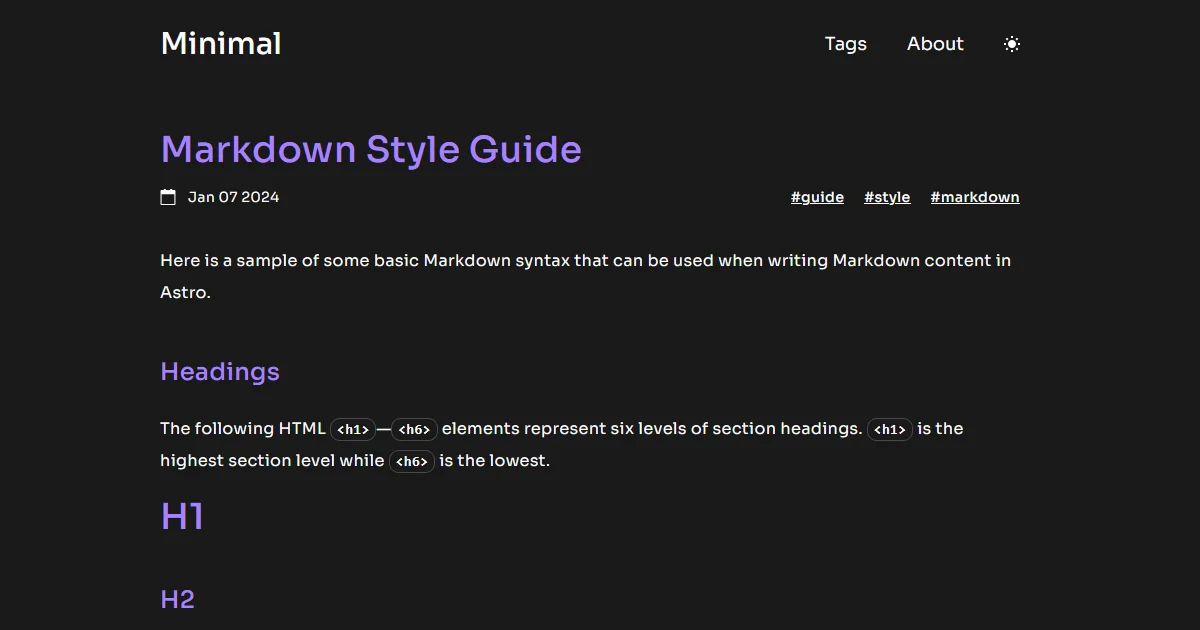
What I love about this theme is how Obsidian-like it feels. From the typeface choices to the purple highlights, it just feels like it's something straight from the Obsidian team. In fact, it's not dissimilar from their CEO [Steph Ango](https://stephango.com/)'s design.
```embed
https://github.com/ekmas/minimal
```
## Chiri
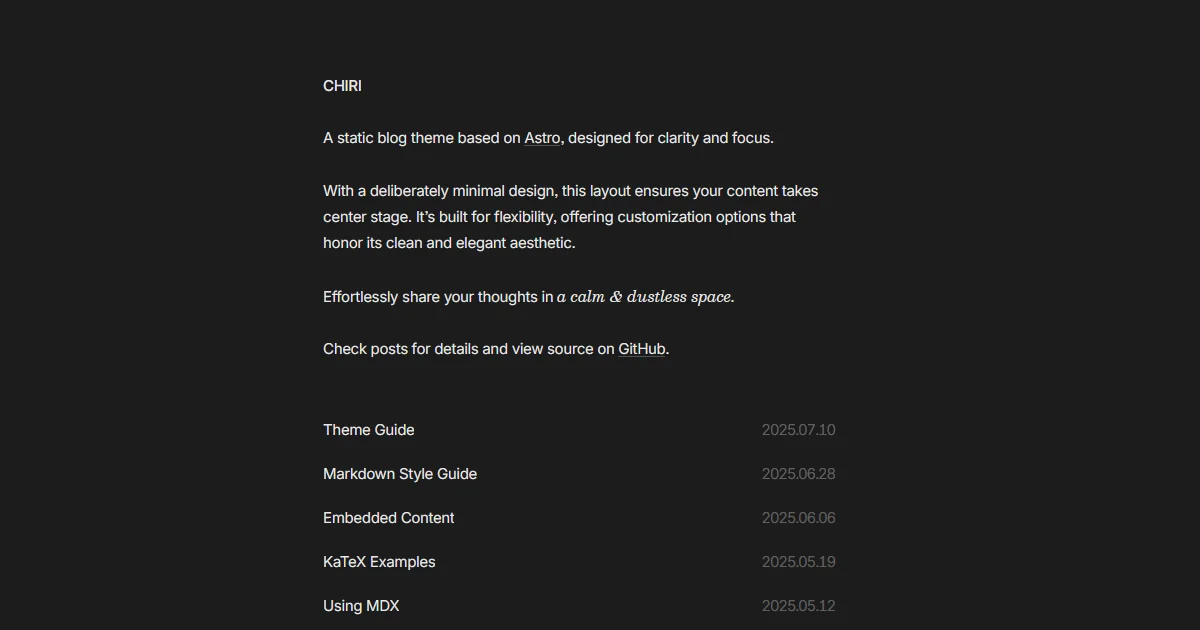
Chiri is great because it truly lets you focus on the content and not get distracted by fancy buttons or other visual distractions.
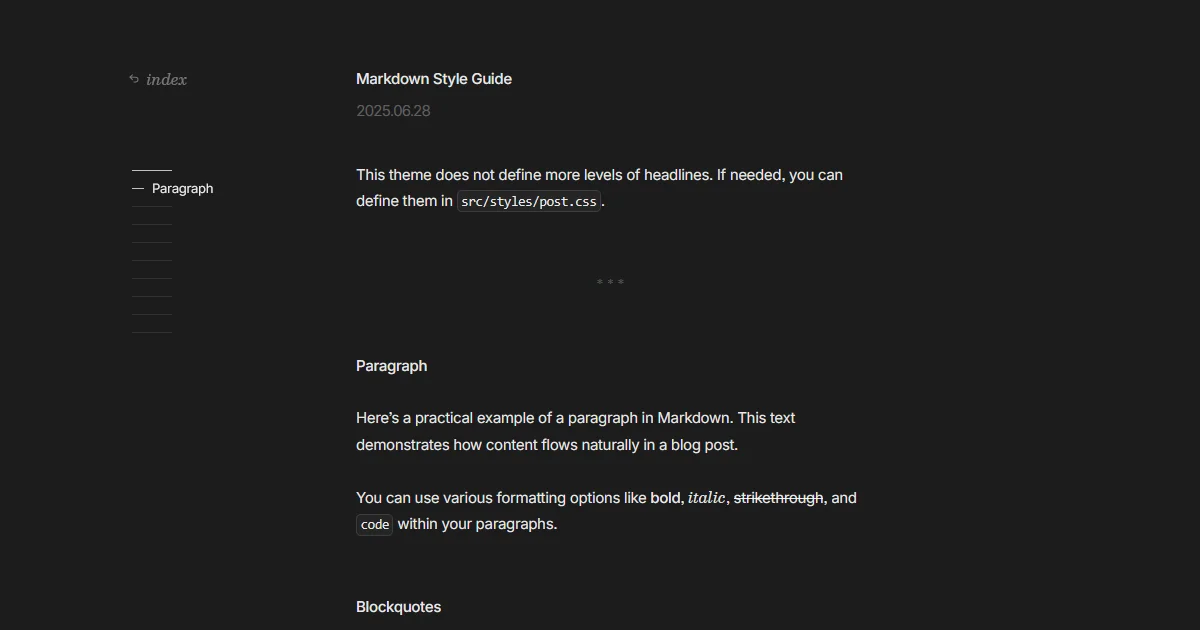
In particular I enjoy the hover effect on posts, and the snappy but subtle fade animations between page loads. It all feels very deliberate and premium.
```embed
https://github.com/the3ash/astro-chiri
```
## Themes I Made
Full disclosure: I make these four, and I earn money from the three paid ones, so weigh my opinion however you like. They all work with [Vault CMS](https://davidvkimball.com/posts/vault-cms-use-obsidian-to-write-astro-blog-posts) if you write in Obsidian, or [Zeku](https://zeku.dev), my writing app for Astro sites, if you'd rather not. Zeku is $39 once, with a 14-day free trial.
The paid themes are one-time purchases on my [store](https://davidvkimball.com/store), and [Axis, Coffer, Continuum, and Zeku together](https://davidvkimball.com/store#bundle) are $99. I wrote more about all four in [My Astro Themes](https://davidvkimball.com/posts/my-astro-themes).
### Astro Modular
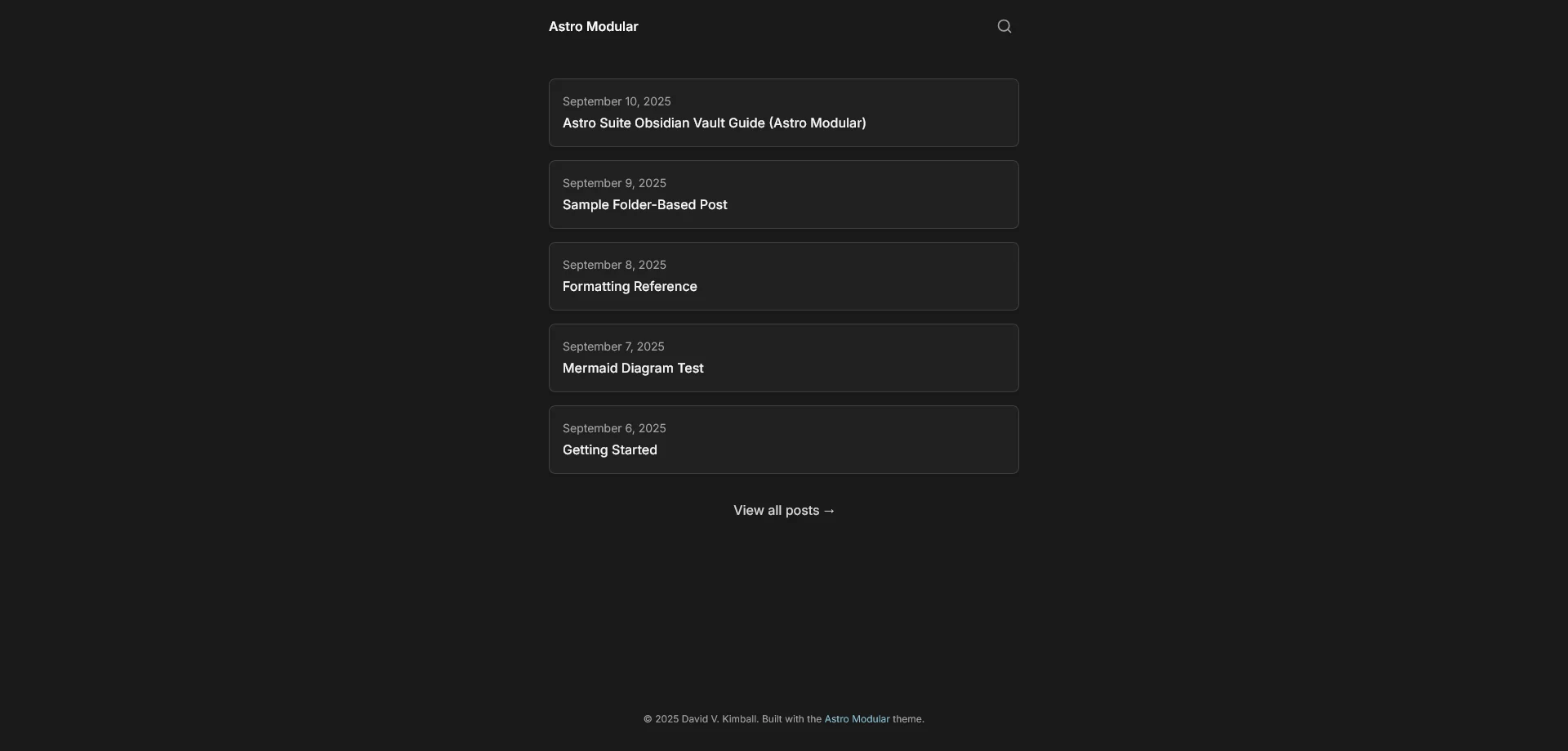
This one is free and MIT licensed. It's designed to be flexible and really look however you want. There's a "minimal" preset you can use or you can go all-out and enable all of the bells and whistles.
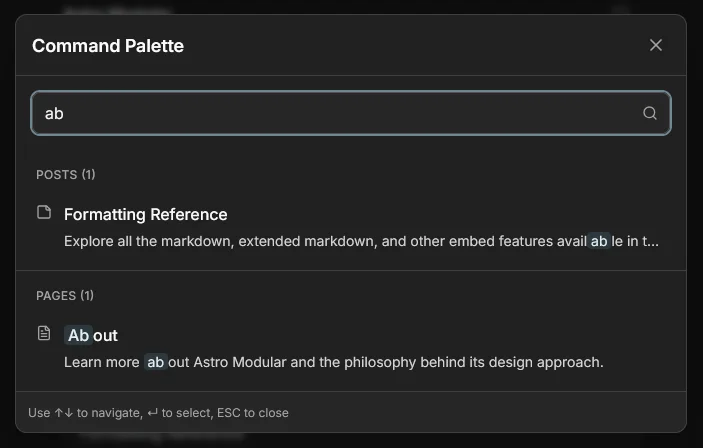
The search icon on the top right can also be worked into a command palette. It's a snappy way to get to content quickly.
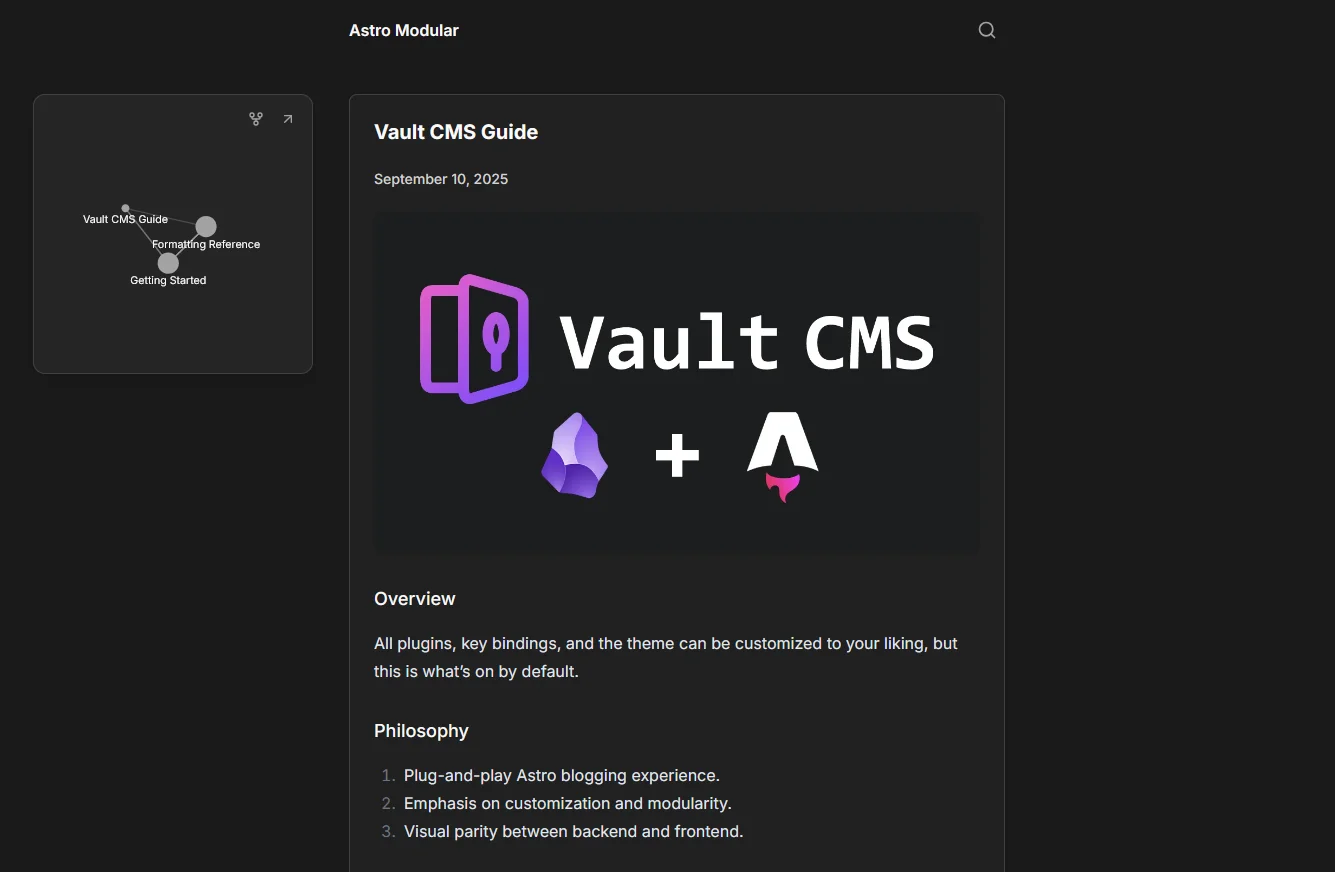
It has native [Vault CMS](https://davidvkimball.com/posts/vault-cms-use-obsidian-to-write-astro-blog-posts) integration and optional features that work natively with [Obsidian](https://obsidian.md) like graph view.
This theme also supports almost every kind of embeddable Obsidian content, including bases. Embedding a base will render as a table.

LaTeX math, video, audio, PDF, YouTube, X post, and Mermaid diagrams are also all supported.

If you're an Obsidian/Vault CMS user, you get a dedicated plugin with tons of settings to adjust. They affect your local dev site instantly if you use `pnpm dev`. You can adjust global settings like site name, URL, header and footer, navigation, style, and set custom images for favicons, open graph images, and more.

You can also toggle any of the many features or use a template.
If you're looking for complete customization and flexibility, this is one I highly recommend. Especially if you like using Obsidian. I also recommend its sister theme [Axis](#axis) if you want even more features.
```embed
https://github.com/davidvkimball/astro-modular
```
### Axis
Similar to [Astro Modular](#astro-modular), Axis is a great theme option if you want a feature-packed Astro theme you can use with Obsidian and Vault CMS. It's also very similar to [my current website theme](https://davidvkimball.com/posts/the-history-of-my-personal-website#2026-design).

It also has an optional graph view you can use, which should be 1:1 with Obsidian if you use Vault CMS. One advantage of Astro Modular is the graph shows connections between any content type, not just posts. You can also link to special tag pages that "just work" between Obsidian and your website.

It has an intuitive command palette that can be invoked with CTRL/CMD + K. Using arrow keys and enter allows for quick navigation, it can search posts, pages, you name it. Pressing tab will cycle your options.

Beyond the comprehensive Obsidian embed support, this theme also supports extended embed options, including Spotify, GitHub, Codepen, Soundcloud, Apple Music, Bandcamp, Figma, Reddit, Bluesky, Mastodon, LinkedIn, Vimeo, Steam, and even any website URL as a preview using opengraph metadata. In fact, anything that's included in the [Extended Embeds Obsidian plugin](https://community.obsidian.md/plugins/extended-embeds).

Axis also has a dedicated plugin called Axis Settings with custom header or footer code injection options along with a minimal cookie consent banner. Very helpful for Google Analytics 4 set up or similar.
If you prefer to go the cookieless tracking route, I recommend [GoatCounter](https://www.goatcounter.com/).

Navigation edit controls are very intuitive and easy to use.

For advanced Astro users: you can also create custom content types from this plugin! Very handy if you don't want to be pigeon-holed into the posts/pages/docs/projects default options.
Axis is $49.99, one time, on [my store](https://davidvkimball.com/store#axis). If it seems like it's for you, nab it! I hear the person who's making it is pretty good at incorporating user feedback.
### Coffer
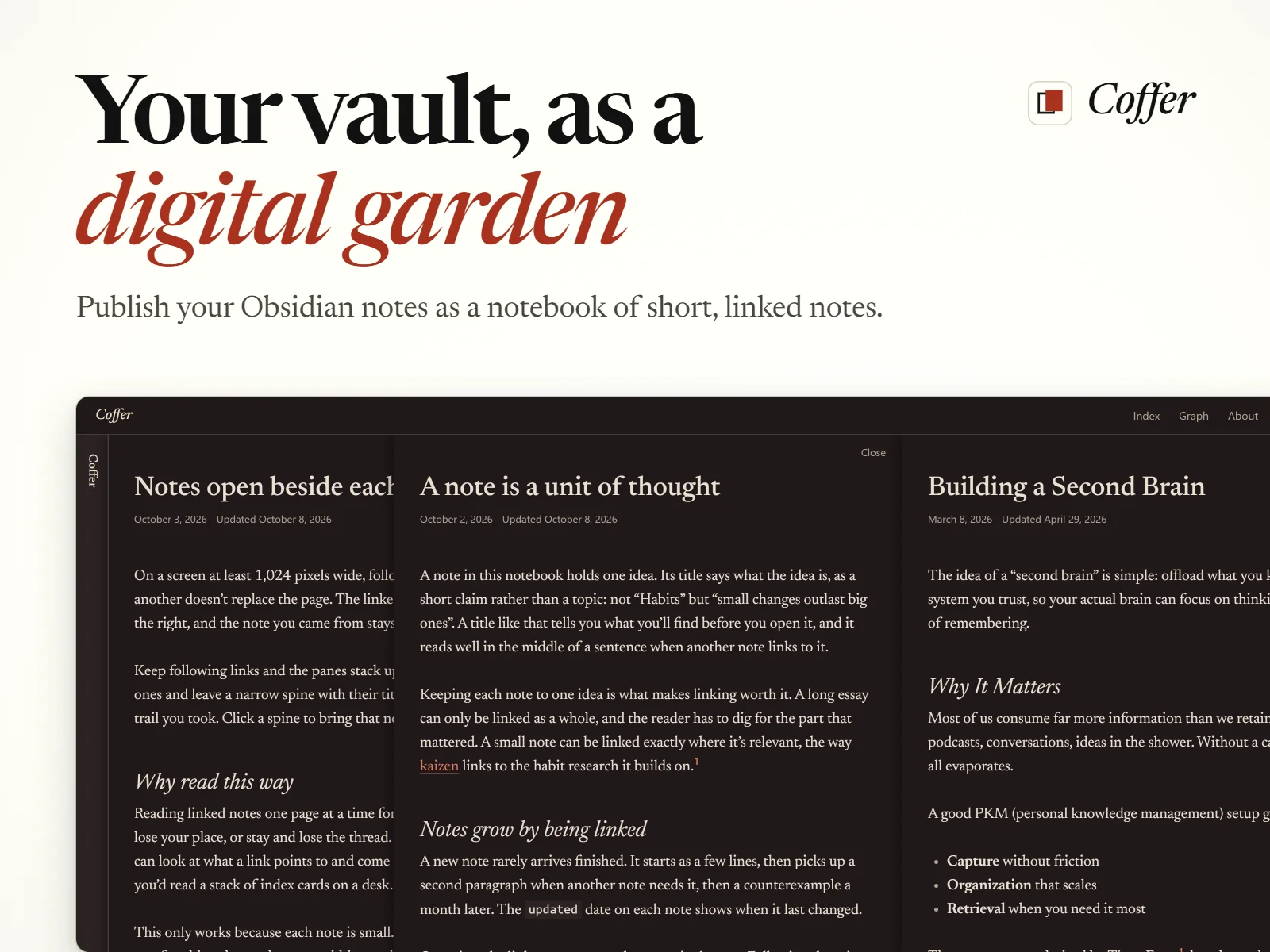
Coffer publishes your vault as a **digital garden**: short notes that link to each other, instead of long posts in a feed. Click a link and the note opens in a pane beside the one you came from, so you can follow a thread without losing your place.
You also get sidenotes in the margin, backlinks at the end of every note, a graph of every note and tag, and search. Obsidian Bases render as tables, cards, or lists.
Coffer is $29.99, one time, on [my store](https://davidvkimball.com/store#coffer).
### Continuum
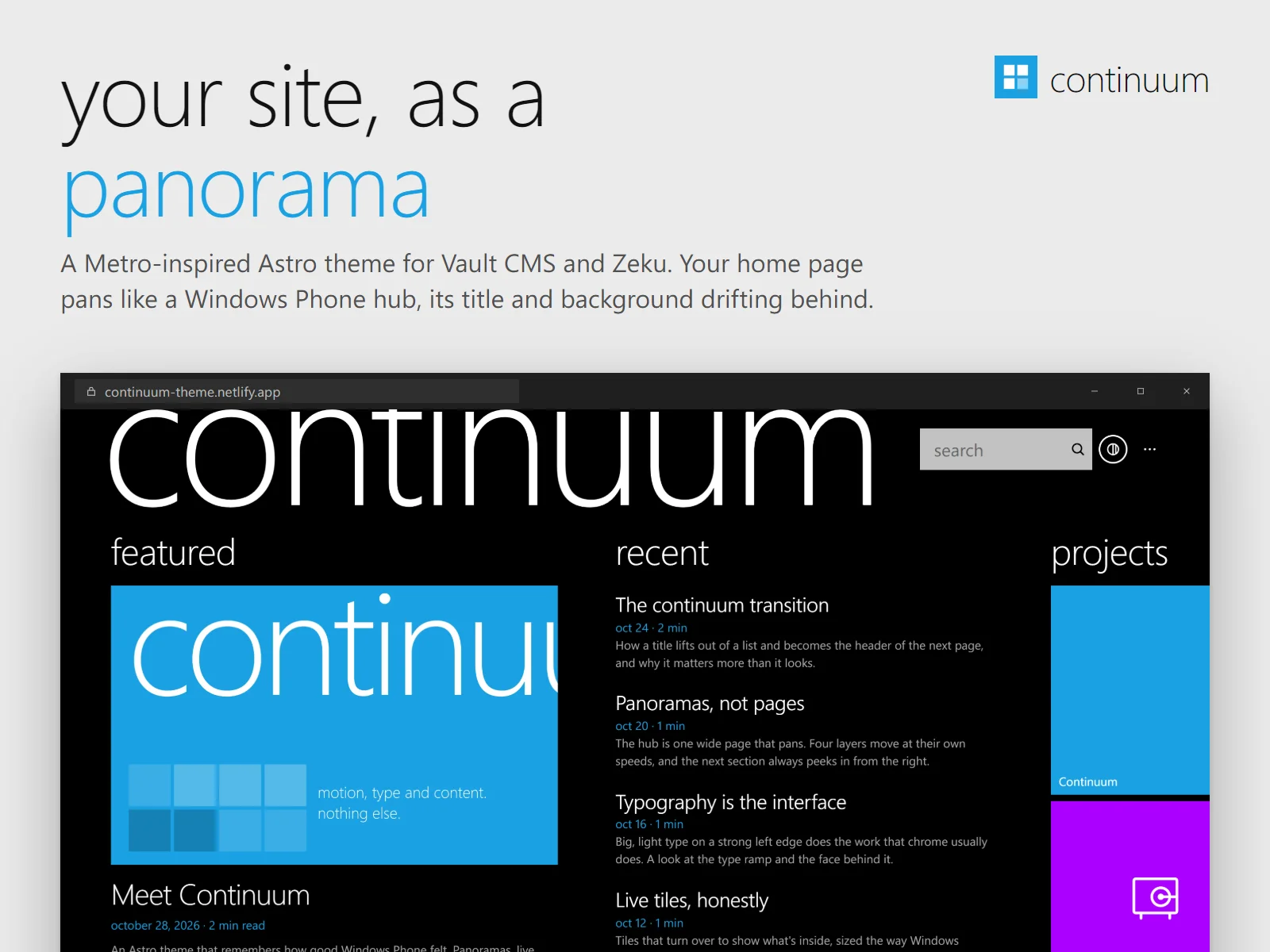
Continuum is the least minimal thing on this list, and that's on purpose. It's inspired by Metro, the design language of Windows Phone and Zune. Your home page is a panorama that pans like a Windows Phone hub, and when you tap a post, its title lifts out of the list and flies up to become the header of the page you opened.
Live tiles turn over to show their covers, visitors pick from twenty Windows Phone accent colors, and everything works without JavaScript.
Continuum is $29.99, one time, on [my store](https://davidvkimball.com/store#continuum).
## Which One?!
- **Want a quiet blog with a command palette?** Zaduma.
- **Want your bio, work history, and projects on the home page?** Astro Nano, or Astro Micro if you also want search and comments.
- **Want it to feel like Obsidian?** Minimal.
- **Want nothing between readers and your writing?** Chiri.
- **Write in Obsidian and want to tweak everything for free?** Astro Modular.
- **Want a full blog with projects and docs, and don't mind paying?** Axis.
- **Write lots of short, linked notes?** Coffer.
- **Want your site to have some personality and motion?** Continuum.
There are lots of cool Astro templates to pick from, even beyond the minimal ones I mentioned here. Check out [this huge collection of Astro themes](https://www.builtatlightspeed.com/category/astro?themes%5BrefinementList%5D%5Bdistribution%5D%5B0%5D=open-source). I've prefiltered the link to be just open source themes, but there are paid options as well.
Astro's official website has [their own collection of themes](https://astro.build/themes/), too.
## Linked mentions
- [My Astro Themes](https://davidvkimball.com/posts/my-astro-themes)
- [Focus](https://davidvkimball.com/posts/focus)
- [The History of My Personal Website](https://davidvkimball.com/posts/the-history-of-my-personal-website)
- [Astro Suite for Obsidian (Vault CMS Predecessor)](https://davidvkimball.com/posts/astro-suite-for-obsidian)