---
title: "Astro Suite for Obsidian (Vault CMS Predecessor)"
description: "My setup for writing Astro blog posts in Obsidian, before it grew into Vault CMS: the Astro Composer plugin, a ready-made vault, and the rough edges."
published: 2025-08-27T00:00:00.000Z
updated: 2026-05-31T00:00:00.000Z
tags: ["web","customization","design","video","productivity","vault-cms","astro","obsidian"]
url: "https://davidvkimball.com/posts/astro-suite-for-obsidian"
---
## Background
I've been using [Astro](https://astro.build/) in combination with [Obsidian](https://obsidian.md) for over a year now. It's been my primary method for publishing blog posts. I've grown to appreciate Astro's content-centric yet flexible nature and have especially loved using Obsidian, to the point where I use it as my daily notetaking app also now.
[Video overview of using Astro and Obsidian together for writing and publishing blog posts](https://www.youtube.com/watch?v=ZhizarvwLnU)
## A Perfect Match
Since Astro is markdown-based, it's a natural fit for Obsidian. I'm hardly [the first person to use the two together](https://www.reddit.com/r/ObsidianMD/comments/1943yza/a_lazy_mans_obsidian_astro_workflow_integration/), but I still think it's a wildly underrated combo. There are [lots of great Astro themes](https://davidvkimball.com/posts/cool-astro-minimal-blog-themes) that complement Obsidian, too.
### Astro Composer Plugin for Obsidian
[Demo of the Astro Composer plugin for Obsidian, automating Astro blog post creation with frontmatter and link conversion](https://www.youtube.com/watch?v=VVs9RytpTfc)
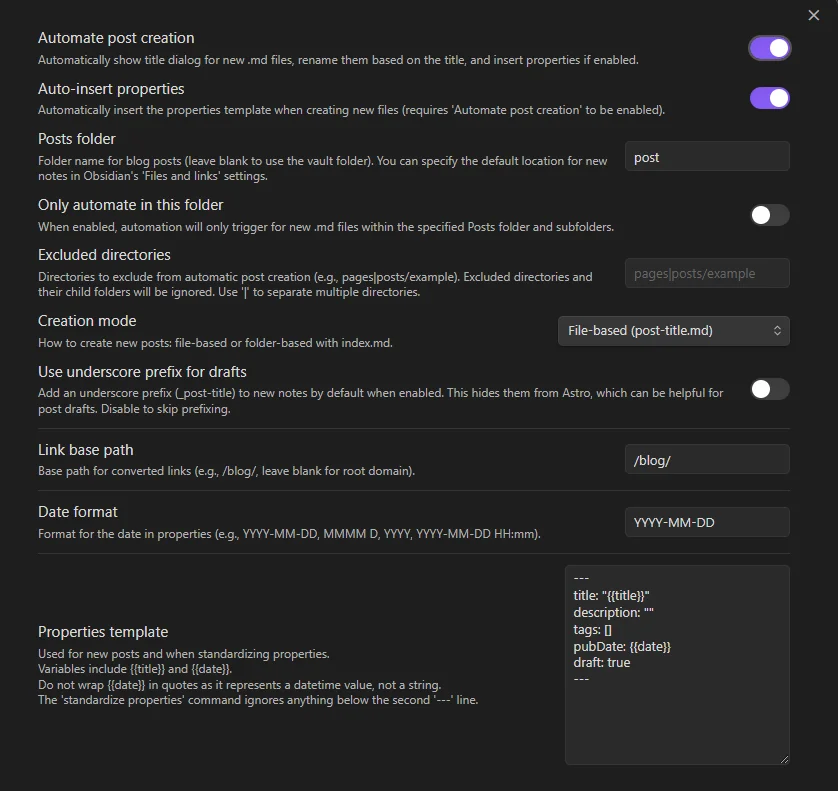
[Astro Composer](https://github.com/davidvkimball/obsidian-astro-composer) helps automate the creation of Astro blog posts as Obsidian notes. You can define a default location for new notes (like a `posts` folder within the `src/content` folder), automatically create a kebab-case file or folder name based on your a post title you write, define a set of properties that are automatically set and detected as Astro frontmatter, and even convert internal links like Markdown-based links to your other posts or Wikilinks to standard links.
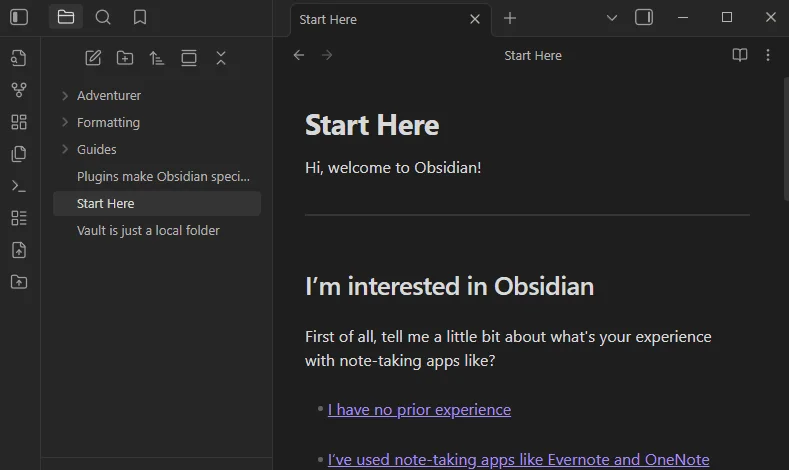
This plugin will accelerate your blog writing process and simplify the whole experience. For months I was using a combination of [Shell Commands](https://obsidian.md/plugins?id=obsidian-shellcommands) and [Templater](https://obsidian.md/plugins?id=templater-obsidian) plugins to get the outcome I wanted, but it still didn't quite do what I wanted.
Some Astro-dedicated plugins exist already including [Markdown Blogger](https://obsidian.md/plugins?id=markdown-blogger) and [Static Site MD Exporter](https://obsidian.md/plugins?id=ob2static-site), but both push files to another directory instead of just using your project files directly, which I prefer.
## Astro Suite Obsidian Vault
To accompany this plugin, I wanted to give Astro bloggers a vault they could just plop into their projects and start using it right away. It uses [Obsidian bases](https://help.obsidian.md/bases) as a common directory, resembling lots of blogging CMS dashboards.
[Walkthrough of the Astro Suite Obsidian Vault, a pre-configured vault for managing and publishing Astro blog posts](https://www.youtube.com/watch?v=ExUZNfAHIP8)
That base file becomes the [Homepage](https://obsidian.md/plugins?id=homepage) and [Default New Tab Page](https://obsidian.md/plugins?id=new-tab-default-page) as well with the titular plugins enabled. Depending on the Astro theme you use, you'll want to customize the `base` properties view to fit the frontmatter of your posts.
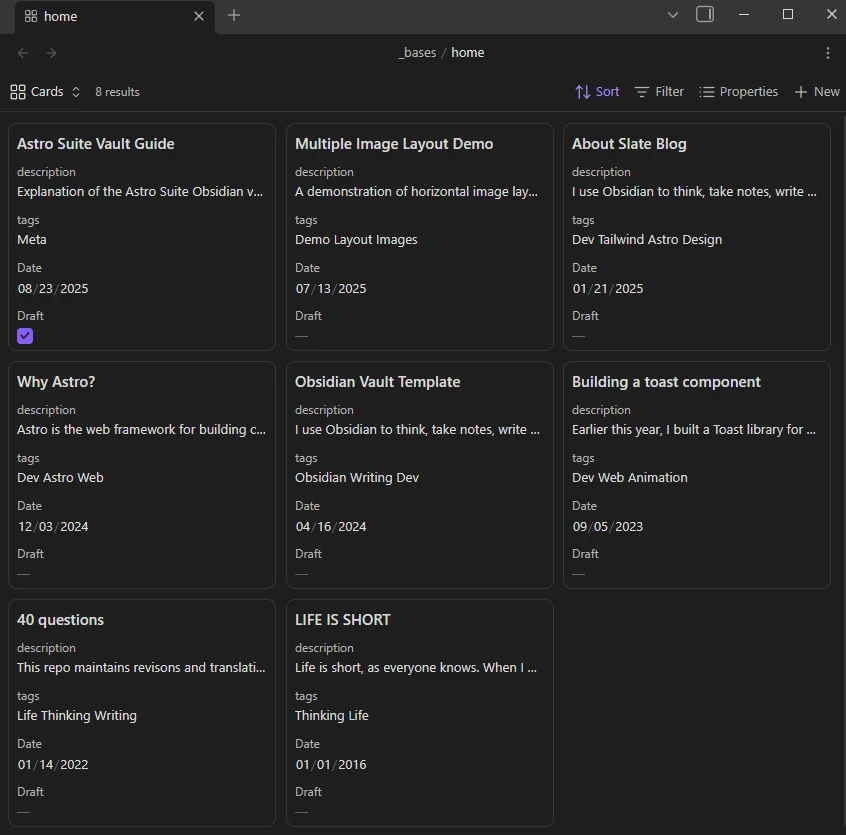
It almost resembles a CMS, doesn't it?
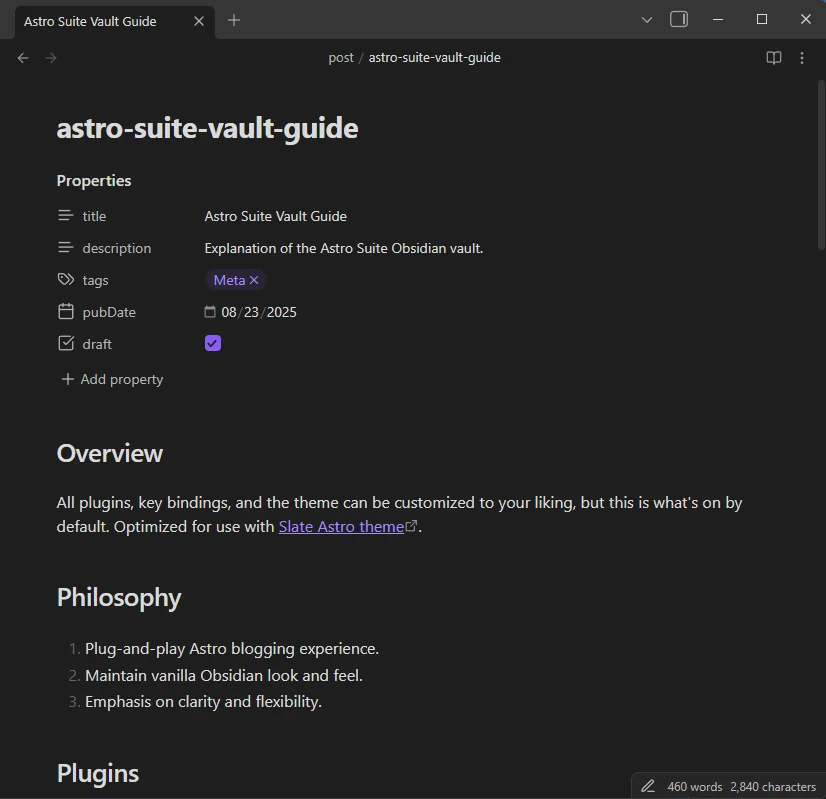
`CTRL + S` now automatically standardizes the frontmatter of the active note and converts the internal links to work with Astro via your Astro Composer settings thanks to the [Custom save](https://obsidian.md/plugins?id=custom-save) plugin.
I've also bundled in [Image Inserter](https://obsidian.md/plugins?id=insert-unsplash-image) and [Paste image rename](https://obsidian.md/plugins?id=obsidian-paste-image-rename) as well, which is very useful for finding images quickly and setting solid slug-friendly filenames to attachments right away (even images you paste from your clipboard).
[Title-Only Tab](https://obsidian.md/plugins?id=title-only-tab) pulls the note's Title from the `title` property and uses that as the tab's name so you can use that instead of the file name (which is usually the post slug).
Enable the [Git](https://obsidian.md/plugins?id=obsidian-git) plugin and publish directly to your site with `CTRL + SHIFT + S` without even leaving Obsidian.
## Astro Suite Obsidian Vault (Minimal)
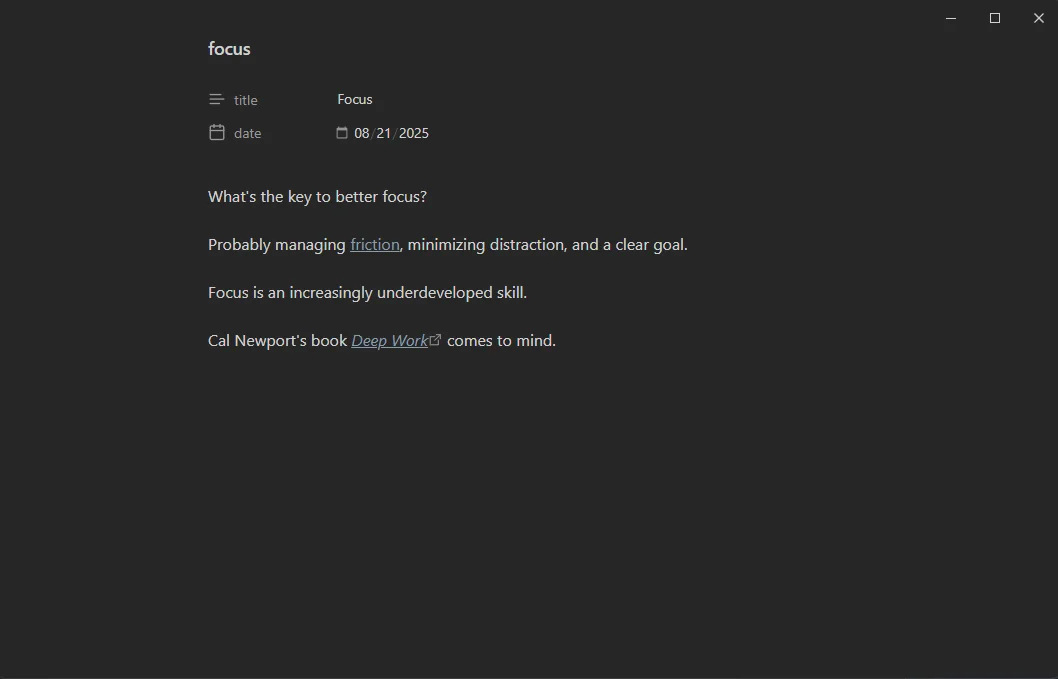
Another version of the vault and plugin combination, except with the addition of the [Minimal theme](https://github.com/kepano/obsidian-minimal), [Minimal Theme Settings](https://obsidian.md/plugins?id=obsidian-minimal-settings), [Style Settings](https://obsidian.md/plugins?id=obsidian-style-settings), [Hider](https://obsidian.md/plugins?id=obsidian-hider), [ProZen](https://obsidian.md/plugins?id=obsidian-prozen), custom CSS snippets, and custom keyboard shortcuts set. This is a far more "opinionated" vault, centered on focus and a distraction-free experience.
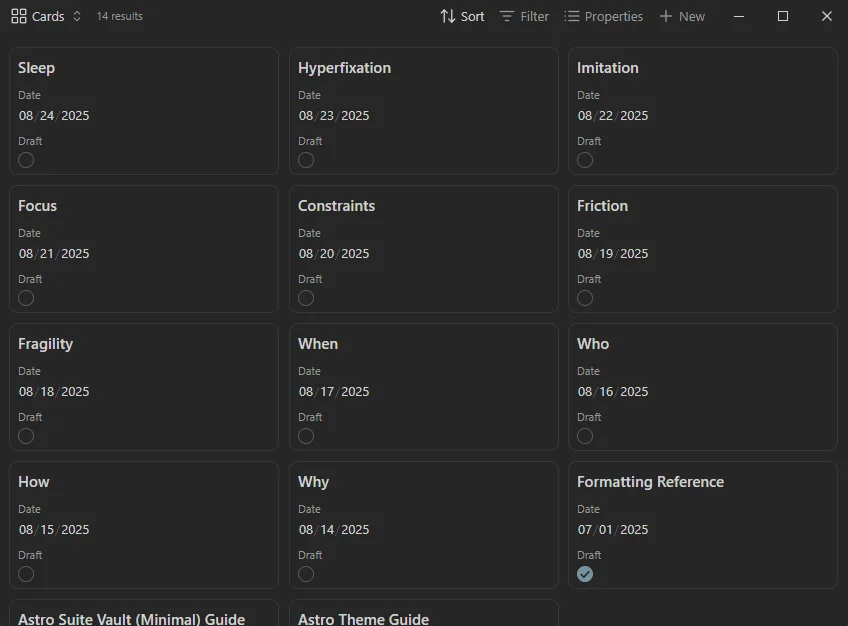
Similar, but more stripped down as you can see.
## Common Technical Barriers and Limitations
There are some built-in barriers however. Here are some of them:
- Astro will try to process Obsidian files depending on where you insert it into your project
- Frontmatter of Astro templates doesn't always match Obsidian's native properties (like tags or parsing dates)
- Some Obsidian features like callouts aren't standard markdown and won't natively be rendered by many Astro themes
Despite these common issues, with just a few tweaks any Astro template can be modified to fit all of these requirements (in fact, I did this myself with the [Fuwari Astro theme](https://github.com/saicaca/fuwari)).
## Roadmap
Here's what I want to do next:
- Get Astro Composer published in the Obsidian community plugins directory (currently awaiting manual review)
- Create a MDX plugin that works with bases (or ask a current MDX plugin maintainer to add support for bases API when it releases)
- Optimizations for a better experience on mobile
## Example Custom Vault
I use a version of this for this website, here's the homepage view:
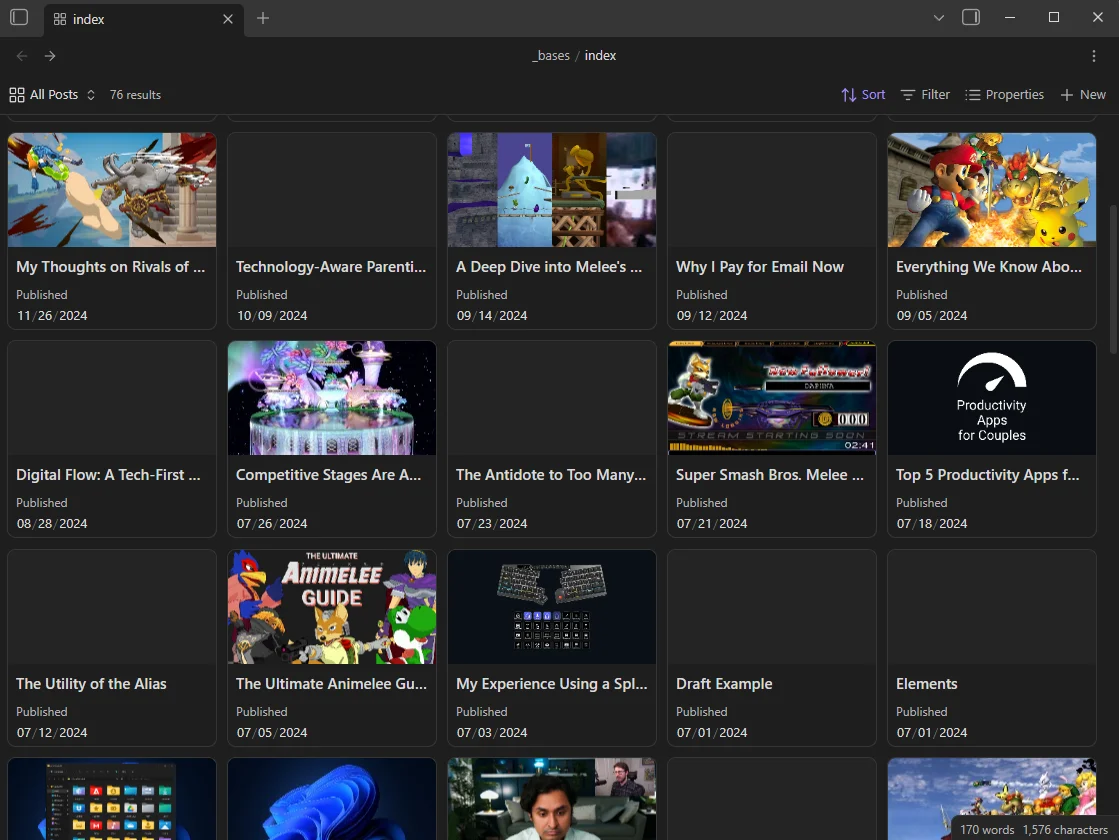
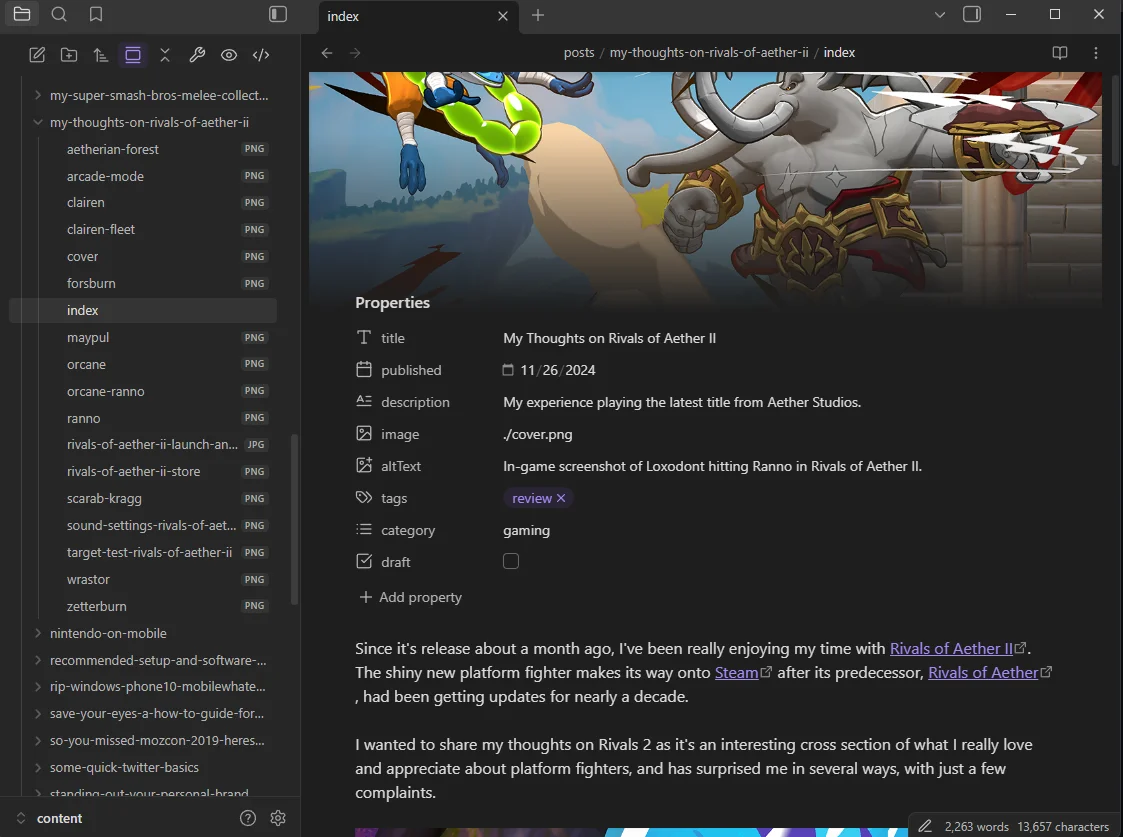
I've defined some properties that set the image for each cover (when one exists). I've also added those same images to the note view itself with the [Simple Banner](https://obsidian.md/plugins?id=simple-banner) plugin and added property icons with [Iconic](https://obsidian.md/plugins?id=iconic):
## Download Links
```embed
https://github.com/davidvkimball/obsidian-astro-composer
```
```embed
https://github.com/davidvkimball/vaultcms
```
Hope you use this suite and elevate your Astro + Obsidian workflows to new heights.
Happy writing!
## Linked mentions
- [The History of My Personal Website](https://davidvkimball.com/posts/the-history-of-my-personal-website)
- [Vault CMS: Use Obsidian To Write Astro Blog Posts](https://davidvkimball.com/posts/vault-cms-use-obsidian-to-write-astro-blog-posts)